



I wired up the controller per DJ's instructions. It's getting power. The little light is on but nothing happens.
Any ideas? Troubleshooting techniques?
 Camera NMS Pose
— Overhead camera tracks a glyph to give precise robot pose to ARC's NMS for multi-camera indoor/outdoor navigation and waypoint control
Try it →
Camera NMS Pose
— Overhead camera tracks a glyph to give precise robot pose to ARC's NMS for multi-camera indoor/outdoor navigation and waypoint control
Try it →
I wired up the controller per DJ's instructions. It's getting power. The little light is on but nothing happens.
Any ideas? Troubleshooting techniques?

Unplug from ez-b, should still be connected to power. Push it up and down if light comes on then it's external power. Should be pushed down.
I just ran into another runaway on startup case... Seems the EZ-B leaked a lil current out a digital port on power up, just enough to trigger movement. My solution was to power up EZ-B, connect, & cycle on n off the 4 digital ports connected to my motor controller's In ports, BEFORE enabling the motor control (in my case, via 2 more digital ports connected to EnA & EnB - but waiting to apply power to the motor controller til this point should work too).
@ndavid79
cycle on n off the 4 digital ports connected to my motor controller's In ports
Huh? What do you mean cycled the ports on and off. Sorry new.
Samantha
In ARC, I added 4 "Set Digital" controls (Add Control > Digital > Set Digital) & configured them to the 4 ports connected to my motor controller... Then I clicked the red button to turn the port ON, then the green button to turn the port OFF on each of the 4 Set Digital controls.
ok.. got that. Thank you for explaining. I am new but I am semi technical and can follow directions most of the time.
Tried that still. Didn't work. But when I then tried moving the h-bridge control thing, it would turn on and off the (what I think it correct ports) by itself. Is that normal? Does make me believe it is hooked up correctly but I could be having a blonde moment. :o)
Yep, as you use the H-Bridge Movement Panel, the Set Digital controls will light up indicating what the actual ports are doing.
Can you take a picture of your motor controller & post it? Maybe we can spot something missing.
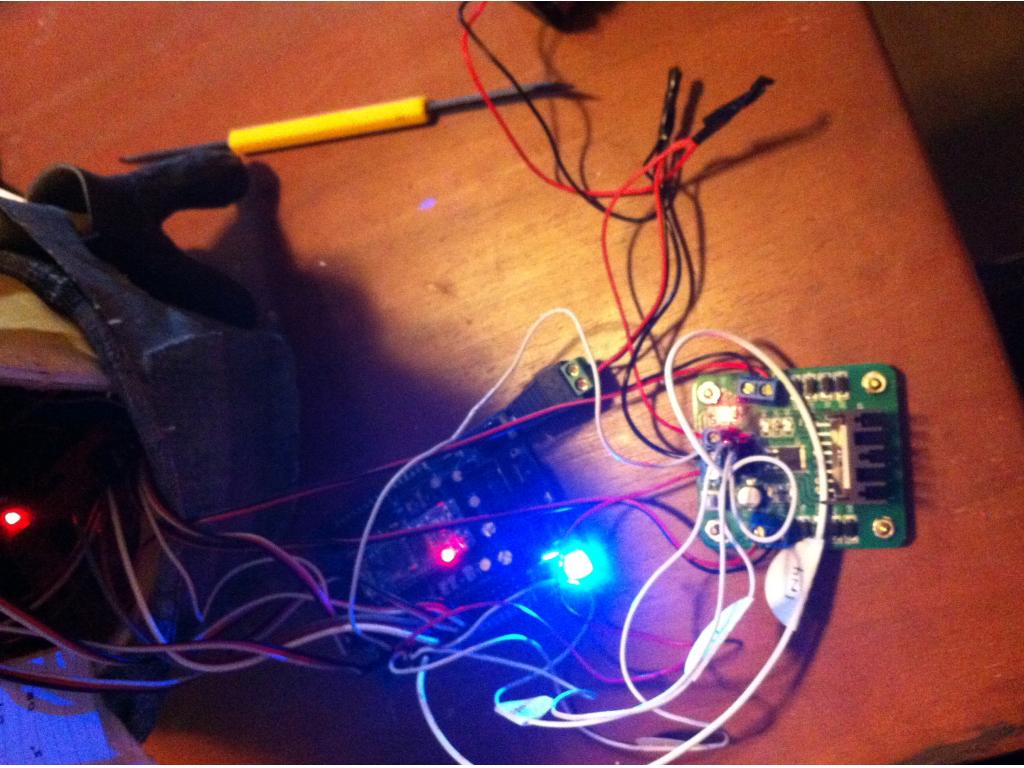
Kind of hard to tell. But here you go...
Are there 2 jumpers on the 2nd row of pins behind the 4 pins that go to the EZ-B? Are the Motor out terminal blocks as crocked as they look in that pic?