









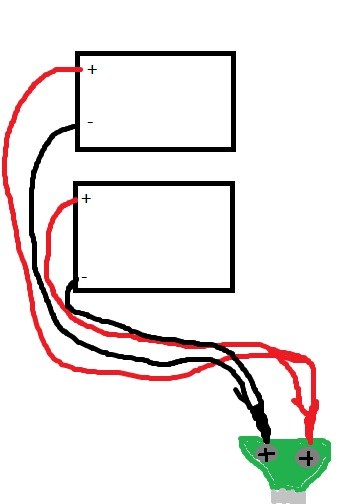
1: is this adapter compatible with the ez-b and how does it work?
www.elechouse.com/elechouse/index.php?main_page=product_info&cPath=90_186&products_id=1007
2:Does anyone have a pic or diagram of a ez-b with 2 battery packs in series/parallel?
3:Does anyone have a pic/diagram of a ez-b with a regulator fan?
4:Mainly for any R2D2 person; What toy did you use?(Dj, which one?)

DJ, are you saying in the connection control, where we usually select a com port to communicate with an EZ-B and an IP address to connect to another instance of ARC, we could just define an IP Address and port to connect to a WiFi enabled EZ-B as long as the port in the WiFi board is configured as Serial (TTY?)?
That would certainly solve the issue of trying to find a free/cheap and working virtual com port.
Alan
DJ,did you get wifi to work?
When populating the menu screens you assign the port number (i.e. 8090) or (23) as DJ mentioned. Then the IP link becomes (192.168.1.18:8090 or 23)
Thanks Robot-Doc, that simplifies things dramatically. Only problem now is that I need to buy a WiFi board, just when I had decided I would save the money and stick with bluetooth.....
Alan