



I used two DFB Robot sound sensors to give EZB sound localization. These are analog sensors and I tweaked the RX analog values using EZ script to determine which sensor was receiving a louder signal.
Regards
 Custom Movement Panel V2
— Custom Movement V2 panel for ARC: scripts for F/R/L, Reverse, roll left/right, up/down with speed mapping to PWM for drones, mecanum & custom drives
Try it →
Custom Movement Panel V2
— Custom Movement V2 panel for ARC: scripts for F/R/L, Reverse, roll left/right, up/down with speed mapping to PWM for drones, mecanum & custom drives
Try it →
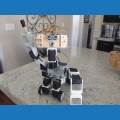
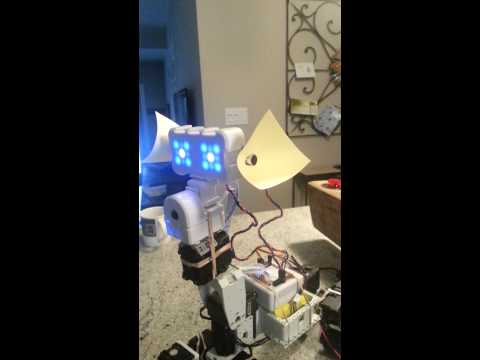
I used two DFB Robot sound sensors to give EZB sound localization. These are analog sensors and I tweaked the RX analog values using EZ script to determine which sensor was receiving a louder signal.
Regards

this is awesome now i guess you can have a robot follow you by your voice
Nice thanks for sharing
@mtiberia. That's very cool! Can you share alittle more on how you did it and a link to where you got the sensors?
You can find the sensors at Robotshop, I had them for another project and decided to connect them to the EZ B. The DFB Robot sound sensor is supposed to be powered by 5v but EZB supplies 3.3 on the ADC pins. You just have to adjust the sensors sensitivity to the highest and then use the EZ script to applify the incoming signals. There is a new sound sensor from Sparkfun that I would like to try and you can also find it on Robotshop's website.
Here's the script.
$Direction=0 $L=0 $R=0
:loop
Repeat($x,0,2,1)
I multiplied the reading by 50 for both sensors
$Left=GetADC(adc0)*50
$Left_T=$Left+$L $L=$Left_T
$Right=GetADC(adc1)*50 $Right_T=$Right+$R $R=$Right_T
Sleep(10)
EndRepeat
$Direction=$Left_T-$Right_T
If($Direction>300) SayEZB("left") Sleep(1800) $Direction=0 $Left_T=0 $L=0
ElseIf($Direction<-300) # that's -300 SayEZB("Right") Sleep(1800) $Direction=0 $Right_T=0 $R=0
EndIf
$Left_T=0 $Right_T=0 $L=0 $R=0
Goto(loop)
Thanks
@Bob... These will work Sound sensor , but they will probably take up to a month to get to you...
Thanks for sharing. You solved something I was wondering about doing.
j
@Steve G
A little more info for you and an example to get you started.