






Sorry but I'm not good at instruction. So how do you assign the servo on the pins of the EZ-B so that the software knows which ports is which. I'm a little bit confused of how it works though.
Asked
— Edited
 Resolved by DJ Sures!
3 Participants
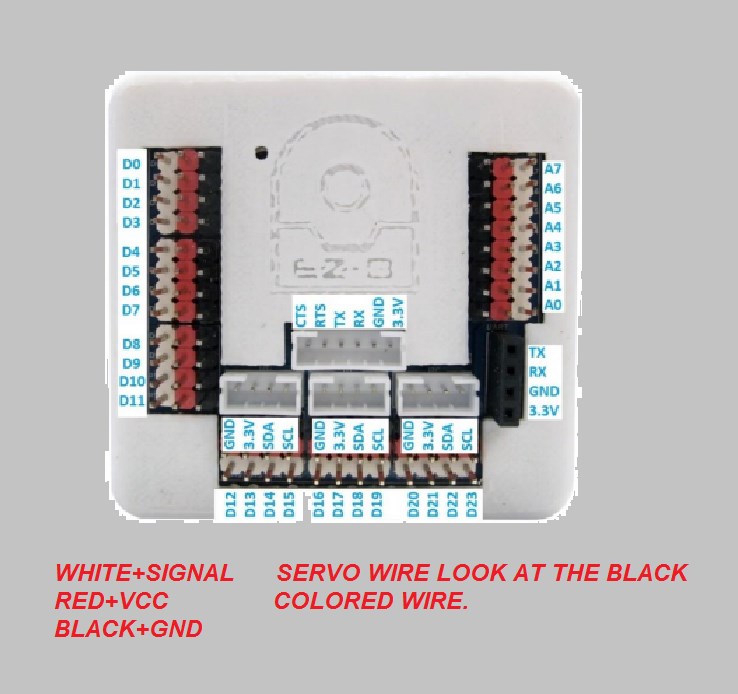

This will help: https://synthiam.com/Tutorials/Lesson/49?courseId=4
For more information, the LEARN section can be accessed by pressing the LEARN button from the top of the website. Hope that helps
@deuel18 ... After you have a look at what DJ posted you can try it out yourself... It is pretty straight forward, you don't have to do anything special... Below is a basic script command to move a servo to 90 on port D0 then move it to position 180 1 second later...
the ezbv4 has colored pins.see pic.
keep asking your questions
Thanks guys