


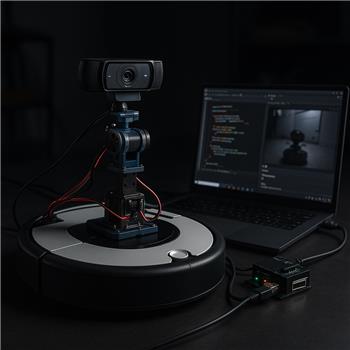
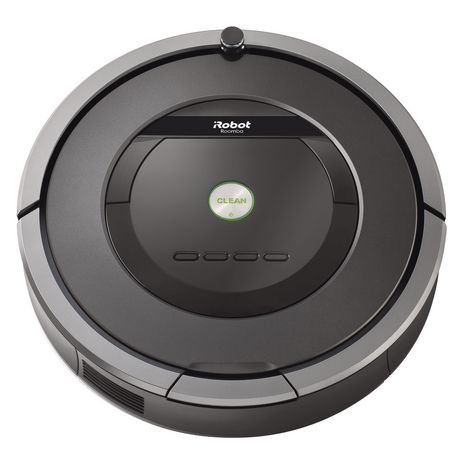
I’m running an iRobot Roomba base in ARC, connected over USBTTL serial (COM4, 115200) using the iRobot Roomba Movement Panel. On top I have a 2DOF pan/tilt camera on an EZB v4 (D0/D1) and a Logitech C920 USB camera into the Windows laptop that runs ARC. I added the Single Camera servo Server skill so a Unity client can get the video and send servo positions.
Unity connects to the skill on localhost (using the port shown in the skill UI), video streams fine, and I’m sending two "virtual" servo channels (D2 = turn, D3 = throttle). In ARC I map those to the Movement Panel with a small JavaScript loop (below). It works, but two issues are blocking me:
- If I pause/disable the Camera Device in ARC, servo updates from Unity stop completely, so I can’t drive without video.
- When camera FPS dips (e.g., 320x240@15fps dropping to ~8-10fps under load), Roomba driving becomes bursty and lurches, as if servo updates are throttled to the camera frame rate.
Here’s the ARC JavaScript I’m using to translate the two virtual servos into movement commands:
while (true) {
  var x = GetServo("D2"); // turn
  var y = GetServo("D3"); // throttle
  var forward = (y - 90) / 90.0;
  var turn = (x - 90) / 90.0;

  if (Math.abs(forward) < 0.1 && Math.abs(turn) < 0.1) {
    Stop();
  } else {
    SetSpeed(Math.round(Math.min(100, Math.abs(forward) * 100)));
    if (forward > 0) { Forward(); } else if (forward < 0) { Reverse(); }
    if (Math.abs(turn) > 0.1) { if (turn > 0) { Right(); } else { Left(); } }
  }
  Sleep(20);
}
I tried lowering camera resolution/FPS, moving the camera to another USB bus, and running Unity on a separate PC; the jitter still correlates to camera FPS. Is there a way to decouple servo transmission from the camera stream in Single Camera servo Server (or keep servo updates alive when the camera is paused), or should I use a different ARC skill/protocol for reliable Unity-to-Roomba driving?



Yes - what you’re seeing is consistent with how the Single Camera servo Server skill is designed: the camera stream is the transport loop for servo updates. If the camera is paused/disabled, the servo side can stall too, and when FPS drops, servo updates can feel bursty because they’re effectively riding along with the video cadence.
What’s happening
Best recommendation
For reliable Unity Roomba driving, use a separate control path for motion instead of tying driving to the camera servo server.
Good options
Option 1: Use
ControlCommand()or movement commands directlyIf Unity can send commands into ARC (via TCP, UDP, HTTP, or a custom plugin/skill), have it send:
forwardreverseleftrightstopThen let ARC’s Movement Panel handle the Roomba.
This is the cleanest approach because movement is designed to be global in ARC and does not need the camera stream.
Option 2: Build a custom robot skill
If you want a dedicated Unity bridge, the best long-term path is to create a robot skill that receives Unity’s joystick values independently of the camera.
That way:
Create a skill here if needed: https://synthiam.com/Support/Create-Robot-Skill/Overview
Option 3: Send drive data through a protocol separate from video
For example:
This keeps camera load from impacting driving.
Why I wouldn’t use the current loop
Your ARC script is polling virtual servo values like this:
A better architecture is:
What I’d suggest for ARC
If you want to stay simple:
Use a small custom skill or script receiver that accepts joystick values from Unity and writes them to ARC globals like:
$UnityTurn$UnityThrottleThen a JavaScript loop in ARC can read those and drive the Roomba.
Example ARC JavaScript pattern
That keeps motion logic independent from the camera stream.
About the camera pause issue
If you specifically need video off but servo/motion still active, then Single Camera servo Server is the wrong transport for that use case because it couples both together.
My recommendation for your setup
Since you have:
I’d do this:
Quick question
How is Unity currently sending those virtual servo values into ARC?
If you tell me that part, I can suggest the best exact ARC-side setup and give you a concrete JavaScript or Python example.