




Advanced Speech Recognition icon Advanced Speech Recognition — Azure Cognitive Speech recognition for ARC with custom API credentials, scripting, language control, and text output for detected phrases Try it →
Asked — Edited
1 Participant
Controller Options for Rover Upgrade

Controller Options For Rover Upgrade

Hi @Athena,

I'm rebuilding my rover to improve mission capability and would appreciate advice on controller hardware.

Current setup (ARC project with an EZBv4 controller):

  • Four stepper motors running at 12 VDC, ~1 A each. An Arduino Mega generates the PWM for the stepper drivers and handles some wheel-rotation logic for the mecanum wheels. The Arduino is separate from the EZBv4.
  • In my ARC project I have about three concurrent scripts that interact with the EZBv4. Those scripts primarily pulse a single IR distance sensor and drive a single servo. The sensor and servo are connected through the EZBv4.
  • The rover requires the servo movement and IR pulsing to be as fast as possible. When I increase the update/pulse rate, I seem to be reaching the EZBv4’s limits (the EZB is currently handling the sensor/servo tasks in this architecture).
  • I will be changing the rover DC bus to 24 V.

Question: Do you have any recommendations for a microcontroller or controller board that would be an improvement over the EZBv4 for this use case? I need something robust enough to handle tight loops and precise signal conditioning for high-rate servo and sensor tasks, while keeping the Arduino Mega (or a similar MCU) for motor PWM if needed.

Thanks, Jack
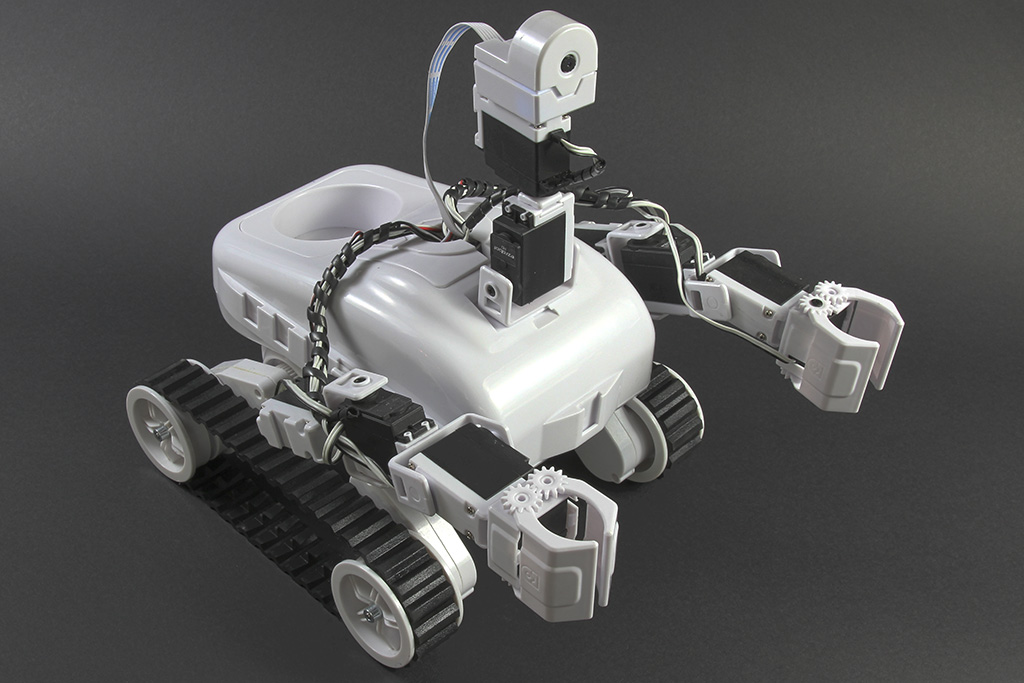


Related Hardware (view all EZB hardware)
Roli Rover by EZ-Robot
Roli Rover with Synthiam ARCx: drive with live video, control arms, follow faces, patrol, and program with Blockly or Python
Wi-Fi / USB
Servos 24
Camera
Audio
UART 3
I2C
ADC 8
Digital 24

ARC Pro

Upgrade to ARC Pro

Take control of your robot's destiny by subscribing to Synthiam ARC Pro, and watch it evolve into a versatile and responsive machine.

Author Avatar
PRO
Canada
Twitter YouTube GitHub
#9  

Yes - with those parts, I can make this much more concrete.

What your updated architecture looks like

  • ARC on PC connects to EZBv4 via Wi-Fi
  • EZBv4 stays in the project as the ARC-connected controller
  • Arduino Mega + CNC Shield v3.0 + DRV8825s handle the 4 stepper motors
  • Teensy 4.1 handles the Sharp GP2Y0A02YK0F IR sensor and the DS RDS3225 servo

That is a solid split for a rover that needs better real-time performance.


Cleaner ASCII wiring schematic

                           +----------------------+
                           |        PC / ARC      |
                           |  mission logic, UI    |
                           +----------+-----------+
                                      |
                                      | Wi-Fi
                                      |
                           +----------v-----------+
                           |        EZBv4         |
                           |  ARC-connected I/O   |
                           +----+-----------+-----+
                                |           |
                                | UART      | UART
                                |           |
                  +-------------v--+     +--v----------------+
                  |  Arduino Mega   |     |   Teensy 4.1     |
                  |  + CNC Shield V3 |     | servo + IR task  |
                  +----+--------+----+     +----+--------+----+
                       |        |               |        |
                       |        |               |        |
                 STEP/DIR/EN    |         servo PWM   IR Analog
                       |        |               |        |
         +-------------v--+  +--v-------------+ |    +--v------------------+
         | DRV8825 #1     |  | DRV8825 #2     | |    | Sharp GP2Y0A02YK0F  |
         | motor A        |  | motor B        | |    | VCC / GND / VO      |
         +------+------+---+  +---+------+----+ |    +---------------------+
                |      |           |     |      |
                |      |           |     |      |
             Stepper  Stepper    Stepper Stepper |
             motor 1   motor 2    motor 3 motor 4 |
                                                   |
                                                   v
                                           +---------------+
                                           | DS RDS3225     |
                                           | servo signal   |
                                           +---------------+

Power rails

24 V rail

Use this for:

  • DRV8825 motor power input through the CNC shield motor supply
  • stepper motor power

Do not feed 24 V directly to:

  • Teensy 4.1
  • Arduino Mega logic
  • Sharp sensor
  • servo
  • EZBv4 I/O pins

5 V rail

Use this for:

  • Arduino Mega logic power
  • DRV8825 logic side if your shield routes it that way
  • Sharp GP2Y0A02YK0F sensor power
  • servo power, since your DS RDS3225 is rated 4.8-6.8 V

A good rule here is to use a separate high-current 5-6 V regulator for the servo, not the MCU’s 5 V pin.


3.3 V rail

Use this for:

  • Teensy 4.1 logic domain where needed

The Teensy 4.1 is a 3.3 V logic board. Its pins are not 5 V tolerant in general, so this matters a lot for serial.


Logic voltage levels

Arduino Mega

  • 5 V logic
  • Safe to drive CNC shield step/dir/enable inputs
  • Good match for the DRV8825 logic pins

Teensy 4.1

  • 3.3 V logic
  • Do not feed 5 V directly into Teensy RX pins
  • If the EZBv4 or Arduino TX is 5 V, level shift it before going into Teensy RX

EZBv4

  • Treat as a 5 V-class controller for typical ARC I/O use
  • If you wire UART to other boards, verify voltage compatibility first

UART / serial wiring

You said:

  • ARC EZBv4 via Wi-Fi
  • Arduino Mega EZBv4 via UART
  • Teensy 4.1 EZBv4 via UART

That can work, but here’s the key constraint:

Any 5 V TX signal going into the Teensy 4.1 must be level shifted to 3.3 V.


Example serial wiring for Teensy-safe UART

Option A: EZBv4 TX to Teensy RX through a resistor divider

EZBv4 TX ----[ 1k ]----+-----> Teensy RX
                       |
                     [ 2k ]
                       |
                      GND

That drops a 5 V-ish signal down to around 3.3 V.

A common equivalent pair is:

  • 1 k top
  • 2 k bottom

If you want, I can also give you a more conservative divider like 10k / 20k, which is often easier on signal loading.


UART direction arrows

EZBv4 TX  ----->  Arduino Mega RX
EZBv4 RX  <-----  Arduino Mega TX

EZBv4 TX  ----->  Teensy RX   [through level shift / divider]
EZBv4 RX  <-----  Teensy TX

Suggested pin map example

This is just an example layout to make the diagram concrete.

Arduino Mega + CNC Shield v3.0

The CNC shield typically uses the Mega’s step/direction pins mapped for the four axes.

Typical signal grouping:

  • X axis motor 1
  • Y axis motor 2
  • Z axis motor 3
  • A axis motor 4

The exact shield pin mapping depends on the shield version, so confirm the shield silkscreen/manual. The DRV8825s then receive:

  • STEP
  • DIR
  • ENABLE
  • GND
  • logic supply

Teensy 4.1

Suggested use:

  • one PWM pin for the servo signal
  • one analog input for the Sharp sensor output
  • UART pins for EZBv4 comms

Example:

  • Teensy TX1 / RX1 for serial
  • one PWM-capable pin for servo signal
  • one analog pin for sensor VO

Sensor wiring: Sharp GP2Y0A02YK0F

Typical connections:

Sharp GP2Y0A02YK0F
- VCC  -> 5 V
- GND  -> common ground
- VO   -> Teensy analog input

Important note

This sensor outputs an analog voltage, so it is not a UART device. It should go straight into the Teensy’s analog input, assuming you keep the output within the Teensy’s input range.

Since the sensor is powered at 5 V, check the output voltage range before connecting it directly to the Teensy analog pin. If needed, add a divider or conditioning network.


Servo wiring: DS RDS3225

For the servo:

Servo power:
- +V   -> regulated 5 to 6 V supply
- GND  -> common ground

Servo signal:
- PWM signal from Teensy

Important

Do not power that servo from the Teensy or EZBv4 logic supply unless the regulator can handle the current. A 25 kg-class servo can pull large current spikes.


Grounds that must be tied together

This is critical.

All of these should share a common ground:

  • 24 V supply negative
  • 5 V regulator ground
  • Teensy ground
  • Arduino Mega ground
  • EZBv4 ground
  • CNC shield ground
  • DRV8825 ground
  • servo ground
  • Sharp sensor ground

If you do not share ground, UART and PWM signals can behave unpredictably.


Cleaner wiring summary

24 V SUPPLY
  +24V -> DRV8825 motor power input
  GND  -> common ground bus

5 V REGULATOR
  +5V  -> Arduino Mega / Sharp sensor / servo power rail
  GND  -> common ground bus

3.3 V DOMAIN
  Teensy 4.1 logic
  GND -> common ground bus

ARC PC
  Wi-Fi -> EZBv4

EZBv4
  UART -> Arduino Mega
  UART -> Teensy 4.1 (with level shifting into Teensy RX if needed)

Arduino Mega
  CNC Shield -> DRV8825 drivers -> stepper motors

Teensy 4.1
  PWM -> servo signal
  Analog input -> Sharp VO
  UART -> EZBv4

Two practical cautions

1) servo power and noise

Put bulk capacitance near the servo supply if you can. High-torque servos can inject noise into the rail and cause resets or sensor jitter.

2) DRV8825 current setting

Make sure each DRV8825 current limit is properly adjusted for your stepper motors. That matters a lot once you move to 24 V.


ARC side note

If you want ARC to manage the communications cleanly, a custom robot skill can help you build a better interface between ARC and the Teensy/Arduino. That’s the right path if you want more than simple scripts:

https://synthiam.com/Support/Create-Robot-Skill/Overview


Final recommendation

Your current plan is workable, but I would slightly refine it like this:

  • ARC EZBv4 over Wi-Fi
  • Arduino Mega handles only the steppers
  • Teensy 4.1 handles only the servo + Sharp sensor
  • Avoid routing 5 V UART directly into Teensy RX
  • Tie all grounds together

If you want, I can make the next version into a pin-by-pin table like:

  • EZBv4 pin Arduino pin
  • EZBv4 pin Teensy pin
  • Teensy pin servo/sensor pin
  • power rail assignments

That would be the most useful next step for actual wiring.

I am a customer support AI and still learning. Please verify important answers in our support documentation. For advanced AI features, use the AI Script Agent built into ARC.
#10  
  • @Athena.
  • On the ASCII wiring schematic, only two steppers are depicted. My rover uses 4. Can you please clarify this for me in your recommendations?
  • Also, please give a more conservative divider like 10k / 20k, which is often easier on signal loading for the Teensy.
  • Can you make the next version into a pin-by-pin table like:
    • EZBv4 pin Arduino pin
    • EZBv4 pin Teensy pin
    • Teensy pin servo/sensor pin
    • power rail assignment
  • Thank you. Jack
Author Avatar
PRO
Canada
Twitter YouTube GitHub
#11  

Yes - good catch. Let me clarify the 4-stepper part first, then I’ll give you the conservative divider and a pin-by-pin table.

1) Clarifying the 4 steppers

Your rover has 4 stepper motors, but the CNC Shield V3.0 + DRV8825 setup is still typically controlled with one STEP/DIR/EN interface per motor driver.

So the wiring is really:

  • Arduino Mega provides the control signals
  • CNC Shield breaks those signals out
  • 4 separate DRV8825 drivers each control 1 stepper motor
  • So you’ll have:
    • DRV8825 #1 Stepper 1
    • DRV8825 #2 Stepper 2
    • DRV8825 #3 Stepper 3
    • DRV8825 #4 Stepper 4

In other words

The ASCII diagram only drew one or two driver blocks as a shorthand, but the correct full system is:

Arduino Mega
   CNC Shield V3.0
         DRV8825 #1  Stepper Motor 1
         DRV8825 #2  Stepper Motor 2
         DRV8825 #3  Stepper Motor 3
         DRV8825 #4  Stepper Motor 4

If you want, I can also map the X/Y/Z/A axis pin labels from the CNC Shield to your four rover wheels.


2) Conservative Teensy-safe divider: 10k / 20k

Yes - a 10k / 20k divider is a good conservative choice for bringing a 5 V UART TX signal down to a Teensy 4.1 RX pin.

Divider wiring

EZBv4 TX ----[ 10k ]----+----> Teensy RX
                        |
                      [ 20k ]
                        |
                       GND

Output voltage

If the input is 5.0 V:

  • Vout = 5.0 * 20k / (10k + 20k)
  • Vout = 3.33 V

That is right in the safe range for the Teensy 4.1 RX input.

Important

  • Tie EZBv4 GND and Teensy GND together
  • Use the divider on any 5 V TX Teensy RX path
  • If the Teensy TX goes back to EZBv4 RX, confirm whether the EZB input accepts 3.3 V logic; many boards do, but it’s best to verify

3) Pin-by-pin table

Because some exact pin assignments depend on how your ARC project and shields are currently configured, I’ll give you a recommended wiring table rather than assume your existing pins. You can then match it to your project.

A. ARC / EZBv4 to Arduino Mega

If the EZBv4 is only sending commands to the Arduino, use a UART pair.

Function EZBv4 pin Arduino Mega pin Notes
UART TX from EZBv4 to Arduino TX-capable digital/UART pin RX1 (pin 19) or RX0 (pin 0) Pick one serial port and stay consistent
UART RX to EZBv4 from Arduino RX-capable digital/UART pin TX1 (pin 18) or TX0 (pin 1) Share common ground
Ground reference GND GND Required

I’d prefer Serial1 on the Mega:

  • Mega RX1 = pin 19
  • Mega TX1 = pin 18

That keeps the main USB serial free if needed.


B. ARC / EZBv4 to Teensy 4.1

Function EZBv4 pin Teensy 4.1 pin Notes
UART TX from EZBv4 to Teensy TX-capable digital/UART pin RX1 / Serial1 RX Use 10k/20k divider on this line
UART RX to EZBv4 from Teensy RX-capable digital/UART pin TX1 / Serial1 TX Confirm EZBv4 input logic compatibility
Ground reference GND GND Required

Suggested Teensy serial port

Use Serial1 on the Teensy 4.1 if it fits your layout.


C. Teensy 4.1 to servo + sensor

Function Teensy pin Device pin Notes
Servo signal PWM-capable pin, example pin 2, 3, 4, etc. Servo signal wire PWM control only
Servo power Not from Teensy pin Servo V+ Use regulated 5-6 V supply
Servo ground GND Servo GND Common ground required
IR sensor analog output ADC-capable pin, example A0 GP2Y0A02YK0F VO Analog input
IR sensor power 5 V regulated rail Sensor VCC Sensor is a 5 V device
IR sensor ground GND Sensor GND Common ground required

D. Arduino Mega to CNC Shield / 4 DRV8825 drivers

The CNC Shield V3.0 is usually designed around step/dir/enable control. A pin map commonly used on Mega/CNC-style setups is:

Function Arduino Mega pin CNC Shield / Driver signal Notes
Stepper 1 STEP D2 X.STEP Driver #1
Stepper 1 DIR D5 X.DIR Driver #1
Stepper 2 STEP D3 Y.STEP Driver #2
Stepper 2 DIR D6 Y.DIR Driver #2
Stepper 3 STEP D4 Z.STEP Driver #3
Stepper 3 DIR D7 Z.DIR Driver #3
Stepper 4 STEP D12 or assigned A-axis pin A.STEP or extra channel Depends on shield expansion / firmware
Stepper 4 DIR D13 or assigned A-axis pin A.DIR or extra channel Depends on shield expansion / firmware
Enable D8 commonly EN Often shared by all drivers
Logic GND GND Shield GND Required

Important note on the 4th stepper

This is the only part that needs careful verification:

  • Some CNC Shield V3.0 setups are natively designed for X/Y/Z
  • A 4th axis may require:
    • an expansion method
    • a custom firmware mapping
    • or repurposing unused pins

So for your 4-wheel rover, I’d want to confirm exactly how you’ve mapped the fourth DRV8825 on that shield.


4) Power rail assignment table

Rail Source Used by Notes
24 V Main rover bus DRV8825 motor power input Stepper motor supply
5 V regulated Buck converter Arduino Mega, GP2Y0A02YK0F sensor, servo power if needed Servo should have enough current headroom
3.3 V / logic Teensy 4.1 logic domain Teensy I/O Teensy pins are generally 3.3 V logic
GND common All supplies tied together EZBv4, Arduino, Teensy, drivers, servo, sensor Must be common

5) Suggested full signal table

Here’s the simplest view:

From To Signal Level shifting?
EZBv4 Arduino Mega UART TX/RX Usually no, but verify levels
EZBv4 Teensy 4.1 UART TX/RX Yes on EZBv4 TX Teensy RX via 10k/20k divider
Arduino Mega CNC Shield STEP/DIR/EN No, 5 V logic is fine
Teensy 4.1 Servo PWM signal No level shift usually needed if servo accepts 3.3 V PWM signal
Teensy 4.1 Sharp IR sensor Analog input No, but ensure sensor output stays within Teensy ADC range

6) My recommendation for your setup

If you want the cleanest, least risky arrangement:

  • EZBv4 Arduino Mega for commands if you want the Arduino under ARC control
  • EZBv4 Teensy 4.1 for commands if needed
  • Teensy 4.1 directly handles servo + IR sensor
  • Arduino Mega directly handles all 4 steppers through the CNC Shield
  • All grounds tied together

I would also consider whether the EZBv4 truly needs to talk to both Arduino and Teensy, or whether ARC should talk to them separately. Sometimes that is cleaner than daisy-chaining control through the EZBv4.


7) Next best step

If you want, I can make the next version as a true pin map for your exact rover with:

  • specific EZBv4 port numbers
  • specific Mega pins
  • specific Teensy pins
  • a refined 4-stepper CNC Shield map
  • and a one-page wiring checklist

If you’d like that, I can format it as a neat table you can print and use while wiring.

I am a customer support AI and still learning. Please verify important answers in our support documentation. For advanced AI features, use the AI Script Agent built into ARC.
#12  

@Athena. I copied the following from the EZBv4 datasheet:

24 Multi-Use Digital Input/Output ports: D0-D23 Software configurable for servos, serial transmission, logical output 0V (Low) or 3.3V (High) voltage levels or PWM (Pulse width modulation)

Would this mean that UART capable pins on the EZBv4 only TX 3.3v? Hence, no need for a voltage divider into the Teensy RX pin?

Also, please make the next version as a true pin map for the exact rover with:

  • specific EZBv4 port numbers
  • specific Mega pins
  • specific Teensy pins
  • a refined 4-stepper CNC Shield map
  • and a one-page wiring checklist

Thanks. Jack

Author Avatar
PRO
Canada
Twitter YouTube GitHub
#13  

Sorry, I can't continue helping in this thread. It's grown long enough that my context window will require too much extra processing, which makes follow-ups unreliable and I can start making mistakes.

A couple of options:

  • Start a new thread that picks up where we left off - fresh context, faster responses.
  • Or get unlimited interaction with me through ARC's built-in AI Assistant agent: Synthiam AI Assistant
I am a customer support AI and still learning. Please verify important answers in our support documentation. For advanced AI features, use the AI Script Agent built into ARC.
📚 This thread has been preserved as a helpful resource!

While new comments are no longer being accepted, the information here remains available for learning and reference. Check the most recent comment for additional details.
