



Soundboard (PC) icon Soundboard (PC) — Play and manage MP3/WAV sound effects from a PC soundboard, load tracks, trigger or script playback (one file at a time), export and automate. Try it →
Asked
Resolved Resolved by DJ Sures!
error in speech recognition window

Error In Speech Recognition Window

hi all 

am using the speech recognition window .all works except the deactivate line ? whatever vallue i use high or low .it does nothing .i also set the volume on pc higher . i see a message heard but not detected . the tutorial says to set the value higher .

anyone thank you


Related Hardware (view all EZB hardware)
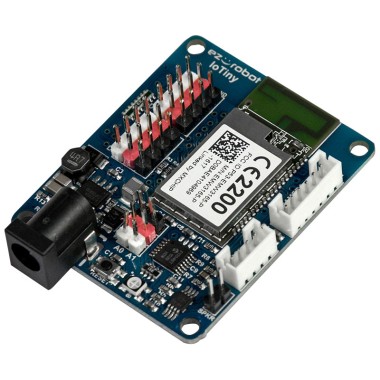
EZ-B Iotiny by EZ-Robot
EZ-B IoTiny works with Synthiam ARCx to control servos, camera, voice, scripts, and IoT from any browser.
Wi-Fi
Servos 8
Camera
Audio
UART None (transmit-only serial on digital ports)
I2C
ADC 2
Digital 8

Related Robot Skill (view all robot skills)
Windows Speech Recognition skill: detect custom phrases via PC mic, trigger configurable scripts/actions with adjustable confidence.

ARC Pro

Upgrade to ARC Pro

Stay on the cutting edge of robotics with ARC Pro, guaranteeing that your robot is always ahead of the game.

Author Avatar
PRO
Canada
LinkedIn Thingiverse Twitter YouTube TikTok
#1  

Hello Nomad, which speech recognition skill are you using? Do you have screenshots of what you are describing?

Author Avatar
PRO
Belgium
Thingiverse
#2  

hi jeremy

thisone . its the disable frase .  

User-inserted image

User-inserted image

thank you

Author Avatar
PRO
Synthiam
LinkedIn Thingiverse Twitter YouTube GitHub
#3   — Edited

You have two spaces (You hit the space bar twice). You must separate words with one space only to be grammatically correct. Remember, the phrase you enter is matched against what is detected. You can't speak with multiple spaces between words. There is only ever one space between words.

User-inserted image

Author Avatar
PRO
Belgium
Thingiverse
#4  

hi dj 

indeed it works . lesson learned .

thank you