

3dGuy
Canada
Asked
— Edited
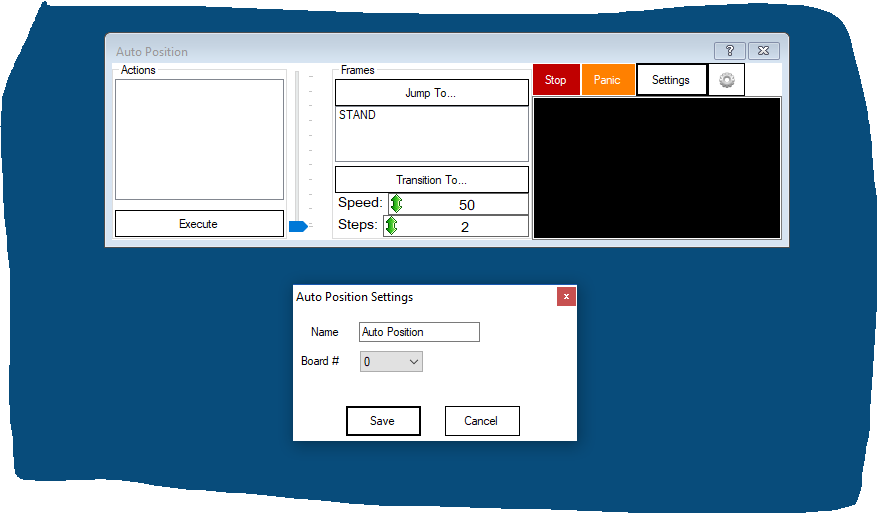
Auto Position Control Window Rename
Hi, I am having a brain fart and can't remember how to rename an Auto Position window? I've done in the past but just can't seem to do it.
Thanks!

@3dGuy
Go into the Setting button under the Auto Position window, and your find it there!
Thanks Cem. I still don't see it under settings.
This is what is see, once I hit the "'setting"' button.
Change Title under Name.
Well , I feel a little better now. My Auto Position window does not have a Settings button. Perhaps a different ARC version.
Here is what i see. Thanks for responding
I'm using: ARC BETA Version: 2019.02.03.00
Chris.
I'm using the latest. Version 2019.03.11.00 I was excited to use the new Auto Position feature. It's pretty cool.
I’m using Scripts in my InMoov rather than using the Auto Position control. You can select in the code the EZ-B controller number, so didn’t need to use the new Auto Position controller to use more than one EZ-B controller.
Looks like the new Auto Position is missing that option. I’ll add it for next beta release