
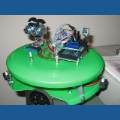

what do i need again a glue stick and what? got a drill down and the glue gun what else? plus i got wires but they came from a power supply for the computer

krells
USA
Asked
— Edited
2 Participants

You might want to get some servo Extention cables if you think you will need more than 10-12 inches to hook the EZB to the servos on the robot. Also, a good dremel type tool would be good to have.
Always get servo extension cables, they are the one thing I forgot and the one thing I need more than anything else now.
Lots of hot glue, epoxy etc.
Dremel (or similar) tool
Soldering iron, solder, flux, tip tinner etc.
Drill, drill bits etc.
Cutters, wire strippers, various screw drivers.
Lots and lots of batteries or an external power supply