


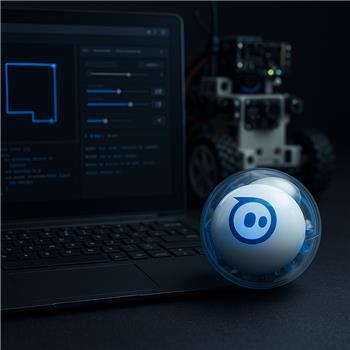
I’m playing with a Sphero (Bluetooth to a Windows laptop) in ARC and trying to have it follow simple shapes using the Touch Path skill. The Sphero Movement Panel connects fine and I can drive it around smoothly. I used the Movement Panel’s aim/calibration so that pressing Forward makes Sphero roll straight away from me. Battery is topped up and the robot is about 1 meter from the PC.
In Touch Path, I set Movement Speed to 30 and Turning Speed to 70. When I draw a square, the first straight segment is okay, but each 90 turn is a wide ARC and it overshoots, then the following straights drift to the right. I tried lower movement (20) and higher turning (90), and also flipped it (movement 50, turning 60). I also tried on a hard floor and on a yoga mat in case traction was the issue. manual driving via the Movement Panel can make crisp direction changes if I briefly stop and then re-aim with small heading adjustments, but Touch Path’s automatic sequence doesn’t seem to pause enough between segments.
A couple of questions about how these two skills interact: does Touch Path send generic Left/Right commands that the Sphero Movement Panel translates into a rolling arc, or does it support an in-place heading change for Sphero (speed 0, new heading, then roll)? If it’s purely time-based forward/turns, is the recommended approach to insert a Movement Script between Touch Path and Sphero so Left/Right become "stop, set heading delta, short delay, then forward" for tighter corners? If so, is there a sample of intercepting Touch Path turn commands and converting them into Sphero-friendly heading changes without continuous rolling?
What’s the best-practice configuration (or scripting pattern) to get crisp 90 corners with Touch Path on a Sphero without the wide arcs and drift?




Yes - what you’re seeing is expected behavior with Touch Path and a Sphero Movement Panel.
What Touch Path is doing
Touch Path is a timed movement skill. It doesn’t calculate true corner geometry or ask the robot to "turn in place and then drive." Instead, it issues movement commands based on timing, such as:
So if the Movement Panel supports turning by rolling/arcing rather than a true pivot, Touch Path will overshoot corners more easily.
For Sphero specifically
Sphero movement is naturally a rolling vehicle, not a zero-radius pivot robot. Even if manual driving feels crisp when you stop and re-aim between motions, Touch Path itself won’t automatically insert that stop/re-aim behavior between segments.
So to answer your questions directly:
Best-practice approach
For crisper 90 corners, the best approach is usually:
Option 1: Use a custom script instead of Touch Path
If you want square-path motion, write a simple script that does:
That gives you much tighter corners than Touch Path’s timed turns.
Option 2: Use Touch Path only for rough path following
If your goal is more "freeform route drawing" than exact corners, Touch Path is fine - but on Sphero you’ll likely need to keep the shapes:
Practical tuning tips
If you keep using Touch Path:
But for a square, a script is usually the better fit.
A simple ARC script pattern
If you want, I can help you build a JavaScript script that does a clean square with Sphero using movement commands and timed pauses. For example, it can:
If you’re trying to make this more flexible, the ARC AI Assistant inside ARC can also help rewrite or generate the script directly: https://synthiam.com/Products/AI-Assistant
Helpful docs
If you want, I can give you a ready-to-paste JavaScript square-turn example for Sphero in ARC.