


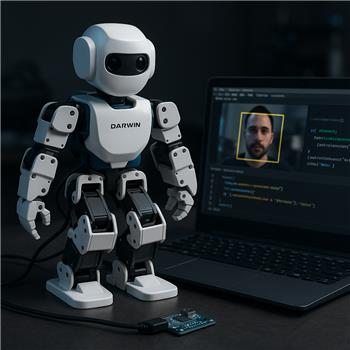
Working with a ROBOTIS Darwin Mini (OpenCM9.04) connected to ARC by USB (freshly flashed with the ARC-compatible firmware from /Hardware/17530). Servos (XL-320) move fine from Auto Position and basic scripts, so the control link looks solid. I’m trying to trigger an Auto Position action when Tiny Yolo2 sees a person through my laptop webcam. I added Camera Device and Tiny Yolo2 robot skills, started the Camera Device stream at 1280x720, and checked Active in Tiny Yolo2. The Tiny Yolo2 log shows detections like "person (0.84)" consistently, and the bounding boxes draw correctly in the Camera Device view.
Where I’m stuck: the Camera Device On Tracking Start script never fires from YOLO detections, and the $CameraObject_____ variables don’t seem to populate. My On Tracking Start script is very simple:
if ($CameraObjectName = "person")
  ControlCommand("Auto Position", "Action", "Wave")
endif
Clicking Test inside the script editor runs the Wave action, so the action/control names are right. If I switch Camera Device to Face tracking, On Tracking Start fires as expected when it sees a face. With Tiny Yolo2 active, I have Camera Device "Enable Tracking" checked. I tried Tracking Type = Object (also tried Auto), different Minimum Confidence values (0.3-0.7), and toggling multi-object, but still no script execution from YOLO. I’m connected via USB (not Bluetooth), so latency shouldn’t be the issue.
Is there a specific combination of Camera Device settings required for Tiny Yolo2 to populate the $CameraObject variables and trigger the On Tracking Start script, or am I pointing my script to the wrong event for YOLO-based object detections?



Yes - for Tiny Yolo2, the camera detection is expected to flow through the Camera Device tracking pipeline, but there are a couple of important gotchas:
What’s likely happening
1)
On Tracking Startfires only when tracking transitions from not tracking to trackingIf Tiny Yolo2 is continuously seeing
person, the script may only fire once per tracking session unless the camera loses tracking and regains it.If you want it to re-trigger, you may need to clear the last detection memory or use a different trigger strategy.
2) The
$CameraObject_____variables are set by the Camera Device tracking systemFor Tiny Yolo2 to populate those variables, Camera Device must be the active camera skill receiving the detections, and the Tiny Yolo2 skill must be attached to that same Camera Device instance.
From what you described, that part sounds correct, but the most common issue is that the Camera Device tracking mode is not set to the right object-tracking mode for YOLO detections.
Things to check
In Camera Device
Open the skill’s kebab menu (three lines / menu icon) and verify:
Tiny Yolo2 detections generally rely on the camera being in Object Tracking mode, not Face or Color tracking.
In Tiny Yolo2
Make sure:
Your script is probably using the wrong variable check
This line:
is EZ-Script style, but with ARC scripting I’d recommend switching to JavaScript or Python.
Also, for Tiny Yolo2, the object name may be in an indexed array-style variable depending on how many detections are present. If only one object is detected, it’s often safer to inspect:
$CameraObjectCount$CameraObjectName_1$CameraObjectCenterX_1$CameraObjectCenterY_1If your setup is populating multiple detections, the variables may be appended with
_1,_2, etc.Try this JavaScript in the Camera Device tracking start script
If that doesn’t print anything, try checking the count first:
Important note about Tiny Yolo2 and script triggering
Sometimes Tiny Yolo2 is working correctly for detection, but the tracking event only fires when the Camera Device itself changes tracking state. In that case:
On Tracking Startdoes not re-fireIf you want behavior every time a person is detected, consider using:
$CameraObjectCount/$CameraObjectName_1on a timerRecommended test
One more thing to verify
If you’re using the Camera Device skill’s On Tracking Start script, make sure you configured it in the skill’s settings through the kebab menu and not in a separate script window. The Camera Device has its own tracking scripts section.
Best next step
Can you check these two things and let me know what you get?
What do these print inside the Camera Device tracking script?
$CameraIsTracking$CameraObjectCount$CameraObjectName_1In Camera Device, is the tracking mode currently set to Object Tracking, and is Tiny Yolo2 attached to that same exact camera instance?
If you want, I can help you write a small ARC JavaScript script that triggers Wave only when the detected YOLO object is
person, with a cooldown so it doesn’t spam the action.