


Asked
— Edited
 Resolved by thetechguru!
Time Out
i cant get the new ezbv4 connect.i gess there a time out,averyting goes well, untill the voice on ezbv4 starts speaking,then the led goes red.

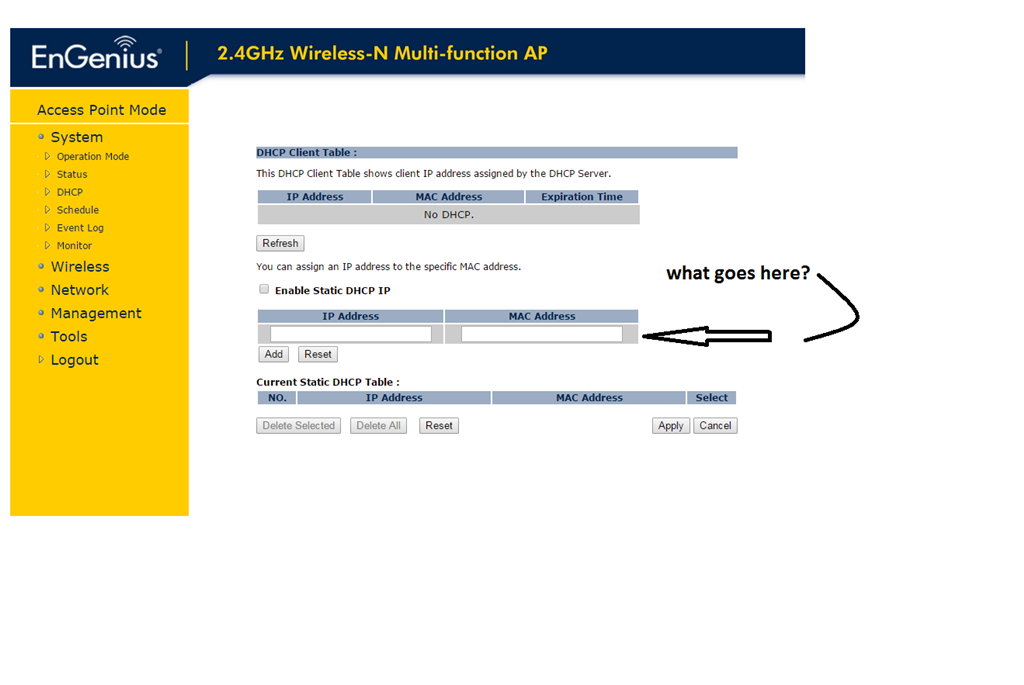
You need to enable mac filtering and inset the address of all your ezb's so no one else can use your connection.
i try that now,thanks
when i check mac filtering,the connect falls out and i cant connect.
You need to make sure all units that you want to access the engenius is listed in this section.
they are all in there
i finally found the problem.you dont have to disconnect your security, for me is that norton.just added the device and ip in firewall. and voilla engenius is better then ever.
Outstanding! ! That dam firewall will get you every time. I'm so happy that you didn't give up.
You should write this all down and make videos for your reference just in case this happens again.
Happy robot building! !
hi dave
my pc guy made the connection,but it fell out avery time. this morning i was starring then it hit me,engenius is not a router but an acces point.so it needs a router.i changed that.then i saw tutorial here, and i saw mine norton web security in there.so i check it and what do you now ? the old adres from engenius was still in there,so i changed that and, roli was born.
thanks for your support.