


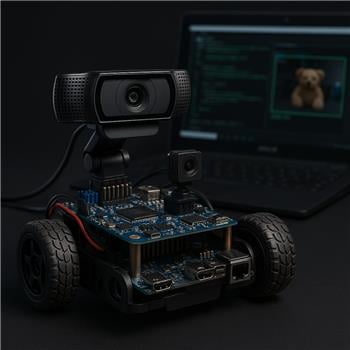
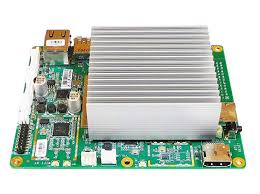
I’ve got an Atomic Pi mounted in a small rover running Windows with ARC, a Logitech C920 on USB, and WiFi for internet access. I’m using the Camera Device skill (named "Camera Device (Front USB)") plus the Hugging Face robot skill for lightweight object detection. The HF skill is working and I can see its variables updating in Variable Watcher (top label/confidence change as objects enter the frame). I added the Text Overlay skill to draw that variable on the camera image so I can record a single annotated feed. The issue: as soon as Hugging Face is enabled, the Text Overlay text flickers on/off each second or so, and sometimes disappears entirely until I pause the HF skill. If I stop Hugging Face, the Text Overlay is stable.
Things I tried: dropped the camera to 640x360 @ 15 fps; switched from WiFi to Ethernet to reduce HF roundtrip; disabled other scripts; verified the variable itself updates smoothly; and attempted explicitly binding Text Overlay to the correct camera. For the last bit, I tried:
ControlCommand("Text Overlay", "AttachToCamera", "Camera Device (Front USB)")
I also tried adding a second Camera Device for testing and noticed Text Overlay sometimes attaches to the wrong one if I don’t run the ControlCommand at startup. Even when it’s attached to the right viewer, the flicker returns as soon as HF starts processing. It feels like the HF skill is repainting the processed frame and clearing the overlay each cycle.
What’s the correct ControlCommand syntax to lock Text Overlay to the exact Camera Device feed that the Hugging Face skill is using, and is there a known way to prevent the overlay from being wiped each time Hugging Face redraws the processed image on an Atomic Pi?



It does sound like a camera frame redraw / processing refresh conflict between the Camera Device, Hugging Face, and Text Overlay skills.
What’s likely happening
The Hugging Face skill is probably reprocessing the camera image and causing the camera control to refresh the image buffer. If the Text Overlay is attached to the wrong camera instance, or it’s drawing on a layer that gets replaced during each HF cycle, the overlay can appear to flicker or disappear.
1) Use the exact camera name in
ControlCommandIf the Text Overlay skill supports being attached by camera name, use the exact Camera Device skill title:
If you have renamed the skill, the name must match exactly.
Startup tip
Because you mentioned it sometimes binds to the wrong camera unless you run it at startup, put the attach command in a script that runs when the project loads, or in the initialization script of a startup control.
A small delay can help ensure the camera exists first:
2) Make sure Hugging Face is using that same camera
Open the Hugging Face robot skill settings from its kebab menu and verify the camera source is explicitly set to:
If HF is pointed at a different camera feed, the overlay may be attaching to one feed while HF is processing another.
3) Check the Text Overlay configuration
Open the Text Overlay skill’s kebab menu and verify:
4) Try reducing HF refresh rate
If HF is running continuously, try increasing its interval so it doesn’t redraw as often.
In the Hugging Face skill configuration:
If the flicker disappears with slower HF updates, that confirms the redraw timing is the trigger.
5) Best workaround: let HF update variables, and Text Overlay read the variable
If the overlay text is tied directly to a variable that changes frequently, the overlay can look unstable if the source value is being rewritten rapidly.
A more reliable pattern is:
Example JavaScript:
Then point Text Overlay at
$DisplayLabelinstead of reading HF’s variable directly.6) If the overlay is still wiped, use a single camera processing chain
On smaller systems like the Atomic Pi, performance and repaint timing can matter a lot. A good test is:
If stable then, add the other pieces back one at a time.
My recommendation
Try this order:
$DisplayLabelA couple of questions
$HfLabeldirectly, or a custom variable?If you want, I can help you set up a more robust ARC script so the HF result is mirrored into a separate display variable that stays stable even while the camera is being updated.