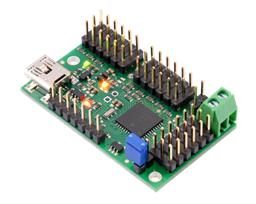



I’ve got a Shell-e build on an EZB IoTiny over WiFi, with head pan on D0 and tilt on D1. I’m trying to make a clean multi-page touch UI with the Interface Builder robot skill: Page 1 is "Drive/Status," Page 2 is "Head Control" with two sliders (HeadPan, HeadTilt) and a camera/video display. I’m running ARC on a Windows laptop and using the ARC Remote UI app on an Android tablet as the remote screen.
What’s tripping me up is that when I switch to the Head Control page (or when the Remote UI reconnects), the sliders briefly reset to 0 and fire their Value Changed script, so the head snaps to 0 before I push the current position back in. I tried to guard initialization with a flag, but I still get a twitch:
# On page show script (or a one-time init script I call)
$ui_sync = 1
SetControlValue("Interface Builder", "HeadPan", GetServo(D0))
SetControlValue("Interface Builder", "HeadTilt", GetServo(D1))
$ui_sync = 0

# Slider Value Changed (HeadPan)
if ($ui_sync = 0)
  Servo(D0, GetControlValue("Interface Builder", "HeadPan"))
endif
I also tried moving logic to "on release" only, adding small delays, and even ServoRelease before setting values. Same spike when the page becomes visible or Remote UI connects. Should I ditch generic sliders and use the servo Slider control bound to D0/D1 so Interface Builder handles sync internally, or is there a reliable scripting pattern to update SetControlValue without triggering a servo jump when changing pages or using Remote UI?
What’s the best-practice way in Interface Builder to keep slider state in sync with the actual servo positions on Shell-e’s IoTiny without causing those momentary jumps?
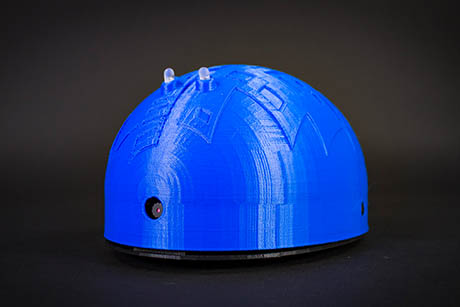



Yes - the momentary jump is usually caused by the control itself re-initializing, not by your servo logic. With Interface Builder + Remote UI, generic sliders can briefly reset when a page loads/reconnects, and that can fire their change event before your sync flag fully takes effect.
Best practice
For servo-linked controls like HeadPan / HeadTilt, I recommend:
Option 1: Use the Servo Slider or Servo Pad controls
These are the most reliable for a UI that stays in sync with a servo because they’re designed to move servos directly and behave more predictably than a generic slider + script combo.
You can configure them through the kebab menu on the Interface Builder skill:
That usually avoids the "slider jumped to 0" problem entirely.
If you want to keep generic sliders
If you need generic sliders for a custom layout, the key is:
Don’t update the slider from a script that also reacts to the slider’s change event on the same page load
The issue is often that the slider’s initial value and its Value Changed event are happening too close together.
A more reliable pattern is:
1) Use a delayed sync after the page is visible
Give the UI a moment to finish loading before you set slider values.
2) Block events with a true initialization guard
Make sure the flag is set before the page/control is shown, and keep it set long enough that the control finishes its initialization.
3) Only move the servo if the change came from the user
Here’s a cleaner pattern in JavaScript style logic for ARC:
And on page show:
If you’re using
SetControlValue()in the page load handler, the important part is to delay, then update the control values while the event gate is still closed.A better workaround for generic sliders
Instead of setting the servo directly from the slider event, store the slider value first and only apply it when the user finishes interacting.
Example idea:
That reduces twitching a lot because the slider can initialize without immediately commanding motion.
Why servo Slider is usually the answer
For your Shell-E head on an IoTiny over WiFi, the Servo Slider control is the cleanest option because:
My recommendation for your setup
For Head Control page:
That should eliminate the startup twitch in most cases.
One more tip
If you’re building more advanced behavior, ARC’s AI Assistant can help rewrite your interface scripts and event logic quickly right inside the script editor: https://synthiam.com/Products/AI-Assistant
If you want, I can show you the exact Interface Builder setup for: