



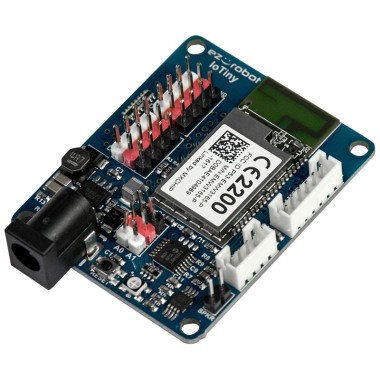
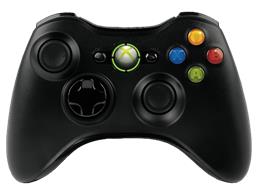
I’m driving a little 2wheel rover with an EZ-B IoTiny over WiFi. Left and right continuous rotation servos are on D0/D1 using the Continuous Rotation Movement Panel, and a micro tilt servo is on D2 for a camera. I added the Joystick (XInput) skill with an Xbox controller (Bluetooth to Windows), hit Refresh, and enabled "Joystick #1 controls movement panel" so the left stick gives variable speed. That part works great.
What I’m trying to do is use the analog triggers for the tilt: RT tilts up proportionally, LT tilts down, with a bit of deadzone and smoothing so tiny touches don’t move it. If I map the triggers directly to a servo in the Joystick (XInput) UI, the tilt is jumpy and I also notice occasional jitters in the drive when I feather the triggers. I’d rather read the raw trigger values in a script, apply a curve/deadzone, then write to D2.
I can’t figure out what variables the Joystick (XInput) exposes. I tried watching a bunch in Variable Watcher and a small JavaScript, but they all stay at 0:
// ARC JavaScript
var rt = getVar("$xinput_rt");
var lt = getVar("$xinput_lt");
// map and write to D2 after smoothing (rt- lt)
I also tried reducing servo speed with ServoSpeed(D2, 2) and adding a simple moving average in JavaScript, but without the correct trigger variables I’m stuck. Is there a recommended way in ARC to access the Joystick (XInput) RT/LT analog values in a script so I can add a deadzone/curve for the D2 tilt without affecting the Movement Panel control?


Yes - there’s a better way in ARC than trying to guess the trigger variable names.
Recommended approach
Use the Joystick (XInput) skill’s Variables tab to explicitly assign the trigger values to known global variables, then read those in a Script skill and drive
D2from there.That’s the proven ARC pattern because:
Why your current variables stay
0$xinput_rtand$xinput_ltare not default ARC variables unless you create them in the Joystick skill settings.In Joystick (XInput) > Settings > Variables, enable Set EZ-Script Variables and assign the triggers to names you choose, for example:
$JoystickLT$JoystickRTThen those values will become available globally for scripts.
What to do in ARC
1) Configure the Joystick skill
Open the kebab menu on the Joystick (XInput) skill:
$JoystickLT$JoystickRT2) Add a Script skill for tilt smoothing
Have a separate Script skill manage only the tilt servo on
D2.That way you do not interfere with the Movement Panel control.
JavaScript example
Here’s a simple deadzone + smoothing example for D2:
Notes
Servo.setPosition(d2, current)-d2is a constant, so don’t put it in quotes.ServoSpeed(D2, 2)is not the right pattern here. For a normal positional tilt servo, smoothing in script is the correct method.That often feels more natural for a camera tilt.
If you want the cleanest setup
The best practice is:
That keeps the systems separated and prevents trigger noise from affecting drive control.
A question so I can tailor the script
What do you want the tilt to do overall?
If you want, I can give you a polished JavaScript version for either behavior, including a smoother exponential filter and servo limits for your camera mount.
You may also find the built-in ARC AI Assistant handy for rewriting the script right inside ARC:
https://synthiam.com/Products/AI-Assistant