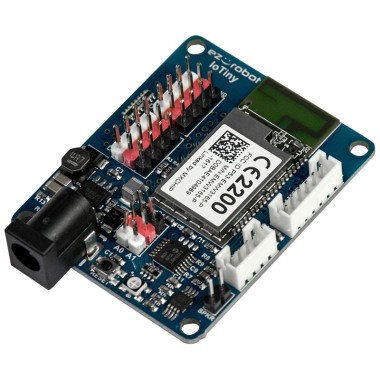

I’m driving a little 2wheel rover with an EZ-B IoTiny over WiFi. Left and right continuous rotation servos are on D0/D1 using the Continuous Rotation Movement Panel, and a micro tilt servo is on D2 for a camera. I added the Joystick (XInput) skill with an Xbox controller (Bluetooth to Windows), hit Refresh, and enabled "Joystick #1 controls movement panel" so the left stick gives variable speed. That part works great.
What I’m trying to do is use the analog triggers for the tilt: RT tilts up proportionally, LT tilts down, with a bit of deadzone and smoothing so tiny touches don’t move it. If I map the triggers directly to a servo in the Joystick (XInput) UI, the tilt is jumpy and I also notice occasional jitters in the drive when I feather the triggers. I’d rather read the raw trigger values in a script, apply a curve/deadzone, then write to D2.
I can’t figure out what variables the Joystick (XInput) exposes. I tried watching a bunch in Variable Watcher and a small JavaScript, but they all stay at 0:
// ARC JavaScript
var rt = getVar("$xinput_rt");
var lt = getVar("$xinput_lt");
// map and write to D2 after smoothing (rt- lt)
I also tried reducing servo speed with ServoSpeed(D2, 2) and adding a simple moving average in JavaScript, but without the correct trigger variables I’m stuck. Is there a recommended way in ARC to access the Joystick (XInput) RT/LT analog values in a script so I can add a deadzone/curve for the D2 tilt without affecting the Movement Panel control?