


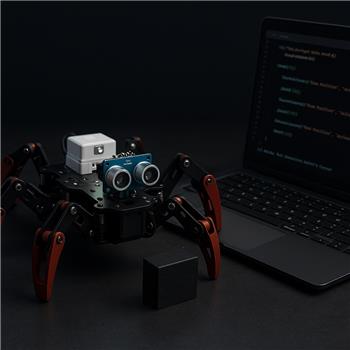
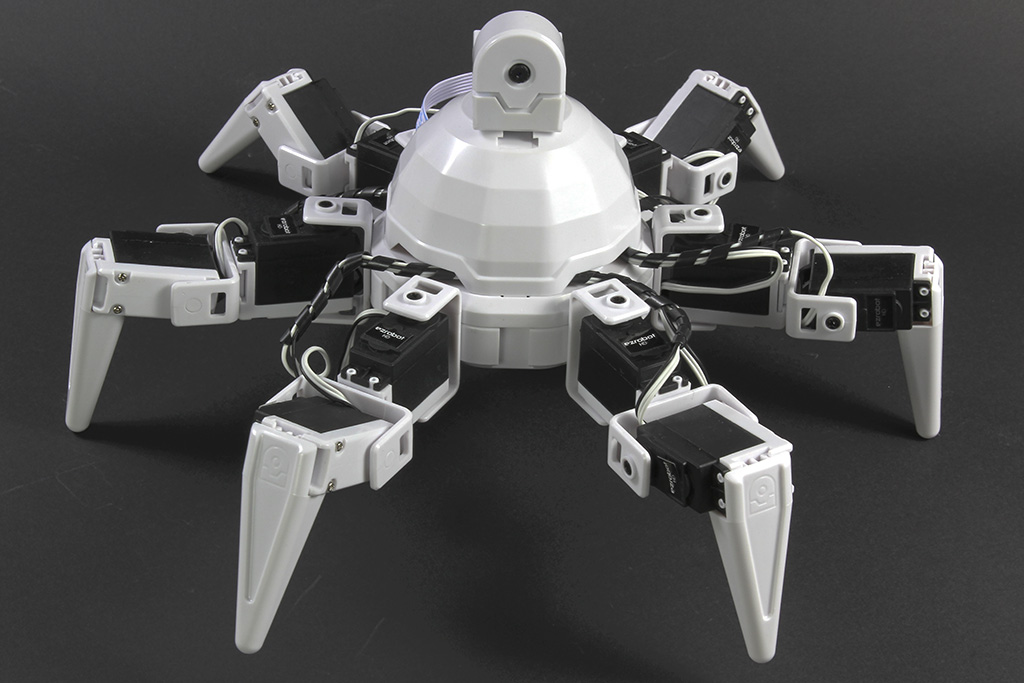
Running a Six Hexapod (EZ-B v4 over WiFi) with an HCSR04 mounted front-center (Trig=D0, Echo=D1) and ARC on Windows. Locomotion is via Auto Position Movement Panel using the stock Six gait actions (Walk Forward, Walk Backward, TurnRight, Stop). I added the Ultrasonic Collision Script skill with Detection Interval=100 ms, Minimum Distance=25 cm, and "Only trigger when moving forward" checked. The goal is simple: stop, back up, turn, then continue.
Two issues I can’t nail down:
With "Only trigger when moving forward" ON, the collision script never fires during Auto Position forward walking, but it does fire if I uncheck that option. Does Ultrasonic Collision Script only recognize certain Movement Panels, or should Auto Position Movement Panel set the forward state that this skill expects?
Because the skill pauses detection while the script runs, I get a few seconds of "blind" motion during the back-up/turn. Here’s my current script in the skill:
ControlCommand("Auto Position", "Action", "Stop")
sleep(250)
ControlCommand("Auto Position", "Action", "Walk Backward")
sleep(1500)
ControlCommand("Auto Position", "Action", "TurnRight")
sleep(1200)
ControlCommand("Auto Position", "Action", "Stop")
It works, but detection doesn’t resume until the last Stop completes, so it can miss a closer obstacle during the turn. I tried delegating to Script Manager to make it "non-blocking" like this:
if ($avoidance = 0)
  $avoidance = 1
  ControlCommand("Script Manager", "Start", "Avoidance")
endif
and then clearing $avoidance at the end of the Avoidance script, but the collision skill still seems to wait before it will retrigger. What’s the recommended pattern to integrate Ultrasonic Collision Script with Auto Position on Six so it only triggers while actually moving forward and avoids blocking detection during the avoidance maneuver?


Yes - the behavior you’re seeing is expected, and it comes down to how the Ultrasonic Collision Script skill decides "moving forward" and how it pauses while its trigger script is running.
1) "Only trigger when moving forward" and Auto Position
The Ultrasonic Collision Script "movement check" is designed around ARC’s Movement Panel state. In practice, it works best when the robot is moving with a skill that updates the global movement direction/state used by ARC movement.
With Auto Position (Movement Panel), it should be able to participate in movement control, but the collision skill may not always recognize the forward state the way you expect, especially if the gait is being started through an action command rather than a direct movement command.
What to verify
A good quick test is to add a tiny script temporarily:
Run your forward gait and see if
$Directionbecomes the forward state you expect. If it does not, then the ultrasonic skill’s "only when moving forward" filter won’t see it.Practical recommendation
For Six, the most reliable pattern is usually:
That gives you full control and avoids relying on movement-state detection that may not line up perfectly with Auto Position transitions.
2) Why detection pauses during the script
That part is built into the skill:
So even if you move the script into Script Manager, the collision skill still considers the trigger "active" until the original script finishes. In other words, starting another script doesn’t make the collision skill non-blocking.
Recommended pattern for Six
Instead of relying on the collision skill to do the whole avoidance sequence, use it only as a trigger, then immediately hand off to a script that manages its own loop and re-checks distance during the maneuver.
Better approach
$avoidance = 1.That way, you’re not "blind" for the full 1.5-2 seconds.
Example pattern in JavaScript
I’d recommend using JavaScript rather than EZ-Script in ARC.
Why this works better
Even better: bypass the collision skill entirely
For a hexapod, I’d usually suggest:
$Direction$Direction == "Forward"or when your forward action is runningThat is often more predictable than trying to make the collision skill infer gait movement state.
Important note about
ControlCommand()Your example:
may not be the best way to drive Auto Position depending on which exact commands that skill exposes in your project. For Auto Position, use the skill’s documented ControlCommands from its own config/actions, or trigger the specific action names consistently.
If you want, I can help you rewrite this into a clean JavaScript avoidance script that:
Good next questions
To narrow this down, can you tell me:
$Directionshow Forward?Also, if you’re editing scripts a lot, the ARC AI Assistant built into ARC can help rewrite and convert this logic directly in the editor:
https://synthiam.com/Products/AI-Assistant