

Asked
— Edited
Saylotiny ( Hello ) ?
how does it work to use the lotiny.sayezb dont work.
anyone thank you
 TCP Script Server Raw
— TCP server for ARC accepting EZ-Script, JavaScript or Python commands, letting controllers send commands and receive line-terminated responses
Try it →
TCP Script Server Raw
— TCP server for ARC accepting EZ-Script, JavaScript or Python commands, letting controllers send commands and receive line-terminated responses
Try it →

Are you sure the speaker is plugged in? Sayezb absolutely does work on the iotiny.
Alan
hi alan
yes its plugged in.other sounds can be played. i use another speaker from 4 watt.
i have conneted the lotiny on connection 4,and set the sayezb to , connection 4,not working.
i tested on connection 0 and it works.so to use a script on connection 4, how do i ad it to connection4?
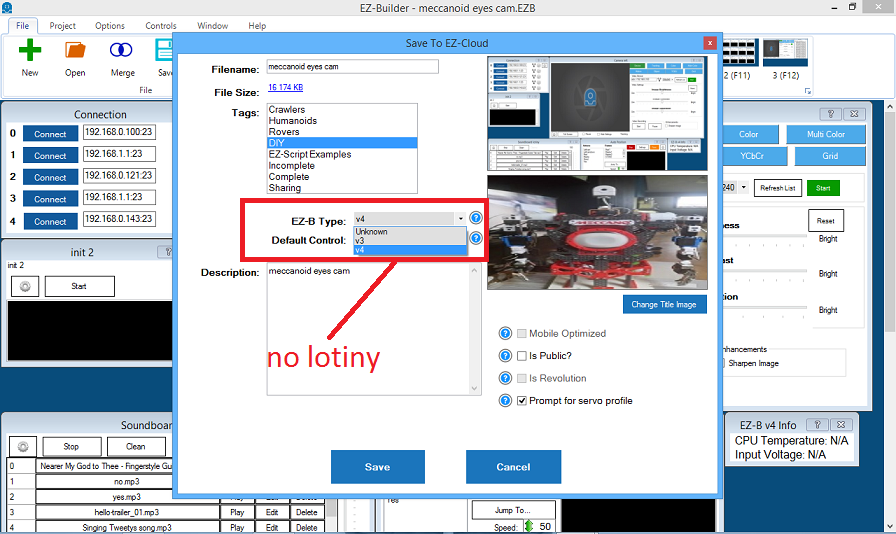
i notice when saving in cloud,there is no choice for a lotiny. but when i choose a V4 it saves.
First paragraph of the manual for the iotiny provides notice: https://synthiam.com/Tutorials/Lesson/72?courseId=4
ah thats why it saves as ezbv4.thanks
how do i choose connection 4 for sayezb(" hello ") if thats possible.seems it only works on connection 0
The Sayezb() command works on any connection, not just board 0....