


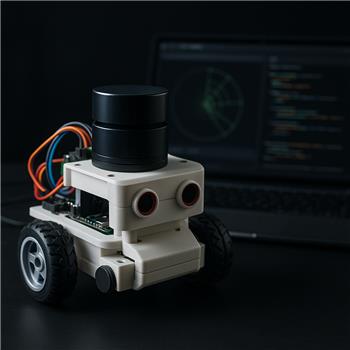
I’m reviving an old differential-drive bot that still runs on an EZ-Robot EZ-B v3 over Bluetooth (paired as COM7). Motors are on an L298N driven by D0-D3 and I’m using ARC’s H-Bridge PWM Movement Panel for motion. I added the PTI LiDAR plugin with the PTI unit plugged into my Windows laptop over USB (COM5 at 115200). The plugin connects and I see a live sweep in its UI, so the sensor side seems fine.
What I can’t figure out is how to get numeric data from the PTI LiDAR plugin into scripts to stop/avoid. The Variable Watcher shows no $PTI_* or $Lidar_* variables while it’s running. The Cheat Sheet for ControlCommand doesn’t list any commands for the PTI LiDAR plugin either. I also opened the Skill Messaging Monitor and don’t see any topics/messages originating from the plugin.
Things I tried:
- Renaming the control to exactly "PTI LiDAR Plugin" and calling ControlCommand (and variants with no spaces, etc.)
- JavaScript attempts to pull values directly
Example attempts:
ControlCommand("PTI LiDAR Plugin", "GetNearest", "0,25");
var scan = GetControlValue("PTI LiDAR Plugin", "Scan");
Both either return no data or "No such command" in the debug log. My goal is simple: if anything is within ~300 mm in a forward ARC (say -15 to +15), stop the Movement Panel.
Separately, when the PTI skill is running my EZ-B v3 control gets a little laggy over Bluetooth; CPU is about 30% on this laptop. If there’s a sample-rate or decimation setting in the PTI LiDAR plugin I’m missing, that might help too.
Can someone clarify the supported way to programmatically access PTI LiDAR plugin data in ARC (variables, Skill Messaging topics, or ControlCommands) and whether there’s a built-in way to throttle its update rate so my EZ-B v3 stays responsive over Bluetooth?
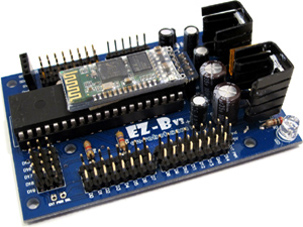



Yes - the key thing here is that the PTI LiDAR Plugin is primarily a navigation sensor skill, and if it doesn’t expose variables, ControlCommands, or messaging topics, then there may simply not be a supported script API available for direct numeric access in ARC right now.
What your testing suggests
From what you described:
$PTI_*/$Lidar_*variablesControlCommand()returns "No such command"That usually means the skill is acting as a visual/standalone sensor view rather than publishing data for scripts to consume.
What to check in the skill first
Open the kebab menu on the PTI LiDAR Plugin skill and look for:
If the skill offers script access, it will usually be documented there or in the skill’s page on Synthiam. The skill page is here:
If it does not expose data
If the skill truly doesn’t publish data, then ARC won’t be able to read the LiDAR values directly from it unless the plugin author adds support.
In that case, the usual options are:
If you want, I can help you outline a custom ARC robot skill design for this. ARC supports creating your own robot skill here:
For your goal: stop if something is within 300 mm in the forward arc
If the PTI plugin can’t expose numeric scan data, you won’t be able to implement that logic directly in JavaScript.
But if you can get the scan data into a variable, the logic would look something like this:
If the skill can provide an array of degrees/distances, then we could write a loop to check only the forward window like
-15to+15.About the Bluetooth lag on EZ-B v3
That lag is believable. The EZ-B v3 over Bluetooth is old hardware, and ARC plus a LiDAR plugin can create additional load on the laptop, especially if:
Things to try
Best next step
Please do this in the PTI LiDAR plugin skill:
If you want, I can help you build the actual ARC JavaScript obstacle-stop logic once we know how the PTI skill exposes its data, or I can help you make a custom skill if the plugin doesn’t support access.