


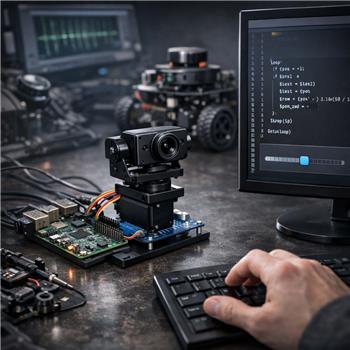
I’m using ARC on Windows to teleop a ROS robot over rosbridge WebSocket and want to drive a pan servo on the ROS side using the Horizontal servo skill. Hardware: Raspberry Pi 4 running ROS with rosbridge_server, pan servo on a PCA9685, controlled by a ROS topic /pan_controller/command (std_msgs/Float64 in radians). ARC connects fine to rosbridge (ws://192.168.1.50:9090) and I can manually publish a test value from ARC to that topic and the servo moves, so the ROS link is solid.
What I’m trying: use the Horizontal servo control as a simple UI to aim the pan. I assigned it to D0 (no EZ-B is actually attached), set Min 45 / Max 135, and I want its position to be published to /pan_controller/command in radians, centered at 0. I don’t see a native way for Horizontal servo to emit a variable or event on change. As a workaround, I mapped a ROS variable in the ROS skill ($pan_cmd <-> /pan_controller/command) and run an EZ-Script loop to poll the position and update:
$last = -1
:loop
$pos = GetServo(D0)
if ($pos != $last)
  $last = $pos
  $rad = ($pos - 90) * 3.14159 / 180
  $pan_cmd = $rad
endif
Sleep(50)
Goto(loop)
This works, but there’s noticeable lag and some stutter when dragging quickly. Dropping Sleep to 10ms helps but spikes CPU. I also wasn’t sure how to reflect the Horizontal Servo’s Release button into ROS (I’d like to publish nothing or send a special value so the ROS node disables torque).
- Is there a built-in or recommended way to directly map Horizontal servo output to a ROS topic without a tight polling loop, maybe via a control event or variable binding I missed?
- Bonus: any best practice for mirroring Release to a ROS-friendly "disable" command?
What’s the cleanest way in ARC to pipe Horizontal servo position changes to a ROS Float64 topic with minimal latency?




Yes - there is a cleaner way than a tight polling loop, and your current approach is a workaround, not the best ARC pattern.
Recommended approach
For this kind of UI-to-ROS mapping, the proven ARC way is to use a ControlCommand-driven script triggered by the servo control’s value changes, rather than continuously polling with
Sleep().Why your loop stutters
Your loop works, but it has two problems:
In ARC, a better pattern is to react only when the servo value changes.
Best practice in ARC
Option 1: Use a script attached to the Horizontal servo skill’s events/settings
Open the Horizontal Servo skill’s kebab menu and check whether it has a configurable script/event action for value changes or position updates.
If it does, use that and publish directly to ROS from there.
If it does not expose a change event, then the next best approach is:
Option 2: Use a companion slider/UI skill or custom skill
Create a small custom ARC robot skill or use a script-based UI that:
This is the most scalable method if you want low latency and clean behavior.
ARC supports custom skills, and if a built-in skill doesn’t expose the callback you need, that is exactly when a custom robot skill is the right move: https://synthiam.com/Support/Create-Robot-Skill/Overview
About ROS publishing from ARC
Since you already have rosbridge working, the clean pattern is:
If your ROS connector skill supports variable/topic binding, that’s fine for simple cases, but for continuous UI drag control, a direct script publish is usually better.
Better script pattern than polling
If you must stay with the Horizontal servo skill, I’d suggest reducing polling overhead and only acting on meaningful changes:
That said, this is still polling. It’s just less expensive than your current loop.
Best answer for your goal
Cleanest solution:
Build a small custom robot skill or a scripted UI control that directly publishes to
/pan_controller/commandwhen the value changes.That gives you:
Release button handling
For ROS torque-disable behavior, the best practice is not "publish nothing" if the ROS side expects a command stream.
Instead, use one of these patterns:
Best options
Publish a dedicated disable command to a separate ROS topic/service
Example:
/pan_controller/enableor/pan_controller/torque_enableSend
NaNor a sentinel value only if your ROS node explicitly supports itCall a ROS service to disable torque
Important note
A Horizontal servo skill is fundamentally a servo-position interface, not a ROS topic controller.
So if your end goal is "a UI slider that drives a ROS joint topic", the better architecture is:
That’s more reliable than trying to force the Horizontal servo control to behave like a ROS publisher.
What I need from you
To give you the exact ARC implementation, I need to know:
Which ROS skill are you using in ARC?
Do you want the pan control to be one-way only, or should ARC also reflect the current ROS joint position back into the UI?
Would you prefer a JavaScript solution or a Python solution?
If you want, I can show you the cleanest JavaScript pattern for:
/pan_controller/command