

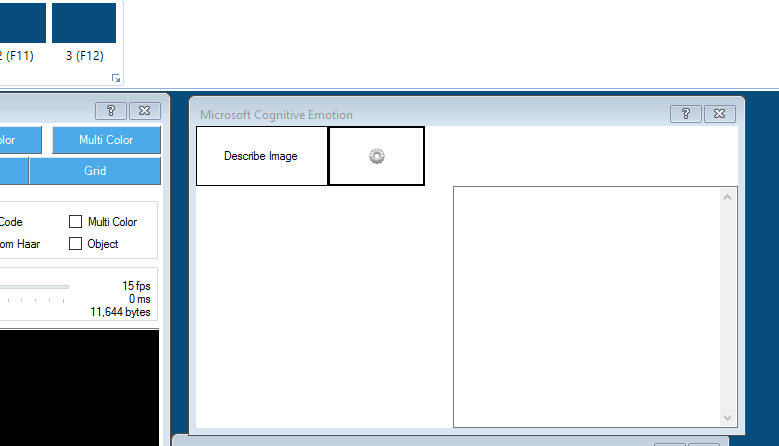
I have downloaded and installed the new Cognitive Emotion plugin and configured it as per the instructions. How do I use it? I have the camera on, should the camera image be in the control? When I click on the 'Describe Image" tab I get a popup that says 'The camera is not active'. This is what my control looks like with the camera on and working.
Thanks

Interesting, it seems we are having a similiar problem but for different reasons... my solution was probably overkill if i simply needed to remove the control lol im certainly no ARC expert so you may have actually helped me and yeah being able to choose the camera would be super convenient. Very cool updates though , my inmoov is an apparent genius now with these latest microsoft plugins
  completely blowing the minds of friends and family.
Yes, these new controls are great. I've also been playing around with the Vision one as well. Lots of fun.