
PRO
Sproket
USA
Asked
— Edited
Connect Wiring For Iotiny To Arduino
Hello, How do I connect the iotiny to the arduino, wiring that is? I want to use arduino for motors and led.
Also what skill would I use?
Do you have the current code?
Thanks all
Related Hardware (view all EZB hardware)

EZ-B Iotiny
by EZ-Robot
Control IoTiny with Synthiam ARC: 100MHz Cortex‑M4 Wi‑Fi IoT/robot controller-camera, servos, ADC, I2C and digital I/O for easy internet automation
Wi-Fi / USB
Servos
8
Camera
Audio
UART
✕
I2C
ADC
✕
Digital
✕
Related Robot Skills (view all robot skills)

Serial Toolbox
by ptp
EZB UART parser and Serial-TCP bridge to connect EZ-Robot cameras via Teensy USB, enabling ARC camera control and USB-to-serial bridging.
Requires ARC
v3

Com Port Manager
by Synthiam
Displays local PC COM/Serial ports opened by scripts, showing open/closed status (no communication logs); not the EZ-B UART.
MPU9150 ARC control reads compass, gyro, accelerometer and temperature via I2C, initializes and sets EZ-Script variables on demand.

Hmm I see! You can throw the led’s and hbridge on the ardunio. Connect the ardunio RX uart port to one of iotiny digital ports.
Then by using that link I provided above, you can send serial commands to the uart that represent different functions and the ardunio will execute them.
You wouldnt be able to have the ardunio send commands back to the iotiny because the iotiny only has TX (software serial). So that’s why you’d put the motor controller and leds on there. Things that are triggered not read.
as for the movement panel. You’d need to use the custom Movement Panel v2. Because you’d be sending your custom movement commands to the ardunio from it. That way all robot skills can move the robot through your custom Movement Panel v2.
Thank you as always.
I just connect my hbridges to an ESP32 with synthiam ESP firmware and connect it direct to ARC via wifi. I appreciate using a serial connection to attach a device that is supported by arduino and not by ARC firmware but otherwise just seems like a headache.
.
@Nink,
Can you share your project or how to find it? Thank you
I'm getting the hang of ARC now and Amazing.
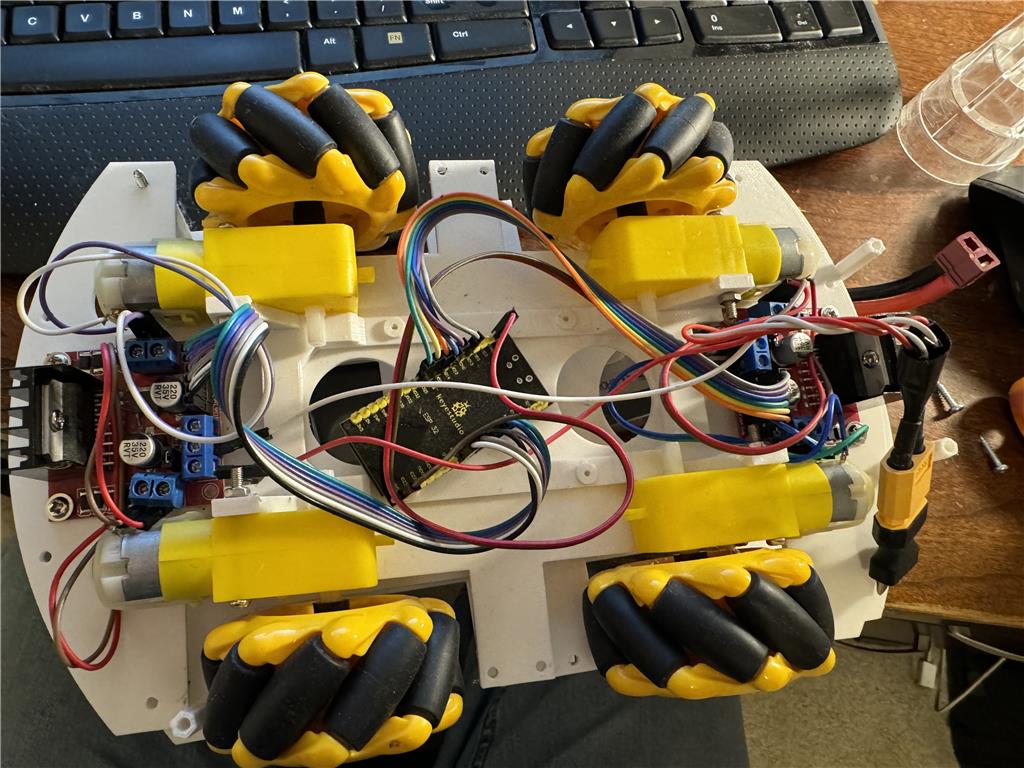
I don’t have a write up on it. The Mecanum Wheels came from Ali Expresss and the motors ESP32 hbridge LiPo etc are just things I had in my parts box. I found the arduino car base on thingiverse I think it was this one but really can’t remember. https://www.thingiverse.com/thing:2450012
I can see what state the ARC project file is in and upload to the cloud but I remember I struggled with trying to get straifing (wheels going sideways) working properly.
But there's an exact code on how to do it here: synthiam.com/Community/Questions/Connecting-EZ-B-or-IoTiny-to-Arduino-19184
It was given to you in a previous response from Synthiam Support. I highly recommend reading it because it should be a real good starting place
@Nink, what motors are you using for your robot?
Just some cheap motors from Ali express. If you search arduino car you will see them everywhere. Something like this. https://www.aliexpress.com/item/1005006691449444.html
you can find them on Amazon as well but if I am not in a hurry I order most my robot stuff direct from China as usually cost a lot less and I get pleasantly surprised a month or so later when they turn up.