

My mimo is installed in the Devices and Printers section, but it won't install as an Extended monitor. I had it working at one time, I thought. But, it just says builtin monitor.
?
 XV Lidar Bridge
— Neato XV LIDAR integration for ARC with live radar, 8-zone obstacle detection, NMS support, calibration, and scan watchdog monitoring
Try it →
XV Lidar Bridge
— Neato XV LIDAR integration for ARC with live radar, 8-zone obstacle detection, NMS support, calibration, and scan watchdog monitoring
Try it →
 Resolved by Rich!
-635383351170449960.png)
My mimo is installed in the Devices and Printers section, but it won't install as an Extended monitor. I had it working at one time, I thought. But, it just says builtin monitor.
?

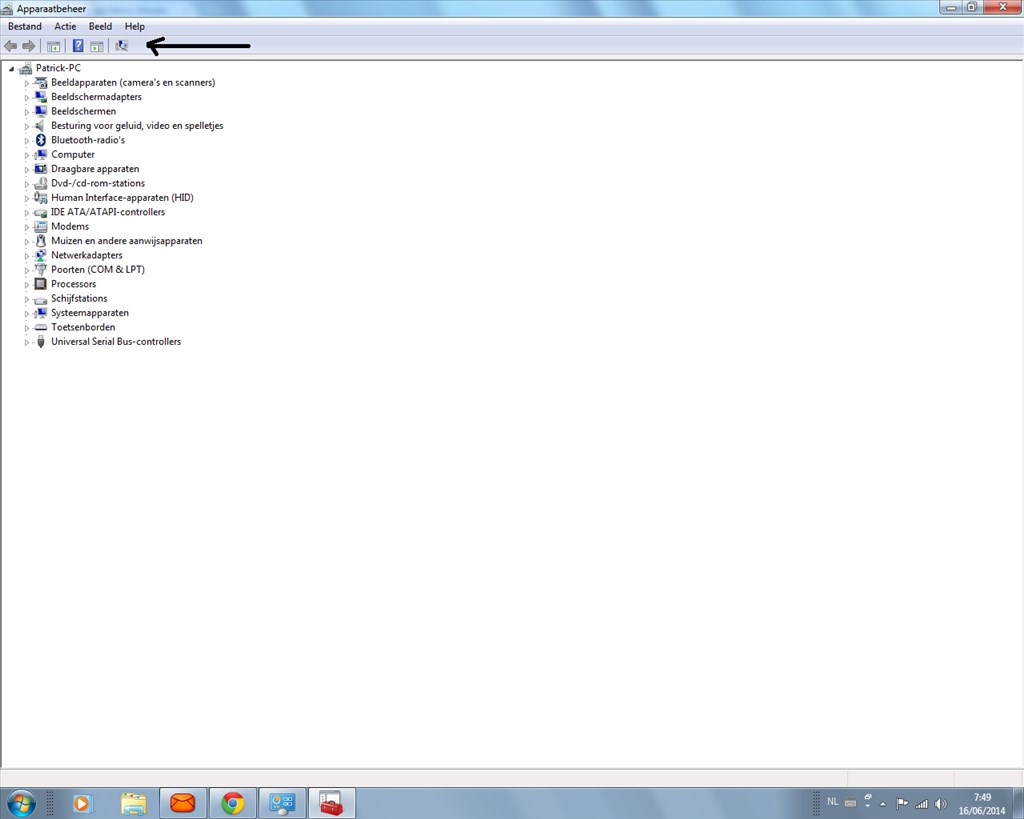
But what is it listed as in Device Manager?
Can you post a screenshot? I'm not convinced you're in the right place or that it's installed correctly. Just press and hold the Windows Key on the right of the tablet and then press volume down on the top of the tablet, it saves a screenshot to Pictures.
It is not listed in the Device Manager. There are no errors or exclamation or question marks.
did you use this button.
you can also try thru control panel ad hardware.I gave up on it, I am going to use my netbook instead. It is slow and only has a single core, but the monitor works on it good.
:-(
Thanks for your help.
Don't give up, it's probably very simple to solve!
Did you try reinstalling it? Is the Mimo connected to the W3? Is the Mimo powered and on? Is the Mimo receiving enough power to turn on? (They come with 2 USB cables since some USB ports don't provide enough current)
With any of the Windows versions since XP and more specifically with USB devices there is no need to use the Find New Hardware button as hardware is automatically detected and found.
Check it's powered, on and connected, windows will find it, it will also add it to device manager. If it doesn't then it isn't connected or isn't powered and on.
rich can hi find it thru control panel and from there lookin for new hardware allreddy instalt?
To add to (or actually precede) Rich's questions..
Do you have other USB devices working on your W3? I ask, to make sure you have the right kind of USB cable. It requires an OTG (On The Go) cable for the W3 to go into USB host mode.
I purchased this one on eBay and it works.
I had one for my Motorola Xoom, and it does not work on my W3 or any other Android device either.
Alan
I gave up on the stupid tablet. I put my netbook back on the robot. Now, only ONE of the bluetooth devices EZB3 has shown up. I have two. So, I am fighting that. But my voice rec/gen is working fine now. and my mimo monitor is working fine with drivers installed. I just need to get both of my EZB3s working and I will be set to finish the software setup.