Conversational Menu icon Conversational Menu — Voice menu tree to navigate options and run scripts on ARC robots. Multi-level, customizable prompts, speech I/O, timeout and repeat/back. Try it →
Asked

Arc X Migration Compatibility

Will installing ARC X on a computer that already has the ARC application (Autonomous Robot Control) cause any conflicts or problems if both are present on the same PC?

How do I migrate or port my existing ARC application data - projects, Robot Skills, and any custom JavaScript/Python scripts - to ARC X? Is there a recommended migration process?

Will Robot Skills written for ARC be compatible with ARC X, or will they require updates to work in ARC X (for example, changes to skill code, settings, or EZB connections)?

Related Hardware (view all EZB hardware)
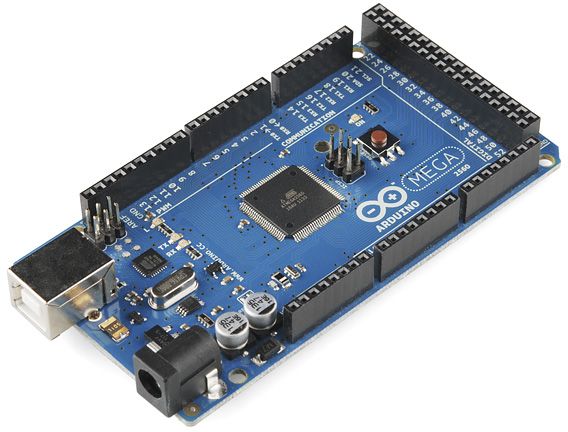
Arduino Mega with Synthiam ARCx controls 24 servos, 13 PWM, sensors and serial modules via EZB firmware over USB.
USB
Servos 24
Camera
Audio
UART 3
I2C
ADC 8
Digital 21

Related Robot Skills (view all robot skills)
Ezb Connection by Synthiam Inc.
Connects ARCx to EZ-B boards over serial, network, or TCP listener, with multi-board control, connection scripts, and project audio routing
Script by Synthiam Inc.
Run JavaScript or Python scripts in ARCx to automate sequences, react to events, and control other skills via commands.

ARC Pro

Upgrade to ARC Pro

Synthiam ARC Pro is a new tool that will help unleash your creativity with programming robots in just seconds!