




Asked

Alternative To Ezrobot Ezb For Robot Head Project

My course has primarily focused on robotics projects using the EZ-B controller and a camera for real-time interfacing. With recent developments, I am planning to create an additional video that incorporates Synthiam's support for other types of controllers. Although I've successfully flashed an alternative controller, it lacked compatibility with camera integration and Wi-Fi capabilities. The absence of an onboard computer limits the use of a USB camera, posing a significant challenge.

This dependency on specific components like the EZ-B, IO Tiny, and cameras can be problematic. For my course project, Mecha Morphix, which involves controlling five servos, the Arduino Mega seems excessive. I am in search of a suitable controller, compatible with Synthiam ARC, that includes both Wi-Fi and camera support to effectively replace the EZ-B.

I noticed that the ESP32 with a camera is listed among the supported controllers for ARC. Has anyone experimented with using the ESP32 in conjunction with a camera for such applications? Any insights or experiences would be appreciated.


Related Hardware (view all EZB hardware)

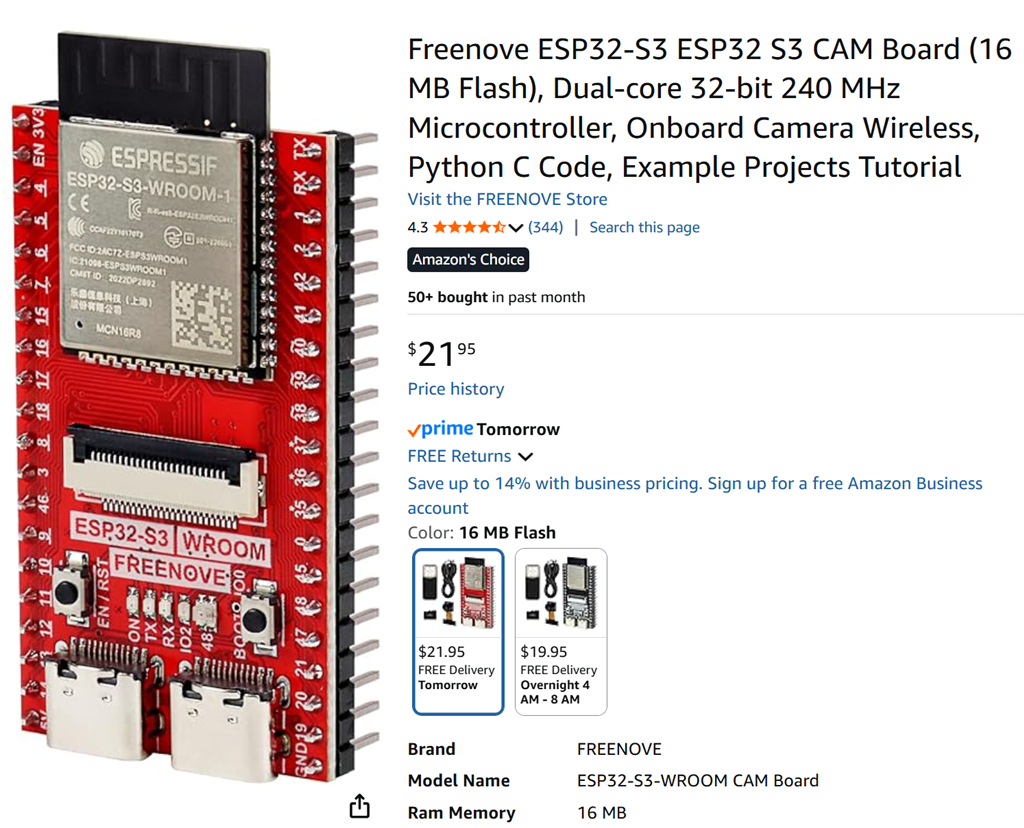
ESP32 Cam by Espressif
ESP32-CAM as an EZB for Synthiam ARC: stream video, control GPIO/servos, AP/Client WiFi, and ARC D0-D23 to GPIO pin mapping.
Wi-Fi
Servos Varies
Camera
Audio
UART Varies
I2C
ADC Varies
Digital Varies

Related Robot Skills (view all robot skills)

ESP32_MPU6050 by Shawn Miller
ESP32/Arduino EZB firmware with MPU6050 support: provides accelerometer angles and Yaw/Pitch/Roll gimbal servo values for stabilization and scripting
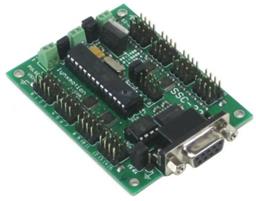
Bridge ARC to Lynxmotion SSC-32: maps V0-V31 to SSC-32 channels for reliable, high-performance serial control via USB, EZB/Arduino UART.

ARC Pro

Upgrade to ARC Pro

Take control of your robot's destiny by subscribing to Synthiam ARC Pro, and watch it evolve into a versatile and responsive machine.

Author Avatar
PRO
Synthiam
#185  

Athena can't see firmware or code that isn't posted. it's UART 0

Author Avatar
PRO
Synthiam
#186  

i updated the esp32 cam firmware description to specify UART0 is the UART used in arc

// ----------------------------------------------------------------
// Serial Expansion UART Configuration (in ARC this is UART #0)
// ----------------------------------------------------------------

// Serial2 RX (receive) port on the ESP32
#define SERIAL2_RX 12

// Serial2 TX (transmit) port on the ESP32
#define SERIAL2_TX 13
Author Avatar
PRO
Canada
#187  

Short answer: use UART 0.

Details and steps

  • The ESP32-CAM firmware (the Synthiam build) exposes the serial expansion on Serial2 which is mapped in the INO to:
#define SERIAL2_RX 12
#define SERIAL2_TX 13

ARC/your SSC-32 skill should use UART #0 to talk to that Serial2 port. In other words: in the SSC-32 skill choose the UART connection and set the UART index to 0.

Wiring checklist (exact pins based on the firmware above)

  • ESP32 GPIO13 (SERIAL2_TX) -> SSC-32 RX
  • ESP32 GPIO12 (SERIAL2_RX) <- SSC-32 TX
  • ESP32 GND -> SSC-32 GND (shared ground required)
  • Do NOT power servos from the ESP32. Power the SSC-32 servo rail from a proper external power supply.

Skill configuration (step-by-step)

  1. In ARC top ribbon: Project -> Add robot skill -> find and add "SSC-32 servo Controller v2" (or open it if already in your project). Skill page: https://synthiam.com/Support/Skills/Servo/SSC-32-Servo-Controller-v2?id=23147
  2. Open the skill settings (three-line/kebab menu on the skill window).
  3. Set Connection Type to UART (or EZB UART depending on UI).
  4. Set UART Index to 0.
  5. Set the Baud Rate to match your SSC-32 hardware (check your SSC-32 docs - common rates are 9600, 38400, 115200). If unsure, check the SSC-32 board or its manual and set the same baud in the skill.

Important notes & troubleshooting

  • Camera pin conflicts: some ESP32-CAM GPIOs are used by the camera. The Synthiam ESP32-CAM firmware chooses safe pins for the serial expansion (see the SERIAL2 defines), but if you have a different board revision you may need to change the #defines in the INO to match your board. See: https://synthiam.com/Support/Hardware/ESP32-Cam
  • If servos are jittery or the SSC-32 is unresponsive: check TX/RX crossing, shared ground, and that the servo power supply is adequate and properly connected.
  • If you changed the firmware pins, be sure the firmware's SERIAL2_RX/TX match the physical pins you connected.

Is the SSC-32 skill built into ARC?

One more thing

  • I can’t view images posted here. If you pasted any text from a firmware screen or a board silkscreen, please paste the exact text (pin numbers, model name, or baud rate) and I’ll verify which pins to use and whether any conflicts exist.

Would you like:

  • A plain wiring text you can copy into your course video notes?
  • Help checking which ESP32-CAM board variant you have (paste the board/model text) so we can confirm the safe pins?

I am a customer support GPT-powered AI and still learning. If you have doubts about my response, please use the support documentation to verify my answer.
Author Avatar
PRO
Synthiam
#188  

I think athena is confused because there's 24 pages of posts and the topic is all over the place. i'm gonna disable her for this thread because she's not providing any useful feedback.

create new threads for questions to athena because that'll give her a nice clean empty slate to work from:)

Author Avatar
PRO
USA
#189   — Edited

Yeah good idea with Athena.

The ESP32 connected to the SSC32 connects great. When the camera is on and I have a servo moving, there is quite a long lag in both the servo and the camera as can be seen in the video below. Kinda like we had at the beginning of the ESP 32 testing.

With camera off servo moves perfect. (not seen in the video) 115200 baud all around. Same Freenove ESP32 Wrover we've been using.

Newest ARC with this firmware:

User-inserted image

Author Avatar
PRO
Synthiam
#190   — Edited

yeah most likely that's gonna happen because the scc-32 baudrate is super slow (115200bytes) vs (10mb+ or whatever) compared to the speed of the ezb wifi protocol. like all things, you're limited to the slowest part of the assembled components. you should probably use a firmware like esp32plus and offload the camera to another esp32

you guys keep saying "ezbv4 has an old micro etc etc" but you're forgetting the ezbv4 micro is 10 times what the esp32 is. the esp32 is $1 because it's super duper lightweight. you're expecting a lot from it. comparing a monster truck to a pedal bicycle lol

#192  

Oh, and also the Arduino serial monitor shows you log information if something weird is happening.