

when I turn on Jd,I don't want to hear the recorded messages. How do I turn them off with the software or do I have to do it mechanically? I want complete silence when I turn on jd.
Deborah Crain [email protected]
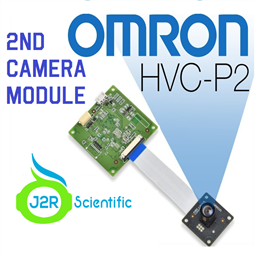 Omron HVC-P2 (Second Camera)
— Windows ARC plugin for Omron HVC-P/HVC-P2: Python-based face/body/hand detection, gaze, age/gender, expressions and recognition; dual-camera support.
Try it →
Omron HVC-P2 (Second Camera)
— Windows ARC plugin for Omron HVC-P/HVC-P2: Python-based face/body/hand detection, gaze, age/gender, expressions and recognition; dual-camera support.
Try it →

when I turn on Jd,I don't want to hear the recorded messages. How do I turn them off with the software or do I have to do it mechanically? I want complete silence when I turn on jd.
Deborah Crain [email protected]

About the only way is to open the bottom of the EZB and remove the speaker.
By doing this, you will remove all sound from JD directly. You would have to play your sounds through your pc instead of through the ezb.
Deborah, do you mean the startup sound? Or are you hearing some form of message?