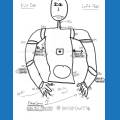


just purchased the six. in the assembly process and one of the servos seem to be stuck. what can i do to fix it?

jj68
USA
Asked
— Edited
3 Participants
 Custom Movement Panel V2
— Custom Movement V2 panel for ARC: scripts for F/R/L, Reverse, roll left/right, up/down with speed mapping to PWM for drones, mecanum & custom drives
Try it →
Custom Movement Panel V2
— Custom Movement V2 panel for ARC: scripts for F/R/L, Reverse, roll left/right, up/down with speed mapping to PWM for drones, mecanum & custom drives
Try it →
just purchased the six. in the assembly process and one of the servos seem to be stuck. what can i do to fix it?

Try loosening the screw on the lever arm and see if that does it. Also make sure the servo is not binding on the cable. The cables should NOT be going through the rectangular hole in the lever arm even though it looks like it is made for that. It will bind and make the servo stick and burn it out.
Jump ahead to the Lever servo section of the tutorial for more information:
https://synthiam.com/Tutorials/Lesson/25?courseId=2
Alan
Is it plugged in correctly (meaning not backwards)? When the power is off can you move the servo by hand?
servo will not move by hand
Use Contact Us and submit a warranty claim....
Not all servos will move by hand. Servos are NOT designed to be moved by hand. This is only a warranty claim if the servo cannot be moved by the EZ-B v4 robot controller.
@jj68 Good point... does the servo move when requested by the ezb?