





I just installed ez-build on my surface pro 4 running windows 10. I found that they layout of the program is definitely unreadable. I changed resolution, but no changed at all. Any ways to solve it?

henrysiu
Hong Kong
Asked
— Edited
6 Participants
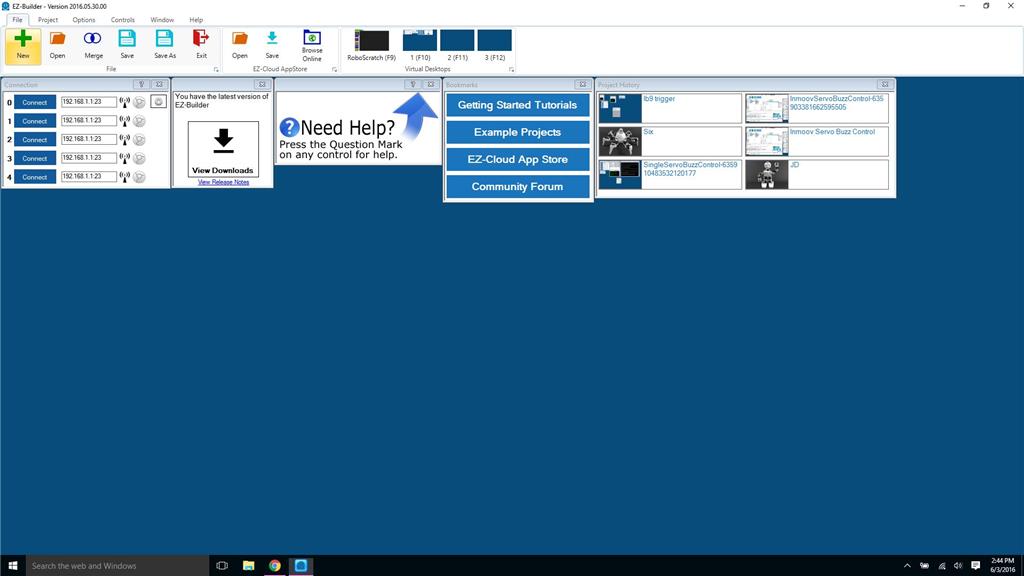

set your font scaling to 100% (I can give step by step instructions when I get home from work where I have Windows 10 machines. On Windows 7 here, so instructions would not apply).
Alan
I'm pretty sure that the surface has a larger scaling of the windows themselves, and the text as well. You will need to change both down. A picture of the issue would be nice to see, perhaps for use in a tutorial.
I tried changing font to 100% and reduced the scale to 1920x1080, but not as good as expected.
1920x1080 should be good. I think there is one other window scaling setting other than font, but without a Windows 10 computer in front of me, I can't recall where to find it.
This tutorial may cover it though: https://synthiam.com/Tutorials/Lesson/20?courseId=1
I know there have also been some recent discussions about these new machines with super high resolution and how ARC is far from alone in having difficulties, but I am clearly using hte wrong search terms because I can't find the threads.... Grr.
Alan
Found the thread. It is not just font, but dpi, which is no longer labeled dpi in Windows 10, but "size of all items"....
https://synthiam.com/Community/Questions/6355&page=2
Alan
Thx Alan, I looked at the mentioned item. However, no improvement can be seen.
do you have an auto screen setting on your monitor itself.
I had a similar issue, which was raised in forum thread:
https://synthiam.com/Community/Questions/9342 and resolved by changing the windows font size. DJ at the time mentioned the relevant tutorial was https://synthiam.com/Tutorials/Lesson/20
That tutorial mentions to "Locate the option "MAKE TEXT AND OTHER ITEMS SMALLER OR LARGER" and click it with the left mouse button". Then move the slider all the way to the left and reboot. The screenshot you provided seems to indicate this option may be relevant.
Hopefully you may find the answer in one or both of these links