
 Resolved by
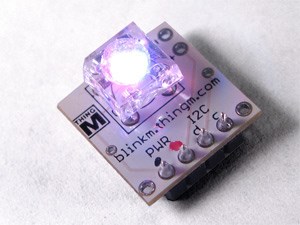
how do u connect a BlinkM to an ez-b? or do you not connect it at all?
 Network Change
— Execute scripts on WiFi/network connect or disconnect; monitor adapter, store status in a variable and trigger custom scripts for headless SBC robots.
Try it →
Network Change
— Execute scripts on WiFi/network connect or disconnect; monitor adapter, store status in a variable and trigger custom scripts for headless SBC robots.
Try it →

The BlinkM is an I2C device so therefore you connect it to the I2C port.
If you have a V3 EZ-B it will plug directly in to the I2C port if you want to or you can run wires to it if it's away from the board.
If it's a V4 you can connect to any of the three I2C ports.
it works!