
SM
USA
Asked
— Edited
 Resolved by Rich!
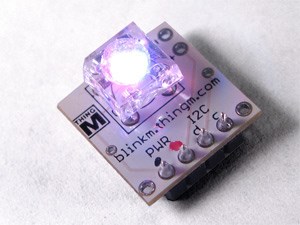
Blinkm
how do u connect a BlinkM to an ez-b? or do you not connect it at all?
 Sighthound Cloud API
— Cloud-based detection of people and faces in robot camera video; returns locations, gender, age, pose, emotion, plus 68-point facial landmarks.
Try it →
Sighthound Cloud API
— Cloud-based detection of people and faces in robot camera video; returns locations, gender, age, pose, emotion, plus 68-point facial landmarks.
Try it →

The BlinkM is an I2C device so therefore you connect it to the I2C port.
If you have a V3 EZ-B it will plug directly in to the I2C port if you want to or you can run wires to it if it's away from the board.
If it's a V4 you can connect to any of the three I2C ports.
it works!