




I tried connecting the camera from the V3 kit and it does not connect to ARC. I saw the video for troubleshooting numerous times and repeated the steps my self but the camera just won't connect
Asked
— Edited
3 Participants
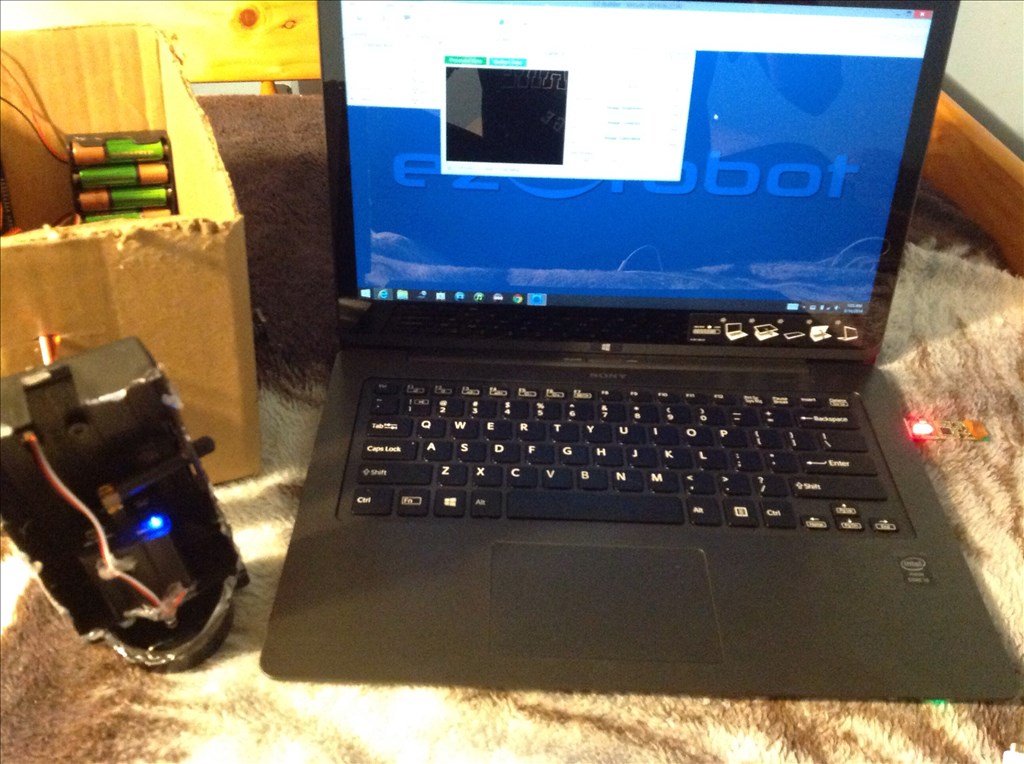

What version of windows are you using? Is the USB receiver dongle plugged in? Do you have a blue light on the back of the camera? Do you see the camera in the drop down list after hitting refresh? Can you post a picture of the items you do have in the camera drop down? Can you select the camera in any other application like a web chat or windows movie maker?
Yes to all of your questions except for the last one I have to try that one and the dongle is opened because I was following the steps from the wireless camera tutorial
And I have windows 8.1
go to device manager and look for the camera.update the driver there
It says the driver is up to date nomad
in your pic i see a camera,is that the one? you can right click mous on the icon cam and see for trouble solution. the pc looks for it then.
Does it work in AmCap or similar applications? Is the camera battery OK? Have you done the mod to power the camera from the EZ-B? (this also makes the camera much more stable)