



I find when using the Camera, the grid lines change or fail to stay as set. I try to save the set locations of the lines, but when I reload the project I have to reset the grids again.
Thanks,
Ron
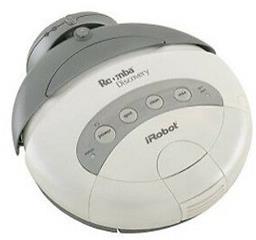 Irobot Roomba Legacy
— Legacy iRobot Discovery and 4xxx control via EZB software-serial (D0), supports Arduino/EZ-Robot, adjustable baud rate; not for hardware UART/USB
Try it →
Irobot Roomba Legacy
— Legacy iRobot Discovery and 4xxx control via EZB software-serial (D0), supports Arduino/EZ-Robot, adjustable baud rate; not for hardware UART/USB
Try it →
I find when using the Camera, the grid lines change or fail to stay as set. I try to save the set locations of the lines, but when I reload the project I have to reset the grids again.
Thanks,
Ron

This also happens to me.
If I save my project after adjusting the grid lines, the next time I open it, they will still be saved, but the next time I open it after that, they will have moved again even if I save the project, unless I made some adjustment to the grid lines.
Also note, when they revert to the "original" position, it is not the "default" position. If I go to the gridlines tab and hit default, they are at least useable, but the position they are in when I normally open the project only have the left and bottom line even visible. Top and right are off the screen until I adjust them.
Alan
I also have the left and bottom grid line moved and loose the others. I tried saving after changing, but no luck.
Ron
I'll take a look at it
@DJ, Thanks for looking at this. Could you also look at a way to save the grid lines set to a certain position? So when a script is run that requires the grid lines set to something different than the default settings, they will adjust for that script.
Thanks DJ,
Ron
Any update on saving the grid line position?
If this is not possible, is there a way to set the grid lines in a script?
I'll come up with something
Just wondering if there has been any progress on this topic. It's not mission critical for me, just a small annoyance.