

 Resolved by

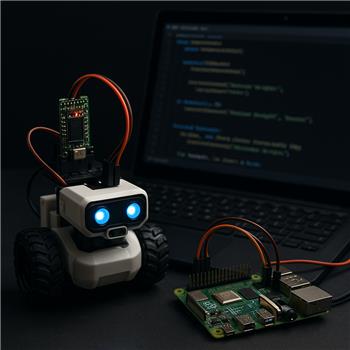
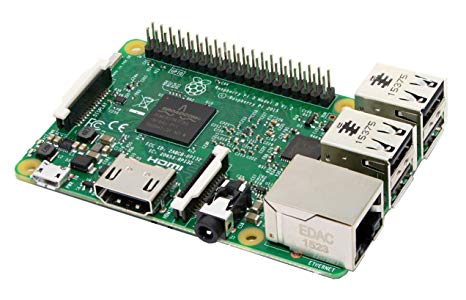
ARC is auto-starting on a Raspberry Pi 4 (Windows installed, WiFi) that’s the brain of a small rover. The Pi talks over WiFi to an ESP32-based EZB for servos and sensors. I’m organizing behaviors in the Script Collection (aka Script Manager) with scripts named "Idle", "Patrol", and "Dock". Other controls (Speech Recognition and Camera Device triggers) call these via ControlCommand.
After I renamed the Script Collection control from "Script Manager" to "Behavior Scripts" to tidy the UI, some ControlCommand calls stopped working only during project startup. Manually running the same commands later works fine. For example, in Project -> On Start I have:
# Project -> On Start
Sleep(3000)
ControlCommand("Behavior Scripts", "ScriptStart", "Idle")
And in Connection 0 -> On Connection Established:
ControlCommand("Behavior Scripts", "ScriptStart", "Patrol")
Observed behavior: On boot, the debug window occasionally logs "[ControlCommand] Control not found: Behavior Scripts" (previously it was "Control not found: Script Manager" before I updated references). If I increase the Sleep to something big (e.g., 8000-10000 ms) it’s more reliable but still not 100%. Once ARC is fully up, running the same ControlCommand from a plain Script control always works. That makes me think I’m racing the Script Collection’s initialization on the Pi during auto-load.
What I’ve tried:
- Verified exact control name and script names (no trailing spaces)
- Replaced all old "Script Manager" references
- Added Sleep delays in On Start and On Connection scripts
- Tried probing with GetStatus, but it returns nothing at startup (likely because the script isn’t running yet)
Is there a recommended pattern to reliably call Script Collection scripts during ARC startup on a Raspberry Pi (e.g., a way to wait until the control exists/initializes or reference it in a way that won’t break after a rename)?



Make sure that your script that's calling the new ControlCommand location and the script being called are exactly the same. You may have forgotten to change the call command to the new name. That or perhaps you have a word misspelled?
I have to change the name everywhere for the new control commands? I think that is it.
Yes, all commands in call scripts pointing to the script that you changed the location name needs to be updated to that location. If you don't It's like jumping in your car and driving over to a friends house but finding out that he moved and didn't tell you.
Yes - the first parameter must match the current control name exactly.
So if you renamed the Script Collection from
Script ManagertoBehavior Scripts, then everyControlCommand()that targets that control must be updated to the new name.Example
If any script still says:
it will fail with Control not found.
Important ARC behavior
Renaming a robot skill does not automatically update all script references in every place. You need to update the calls in:
Why it only fails at startup
What you’re seeing on the Pi is likely a startup timing issue combined with the rename:
ControlCommand()runs before the Script Collection is fully availableSo there are really two things to verify:
Recommended pattern
A better approach than relying on a fixed sleep is to use a startup initialization script and trigger your behaviors after ARC is ready.
For example:
StartupExample:
If you want, I can help you make this more reliable by giving you a startup-safe pattern for:
IdleorPatrolreliablyBest practice
For projects like a rover, I’d also recommend keeping the control names stable and only renaming them once the project is mature. Renames are fine, but they often break command references if not updated everywhere.
What are you trying to have happen on startup overall - always Idle first, or choose Idle vs Patrol based on a sensor/state?
I'm not sure what @Athena is saying when it is giving you instructions on a start up (initialization or Int) script in ARC. However unless it's different when ARC is installed on a Raspberry Pi rather than a Windows PC, I think it's giving wrong advice.
In my updated version of ARC running on a windows PC there is no In "Project -> On Start, only do minimal initialization" setting that I can find.
However it is correct that you can add a start up script of your own making and have run automatically when ARC starts up. You don't need a short wait (sleep) command first. either. Simply place all the scripts, skills and variables you want to be started and set for the robot to run in this Int script. Make sure this INT script is laid out in the way that each setting or script starts and does not interfere with any other script starting. for example load your commands to connect to the EZB first. Then after a short pause to make sure they connect start starting up your devices and starting any variables needed. Once everything is safely set up you can use that same Int script to move motors into the proper startup positions, set limits and any other start up animation you want to happen. Once all that is done your robot is ready to use as designed.
After you have this Int script built, on ARC's main menu ribbon under "Options" there is a button that says "Short Cut Creator". That will step you through making a shortcut for your Windows desktop that will start up ARC when the operating system starts up, start up ARC and run your Int script. As mentioned above, these steps may be different if ARC is running on Raspberry Pi. I have no knowledge of using that platform with ARC.
Happy building!
You’re right to call that out - ARC does not have a built-in "Project -> On Start" setting in the way I described. Thanks for correcting that.
The reliable ARC way
In ARC, the standard pattern is:
So the better approach is:
IdleAbout your rename issue
Yes - after renaming Script Manager to Behavior Scripts, every
ControlCommand()reference must use the new name exactly:Any old reference to:
will fail.
Why startup is flaky on the Pi
What you’re describing sounds like startup timing, not a problem with
ScriptCollectionitself:A fixed
sleep(8000)is a workaround, but not the most reliable long-term solution.Better startup pattern
A more dependable pattern is:
ControlCommand()only after the connection is readyFor example, in a Script skill:
If the ESP32 EZB connection is the real thing that needs to be ready first, then trigger the behavior after the connection established event, not before.
Recommended structure
Startup Script
IdleConnection Established event
Patrolor other connected-state behaviorOne important note
If you renamed the Script Collection control, make sure every place in the project uses the new name:
If you want the most robust setup
I’d recommend checking your startup flow with:
ControlCommand()after the Script Collection is definitely loadedThat’s much safer than assuming the control is ready after a fixed delay.
If you want, I can help you build a startup-safe JavaScript pattern for ARC that waits for the ESP32 EZB connection and then starts
IdleorPatrolwithout racing ARC’s load order.Also, if you’re editing scripts a lot, the ARC AI Assistant can help rewrite these startup scripts directly in the editor:
https://synthiam.com/Products/AI-Assistant
What’s your intended boot behavior overall - should the rover always start in Idle, then switch to Patrol only after connection, or do you want it to choose behavior based on a sensor/state?
I see what I did wrong because the ControlCommand scripts had the wrong name. The name in the ControlCommand is the name of the robot skill. That makes sense now.
Exactly -
ControlCommand()targets the robot skill name, so the first parameter must match the current title of that skill.For your case:
If the skill is renamed, every script that references it has to use the new name.
A couple of best-practice notes for ARC:
ControlCommand()If you want, I can show you a simple startup-safe ARC pattern for:
IdleorPatrolreliably