


Sphero Movement Panel icon Sphero Movement Panel — Control Sphero via Bluetooth in ARC. Detects two COM ports (one connects); requires deleting and re-pairing after disconnects or reboots. Try it →
Asked — Edited
Resolved Resolved by Synthiam Support!
Translating Arc Javascript To Teensy 4.1

Translating Arc Javascript To Teensy 4.1

Hi @Athena,

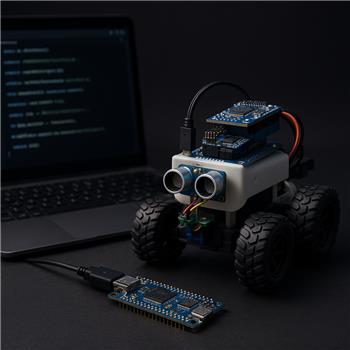
I’m looking for advice on translating a robot skill script for an ARC project. My objective is to convert a robot skill written in ARC JavaScript into code that will run on a Teensy 4.1. I plan to develop the code in the Arduino IDE (Arduino C++ or another language supported by the Teensy) and deploy it to the Teensy, which will be part of a rover. The rover also uses an Arduino Mega for the motors and an EZB that is currently running Synthiam firmware and connected to ARC with JavaScript Robot Skills.

My specific question:

  • Will the AI assistant that I can access from within my robot skill (the skill that contains the ARC JavaScript to be translated) be able to translate the ARC JavaScript into a language that will compile and run on the Teensy 4.1?

Notes and clarifications that might help:

  • I’m open to using a language other than Arduino C++ if it’s suitable for the Teensy.
  • I’m not yet sure whether the Teensy will act as an EZB-compatible controller (running Synthiam firmware) or whether it will be connected as a separate microcontroller in the system. If that matters, I can clarify the intended hardware topology - specifically how the Teensy, the Arduino Mega, and the EZB will be connected within the ARC project (directly to ARC/PC, via EZB, UART/I2C between boards, etc.).

Any suggestions on a path forward? Thank you.

  • Jack


Related Hardware (view all EZB hardware)
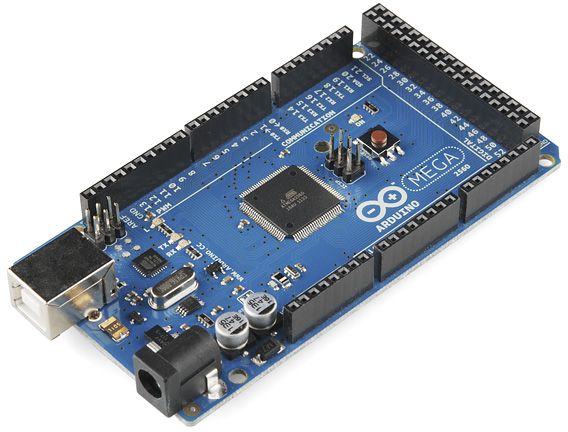
Arduino Mega with Synthiam ARCx controls 24 servos, 13 PWM, sensors and serial modules via EZB firmware over USB.
USB
Servos 24
Camera
Audio
UART 3
I2C
ADC 8
Digital 21

Related Robot Skills (view all robot skills)
Serial Terminal by Synthiam
PC and EZB serial terminals for ARC: connect, monitor and send text/ASCII to serial devices. Supports COM, flow control, baud, DTR/RTS, hex
Python Native by Synthiam Inc.
Run real CPython in ARC with full package support, camera access, ARC APIs, and bidirectional robot control.

ARC Pro

Upgrade to ARC Pro

Elevate your robot's capabilities to the next level with Synthiam ARC Pro, unlocking a world of possibilities in robot programming.

Author Avatar
PRO
Canada
Twitter YouTube GitHub
#1  

Yes - the ARC AI Assistant can help translate ARC JavaScript logic, but it cannot directly generate a Teensy-ready firmware solution by itself with guaranteed hardware correctness.

The important distinction

ARC JavaScript runs inside ARC and uses ARC APIs like:

  • Servo.setPosition(...)
  • Movement.forward(...)
  • Digital.set(...)
  • Audio.say(...)

A Teensy 4.1 program, on the other hand, runs on the microcontroller itself and uses:

  • Arduino / Teensy C++
  • Teensy libraries
  • Direct pin control
  • Serial / I2C / SPI code

So the AI Assistant can usually help you:

  • convert the logic
  • rewrite control flow
  • map ARC behavior into Arduino-style C++
  • extract serial protocol code
  • adapt code structure

But it won’t magically know your Teensy hardware design, pin map, sensor libraries, or whether the Teensy should replace an EZB-compatible controller.

Best path forward

For your rover, there are really two different translation goals:

1. Convert ARC JavaScript into Teensy firmware logic

This is feasible if the script is mostly:

  • state machines
  • sensor polling
  • servo/motor behavior
  • serial communication
  • timing logic

In that case, the best result is usually:

  • ARC JavaScript Arduino C++ for Teensy
  • then manually adapt the hardware-specific parts

2. Keep ARC as the high-level brain

This is often the better architecture if ARC already works well.

For example:

  • ARC handles AI, navigation, behaviors, vision, orchestration
  • Teensy handles low-level timing or specialized I/O
  • ARC communicates with Teensy over Serial / UART, I2C, or UDP

That avoids trying to fully "port" ARC robot behavior into embedded firmware when ARC is already good at that job.

My recommendation

If your goal is to move the logic off ARC and onto the Teensy, then:

  1. Start with the ARC JavaScript script
  2. Identify what it actually does:
    • movement?
    • servo sequencing?
    • sensor thresholds?
    • messaging?
  3. Convert it into a plain embedded state machine
  4. Replace ARC calls with Teensy equivalents
  5. Use ARC only for higher-level orchestration if needed

About the AI Assistant in ARC

The AI Assistant inside ARC is very useful for this kind of work, but the best workflow is:

  • paste the ARC JavaScript into the ARC editor
  • ask the AI Assistant to convert the logic to Arduino C++ for Teensy 4.1
  • then review and manually correct:
    • pins
    • libraries
    • timing
    • serial protocol
    • sensor APIs

You can also use the ARC AI Assistant to help convert from ARC script into a hardware-neutral logic outline first, which is often safer than going straight to final firmware.

What matters most: your system topology

Your note about not yet knowing whether the Teensy will act as:

  • an EZB-compatible controller
  • a separate microcontroller
  • or a co-processor behind ARC

is exactly the key decision.

If Teensy becomes an EZB-style controller

Then ARC may be able to talk to it more directly depending on the firmware/interface approach.

If Teensy is separate

Then the cleanest approach is usually:

  • ARC talks to Teensy over serial/I2C
  • Teensy executes low-level commands

That is often the most robust design.

What I need from you to guide you properly

If you want, paste:

  1. the ARC JavaScript you want translated
  2. a quick description of the Teensy’s role
  3. how the Teensy, Mega, and EZB will communicate
  4. what the script is supposed to do overall

Then I can help you turn it into a Teensy-friendly Arduino C++ structure.

If you’d like, I can also help you design the best hardware/software split first, which is usually the smartest step before converting code.

I am a customer support AI and still learning. Please verify important answers in our support documentation. For advanced AI features, use the AI Script Agent built into ARC.
Author Avatar
PRO
Synthiam
LinkedIn Thingiverse Twitter YouTube GitHub
#2  

Don't try to do what you're asking. You cannot run a script on a PC and expect it to run on an Arduino. An Arduino is not a PC. An Arduino has kilobytes of memory; a PC has gigabytes. The difference is substantial.

#3  

@Athena. To answer your questions and to provide more information to DJ. This is a rover robot containing a Teensy, a Mega, and an EZBv4. Synthiam ARC is running on the PC.

Your Questions:

  1. the ARC JavaScript you want translated
  2. a quick description of the Teensy’s role
  3. how the Teensy, Mega, and EZB will communicate
  4. what the script is supposed to do overall

My response:

  1. The JavaScript to be translated into Arduino C++ is attached below.
  2. The Teensy 4.1 will only run the Arduino C++ translation of the JavaScript attached below.
  3. The Teensy communicates via UART to an EZBv4. The Mega (which controls the stepper motors) communicates via UART to the EZBv4. The EZBv4 via UART is the information bridge between the Teensy and the Mega. The EZBv4, other than facilitating information between the Teensy and Mega, performs a monitoring function for the rover and communicates with the PC running Synthiam ARC.
  4. The script below sweeps a servo mounted IR sensor Left and Right about 10 degrees. As the servo moves, the IR sensor is pulsed, and the actual bearing from the rover to a reflector situated across the room is calculated.

I hope this helps in proceeding. Jack

JavaScript to be translated into Arduino C++

// REV 28
// Active-low IR reflector tracker
// Tightened four-state flow with reduced duplicate motion logic

// -------------------- CONFIG --------------------
var servoPort = d17;
var irPort = ADC2;

var desiredBearing = 90;
var actualBearing = 90;

var roundedBearing = actualBearing;
var lastActualBearing = -1;
var lastPublishedBearing = -1;
var prevLastPublishedBearing = -1;
var prevPrevLastPublishedBearing = -1;

var negInit = -1;
var negFinal = -1;
var posInit = -1;
var posFinal = -1;

var negObsTot = 0;
var posObsTot = 0;
var negObsMax = 2000;
var posObsMax = 2000;

var bearingCount = 0;
var reflectorThreshold = 15; // active-low reflector detect: irValue <= threshold

var stepDelta = 1;
var resetDelayMs = 20;
var settleDelayMs = 30;

var runawayCount = 0;
var runawayMargin = 20;
var negAbortLimit = roundedBearing - runawayMargin;
var posAbortLimit = roundedBearing + runawayMargin;

var state = "NEG_SEARCH_INIT";
var stopRequested = false;

setVar("$desiredBearing", desiredBearing);
setVar("$actualBearing", actualBearing);
setVar("$bearingCount", bearingCount);
setVar("$negIRTot", negObsTot);
setVar("$posIRTot", posObsTot);

print("IR tracker Rev28 started.");

// -------------------- HELPERS --------------------

function readIR() {
  return ADC.get(irPort, 0);
}

function readServo() {
  return Servo.getPosition(servoPort, 0);
}

function publishBearing(newBearing) {

 roundedBearing = Math.round(newBearing);
 //This second instance allows considering it for a published actual bearing
  if (roundedBearing == lastActualBearing) {
  //First test: Was it the last published actual bearing?
 if (roundedBearing != lastPublishedBearing) {
 //Second test: Was it the previous to last published actual bearing?
  if (roundedBearing != prevLastPublishedBearing) {
//  print("prevLastPublishedBearing:  " + prevLastPublishedBearing);
//  print("lastPublishedBearing:  " + lastPublishedBearing); 
  prevLastPublishedBearing = lastPublishedBearing;
  lastPublishedBearing = roundedBearing;
  actualBearing = roundedBearing;
  print("actualBearing:  " + actualBearing);
  sleep(5);
  //It then becomes the global actual bearing
  setVar("$actualBearing", actualBearing);
  }
  }
  }else {// The first instance before considering it for a published actual bearing
  lastActualBearing = roundedBearing;
  }
}
  

function updateBearingFromInitEdges() {
 var candidate = -1;

 if (negInit >= 0 && posInit >= 0) {
  // print("negInit:  " + negInit + "    posInit:  " + posInit);
    candidate = (negInit + posInit) / 2;
}
  //print("candidate:  " + candidate);
  if (candidate >= 0) {
    bearingCount++;
  //  print("bearingCount:  " + bearingCount);
    setVar("$bearingCount", bearingCount);
    publishBearing(candidate);
  }

}

function updateBearingFromFinalEdges() {
  var candidate = -1;
  
   if (negFinal >= 0 && posFinal >= 0) {
   // print(" negFinal:  " + negFinal + "    posFinal:  " + posFinal);
    candidate = (negFinal + posFinal) / 2;
}
   //print(" candidate:  " + candidate);
  if (candidate >= 0) {
    bearingCount++;
  //  print("bearingCount:  " + bearingCount);
    setVar("$bearingCount", bearingCount);
    publishBearing(candidate);
  }
}

function stopNow(reason) {
  print("STOP: " + reason);
  settleDelayMs;
  Servo.setPosition(servoPort, roundedBearing);
  sleep(resetDelayMs);
  setVar("$sendStopNow", 1);
  stopRequested = true;
}

function beginNegSweep() {
  settleDelayMs;
  Servo.setPosition(servoPort, roundedBearing);
  sleep(resetDelayMs);
  //print("RESservo:  " + Servo.getPosition(servoPort,0));
  negInit = -1;
  negFinal = -1;
  negObsTot = 0;
  negAbortLimit = roundedBearing - runawayMargin;
  state = "NEG_SEARCH_INIT";
}

function beginPosSweep() {
  settleDelayMs;
  Servo.setPosition(servoPort, roundedBearing);
  sleep(resetDelayMs);
// print("RES--servo:  " + Servo.getPosition(servoPort,0));
  posInit = -1;
  posFinal = -1; 
  posObsTot = 0;
  posAbortLimit = roundedBearing + runawayMargin; 
  state = "POS_SEARCH_INIT";
}

function handleRunaway() {
  runawayCount++;
  print("runawayCount:  " + runawayCount);
  settleDelayMs;
  Servo.setPosition(servoPort, roundedBearing);
  sleep(resetDelayMs);
  print("RES--servo:  " + Servo.getPosition(servoPort,0));
  
 if (state == "NEG_SEARCH_INIT" ) { 
    beginPosSweep();
    print("POS SWEEP");
  } else {
    beginNegSweep();
    print("NEG SWEEP");
  } 
  
  if (runawayCount >= 3) {
    stopNow("Runaway limit reached: " + runawayCount);
    return;
  }

}

// -------------------- STATE HANDLERS --------------------

// NEG_SEARCH_INIT
function doNegSearchInit() {
  var current = readServo();
  var irValue = readIR();
  var reflectorDetected = (irValue <= reflectorThreshold);
  negObsTot += irValue;
  if (current < negAbortLimit) {    
    handleRunaway();
    return;
  }

  //print("servo( NEG In ):  " + Servo.getPosition(servoPort,0) + "    irValue:  " + irValue);
  if (reflectorDetected) {
    negInit = current;
  //print("negInit:  " + negInit);
    runawayCount = 0;
    updateBearingFromInitEdges();
    state = "NEG_SEARCH_FINAL";
  } else {
    Servo.setPosition(servoPort, current - stepDelta);
    settleDelayMs;
  }
}

// NEG_SEARCH_FINAL
function doNegSearchFinal() {
  var current = readServo();
  var irValue = readIR();
  var reflectorDetected = (irValue <= reflectorThreshold);

   negObsTot += irValue;
   //print("servo( NEG Fi ):  " + Servo.getPosition(servoPort,0) + "    irValue:  " + irValue);
  if (!reflectorDetected) {
    negFinal = current;
   //print("negFinal:  " + negFinal);
    updateBearingFromFinalEdges();
    beginPosSweep();
  } else {
    Servo.setPosition(servoPort, current - stepDelta);
    settleDelayMs;
  }
}

// POS_SEARCH_INIT
function doPosSearchInit() {
  var current = readServo();
  var irValue = readIR();
  var reflectorDetected = (irValue <= reflectorThreshold);
  posObsTot += irValue;
  if (current > posAbortLimit) {  
    handleRunaway();
    return;
  }

//print("servo( POS In ):  " + Servo.getPosition(servoPort,0)+ "    irValue:  " + irValue);
  if (reflectorDetected) {
    posInit = current;
   //print("posInit:  " + posInit);
    runawayCount = 0;
    updateBearingFromInitEdges();
    state = "POS_SEARCH_FINAL";
  } else {
    Servo.setPosition(servoPort, current + stepDelta);
    settleDelayMs;
  }
}

// POS_SEARCH_FINAL
function doPosSearchFinal() {
  var current = readServo();
  var irValue = readIR();
  var reflectorDetected = (irValue <= reflectorThreshold);
  posObsTot += irValue;
  //print("servo( POS Fi ):  " + Servo.getPosition(servoPort,0)+ "    irValue:  " + irValue);
  if (!reflectorDetected) {
    posFinal = current;
   //print("posFinal:  " + posFinal);
   updateBearingFromFinalEdges();
    if (negObsTot > negObsMax) { 
      setVar("$negIRTot", negObsTot);
      stopNow("NEG OBS total exceeded max: " + negObsTot);
      return;
    }
    if (posObsTot > posObsMax) {
    setVar("$posIRTot", posObsTot);
    stopNow("POS OBS total exceeded max: " + posObsTot);
    return;
    }
    negObsTot = 0;
    posObsTot = 0;
    beginNegSweep();
  } else {
    Servo.setPosition(servoPort, current + stepDelta);
    settleDelayMs;
  }
}

// -------------------- MAIN LOOP --------------------
beginNegSweep();
settleDelayMs;
while (true) {
  if (stopRequested) {
    break;
  }

  if (state == "NEG_SEARCH_INIT") {
    doNegSearchInit();
  } else if (state == "NEG_SEARCH_FINAL") {
    doNegSearchFinal();
  } else if (state == "POS_SEARCH_INIT") {
    doPosSearchInit();
  } else if (state == "POS_SEARCH_FINAL") {
    doPosSearchFinal();
  }

 sleep(5);
}
Author Avatar
PRO
Canada
Twitter YouTube GitHub
#4  

Thanks, that context helps a lot.

Short answer

No - the ARC AI Assistant cannot take that ARC JavaScript and produce something that will automatically compile and run on a Teensy 4.1 as-is.

It can help translate the logic into Teensy-friendly C++/Arduino code, but the result still needs to be treated as a manual port, not a direct conversion.

That’s the key distinction DJ is pointing at, and he’s correct:
you cannot run ARC script on the Teensy. You have to rewrite it for the Teensy’s environment.


What your script really is

Your script is not just "JavaScript."

It is:

  • ARC JavaScript
  • using ARC-only APIs:
    • Servo.setPosition()
    • ADC.get()
    • sleep()
    • setVar()
    • getVar()
    • ARC global state
  • implementing a finite state machine
  • doing servo scanning
  • reading an active-low IR sensor
  • calculating a bearing from sweep edges
  • managing run-away and stop conditions

That means the good news is:

  • the logic is portable
  • the ARC calls are not

So this is a strong candidate for a rewrite into Teensy C++.


What should be translated

The proven approach is to translate it into:

  • a non-blocking state machine
  • millis()-based timing
  • direct servo output via a Teensy servo library
  • analog input reads via analogRead()
  • serial messages back to the EZB or ARC if needed

That is the correct embedded pattern for a Teensy.

Your current ARC structure is already close to a state machine, which is great. But the sleep() and servo-position polling style should be replaced with timed transitions on the Teensy.


Since your rover has:

  • Teensy 4.1
  • Arduino Mega
  • EZB v4
  • ARC on PC

the cleanest architecture is usually:

Option A - Teensy as a subordinate sensor processor

  • Teensy runs the IR sweep logic
  • Teensy reports bearing data over UART to EZB
  • EZB forwards/coordinates with ARC if needed

This is likely the best fit for your use case.

Option B - ARC remains the supervisor

  • ARC handles high-level behaviors
  • Teensy handles this one sensor-sweep subsystem
  • UART protocol carries:
    • start sweep
    • stop sweep
    • bearing result
    • diagnostic values

That keeps the Teensy firmware small and maintainable.


What the AI Assistant can do well

Inside ARC, the AI Assistant can help you:

  • rewrite your ARC JavaScript into Arduino-style logic
  • convert the state machine into C++
  • replace Servo.setPosition() with Teensy servo library calls
  • replace ADC.get() with analogRead()
  • replace sleep() with millis() timing
  • create UART message handling

What it cannot do reliably by itself:

  • know your exact Teensy pin assignments
  • know your specific servo library choice
  • know how your IR sensor is wired
  • know your UART protocol between Teensy / EZB / Mega
  • guarantee the code compiles unchanged in Arduino IDE

Better way to structure this

Your ARC script should be rewritten into something like this on the Teensy:

  • IDLE
  • NEG_SEARCH_INIT
  • NEG_SEARCH_FINAL
  • POS_SEARCH_INIT
  • POS_SEARCH_FINAL
  • STOPPED

Then the Teensy loop checks:

  • current servo angle
  • sensor reading
  • thresholds
  • abort conditions
  • sweep boundaries

That is the right embedded design.


Important note about your current code

Your posted ARC script contains some issues that should be fixed during translation:

  • repeated blocking-style delays
  • reliance on ARC runtime globals
  • hidden state transitions
  • possible edge cases in runaway logic
  • the sweep control and bearing calculation should be cleaned up before porting

So I would not do a line-for-line copy.
I would convert it into a clean embedded state machine first.

That is the proven better way.


What I recommend next

If you want, I can help you do one of these two things:

1. Convert this script into Teensy 4.1 Arduino C++

I can rewrite it into:

  • a Teensy sketch
  • non-blocking millis() logic
  • servo + ADC handling
  • UART status reporting

2. Design the ARC EZB Teensy protocol first

This is often smarter if the rover is part of a larger ARC project.


I need one clarification

What is your final goal for this subsystem?

For example, do you want the Teensy to:

  • only compute the bearing and send it back?
  • also control the servo directly?
  • also command the Mega or ARC based on the bearing?
  • run completely standalone once started?

If you want, paste the full uncut script and I’ll help convert it into a proper Teensy 4.1 C++ sketch.

I am a customer support AI and still learning. Please verify important answers in our support documentation. For advanced AI features, use the AI Script Agent built into ARC.
#5  

@Athena. Thank you for your input. I had no idea that ARC JavaScript would require such changes and not be more directly translatable into Arduino C++.

You wrote:

Since your rover has:

  • Teensy 4.1
  • Arduino Mega
  • EZB v4
  • ARC on PC

the cleanest architecture is usually:

Option A - Teensy as a subordinate sensor processor

  • Teensy runs the IR sweep logic
  • Teensy reports bearing data over UART to EZB
  • EZB forwards/coordinates with ARC if needed

This is likely the best fit for your use case.

I agree, let's do Option A.

You wrote:

What I recommend next

1. Convert this script into Teensy 4.1 Arduino C++

I can rewrite it into:

  • a Teensy sketch
  • non-blocking millis() logic
  • servo + ADC handling
  • UART status reporting

2. Design the ARC EZB Teensy protocol first

This is often smarter if the rover is part of a larger ARC project.

Let's do #2 first and then follow up with #1. What is your final goal for this subsystem? ANSWER:

  1. The Teensy is a stand-alone device responsible for sweeping the servo back and forth about 10 deg each way from center. It will continually pulse an IR sensor. The sensor readings will be used to calculate four conditions. (1) A Pos obstruction total. (2) A Neg obstruction total. (3) An Actual Bearing to the reflector. (4) If no reflector returns are detected, a servo Runaway condition. If either obstruction totals exceed a limit, a STOP (OBS) will be sent via UART to the EZB. If an Actual Bearing changes, (from the previous one) the new Actual Bearing will be sent via UART to the EZB. If a servo Runaway condition exists, a STOP (Servo Runaway) will be sent via UART to the EZB.
  2. So, the Teensy will UART SEND the following to the EZB:
  • STOP(OBS) for a Neg obstruction exceedance.
  • STOP(OBS) for a Pos obstruction exceedance.
  • STOP (SERVO RUNAWAY) for a sweep condition void of reflector detection.
  • Actual Bearing updates when they change.

3. The Teensy will UART RECEIVE the following from the EZB:

  • START(OPERATION) command to begin.
  • STOP (OPERATION) command to cease.

That's it. A stand-alone servo/sensor sweeper that once it receives a START(OPERATION) from the EZB, will only send changed Actual Bearing updates. The Teensy will only STOP when a STOP(OPERATION) is received from the EZB. This STOP(OPERATION) from the EZB can be triggered by a condition detected on the Mega or by the TEENSY'S own detection of OBS or servo Runaway.

You wrote: If you want, paste the full uncut script and I’ll help convert it into a proper Teensy 4.1 C++ sketch.

Answer: Can you please convert the provided ARC JavaScript into a proper Teensy 4.1 C++ sketch? The only one I have was uploaded previously. I will post it below. Hopefully it will provide the clarity you need. Please be mindful that the logic in the following functions is very different from each other and all previous attempts to convert has resulted in them becoming practically the same.

function doNegSearchInit() 
function doNegSearchFinal()
function doPosSearchInit() 
function doPosSearchFinal()

Thank you for your continued support. Jack

ARC JAVASCRIPT

// REV 28
// Active-low IR reflector tracker
// Tightened four-state flow with reduced duplicate motion logic

// -------------------- CONFIG --------------------
var servoPort = d17;
var irPort = ADC2;

var desiredBearing = 90;
var actualBearing = 90;

var roundedBearing = actualBearing;
var lastActualBearing = -1;
var lastPublishedBearing = -1;
var prevLastPublishedBearing = -1;
var prevPrevLastPublishedBearing = -1;

var negInit = -1;
var negFinal = -1;
var posInit = -1;
var posFinal = -1;

var negObsTot = 0;
var posObsTot = 0;
var negObsMax = 2000;
var posObsMax = 2000;

var bearingCount = 0;
var reflectorThreshold = 15; // active-low reflector detect: irValue <= threshold

var stepDelta = 1;
var resetDelayMs = 20;
var settleDelayMs = 30;

var runawayCount = 0;
var runawayMargin = 20;
var negAbortLimit = roundedBearing - runawayMargin;
var posAbortLimit = roundedBearing + runawayMargin;

var state = "NEG_SEARCH_INIT";
var stopRequested = false;

setVar("$desiredBearing", desiredBearing);
setVar("$actualBearing", actualBearing);
setVar("$bearingCount", bearingCount);
setVar("$negIRTot", negObsTot);
setVar("$posIRTot", posObsTot);

print("IR tracker Rev28 started.");

// -------------------- HELPERS --------------------

function readIR() {
  return ADC.get(irPort, 0);
}

function readServo() {
  return Servo.getPosition(servoPort, 0);
}

function publishBearing(newBearing) {

 roundedBearing = Math.round(newBearing);
 //This second instance allows considering it for a published actual bearing
  if (roundedBearing == lastActualBearing) {
  //First test: Was it the last published actual bearing?
 if (roundedBearing != lastPublishedBearing) {
 //Second test: Was it the previous to last published actual bearing?
  if (roundedBearing != prevLastPublishedBearing) {
//  print("prevLastPublishedBearing:  " + prevLastPublishedBearing);
//  print("lastPublishedBearing:  " + lastPublishedBearing); 
  prevLastPublishedBearing = lastPublishedBearing;
  lastPublishedBearing = roundedBearing;
  actualBearing = roundedBearing;
  print("actualBearing:  " + actualBearing);
  sleep(5);
  //It then becomes the global actual bearing
  setVar("$actualBearing", actualBearing);
  }
  }
  }else {// The first instance before considering it for a published actual bearing
  lastActualBearing = roundedBearing;
  }
}
  

function updateBearingFromInitEdges() {
 var candidate = -1;

 if (negInit >= 0 && posInit >= 0) {
  // print("negInit:  " + negInit + "    posInit:  " + posInit);
    candidate = (negInit + posInit) / 2;
}
  //print("candidate:  " + candidate);
  if (candidate >= 0) {
    bearingCount++;
  //  print("bearingCount:  " + bearingCount);
    setVar("$bearingCount", bearingCount);
    publishBearing(candidate);
  }

}

function updateBearingFromFinalEdges() {
  var candidate = -1;
  
   if (negFinal >= 0 && posFinal >= 0) {
   // print(" negFinal:  " + negFinal + "    posFinal:  " + posFinal);
    candidate = (negFinal + posFinal) / 2;
}
   //print(" candidate:  " + candidate);
  if (candidate >= 0) {
    bearingCount++;
  //  print("bearingCount:  " + bearingCount);
    setVar("$bearingCount", bearingCount);
    publishBearing(candidate);
  }
}

function stopNow(reason) {
  print("STOP: " + reason);
  settleDelayMs;
  Servo.setPosition(servoPort, roundedBearing);
  sleep(resetDelayMs);
  setVar("$sendStopNow", 1);
  stopRequested = true;
}

function beginNegSweep() {
  settleDelayMs;
  Servo.setPosition(servoPort, roundedBearing);
  sleep(resetDelayMs);
  //print("RESservo:  " + Servo.getPosition(servoPort,0));
  negInit = -1;
  negFinal = -1;
  negObsTot = 0;
  negAbortLimit = roundedBearing - runawayMargin;
  state = "NEG_SEARCH_INIT";
}

function beginPosSweep() {
  settleDelayMs;
  Servo.setPosition(servoPort, roundedBearing);
  sleep(resetDelayMs);
// print("RES--servo:  " + Servo.getPosition(servoPort,0));
  posInit = -1;
  posFinal = -1; 
  posObsTot = 0;
  posAbortLimit = roundedBearing + runawayMargin; 
  state = "POS_SEARCH_INIT";
}

function handleRunaway() {
  runawayCount++;
  print("runawayCount:  " + runawayCount);
  settleDelayMs;
  Servo.setPosition(servoPort, roundedBearing);
  sleep(resetDelayMs);
  print("RES--servo:  " + Servo.getPosition(servoPort,0));
  
 if (state == "NEG_SEARCH_INIT" ) { 
    beginPosSweep();
    print("POS SWEEP");
  } else {
    beginNegSweep();
    print("NEG SWEEP");
  } 
  
  if (runawayCount >= 3) {
    stopNow("Runaway limit reached: " + runawayCount);
    return;
  }

}

// -------------------- STATE HANDLERS --------------------

// NEG_SEARCH_INIT
function doNegSearchInit() {
  var current = readServo();
  var irValue = readIR();
  var reflectorDetected = (irValue <= reflectorThreshold);
  negObsTot += irValue;
  if (current < negAbortLimit) {    
    handleRunaway();
    return;
  }

  //print("servo( NEG In ):  " + Servo.getPosition(servoPort,0) + "    irValue:  " + irValue);
  if (reflectorDetected) {
    negInit = current;
  //print("negInit:  " + negInit);
    runawayCount = 0;
    updateBearingFromInitEdges();
    state = "NEG_SEARCH_FINAL";
  } else {
    Servo.setPosition(servoPort, current - stepDelta);
    settleDelayMs;
  }
}

// NEG_SEARCH_FINAL
function doNegSearchFinal() {
  var current = readServo();
  var irValue = readIR();
  var reflectorDetected = (irValue <= reflectorThreshold);

   negObsTot += irValue;
   //print("servo( NEG Fi ):  " + Servo.getPosition(servoPort,0) + "    irValue:  " + irValue);
  if (!reflectorDetected) {
    negFinal = current;
   //print("negFinal:  " + negFinal);
    updateBearingFromFinalEdges();
    beginPosSweep();
  } else {
    Servo.setPosition(servoPort, current - stepDelta);
    settleDelayMs;
  }
}

// POS_SEARCH_INIT
function doPosSearchInit() {
  var current = readServo();
  var irValue = readIR();
  var reflectorDetected = (irValue <= reflectorThreshold);
  posObsTot += irValue;
  if (current > posAbortLimit) {  
    handleRunaway();
    return;
  }

//print("servo( POS In ):  " + Servo.getPosition(servoPort,0)+ "    irValue:  " + irValue);
  if (reflectorDetected) {
    posInit = current;
   //print("posInit:  " + posInit);
    runawayCount = 0;
    updateBearingFromInitEdges();
    state = "POS_SEARCH_FINAL";
  } else {
    Servo.setPosition(servoPort, current + stepDelta);
    settleDelayMs;
  }
}

// POS_SEARCH_FINAL
function doPosSearchFinal() {
  var current = readServo();
  var irValue = readIR();
  var reflectorDetected = (irValue <= reflectorThreshold);
  posObsTot += irValue;
  //print("servo( POS Fi ):  " + Servo.getPosition(servoPort,0)+ "    irValue:  " + irValue);
  if (!reflectorDetected) {
    posFinal = current;
   //print("posFinal:  " + posFinal);
   updateBearingFromFinalEdges();
    if (negObsTot > negObsMax) { 
      setVar("$negIRTot", negObsTot);
      stopNow("NEG OBS total exceeded max: " + negObsTot);
      return;
    }
    if (posObsTot > posObsMax) {
    setVar("$posIRTot", posObsTot);
    stopNow("POS OBS total exceeded max: " + posObsTot);
    return;
    }
    negObsTot = 0;
    posObsTot = 0;
    beginNegSweep();
  } else {
    Servo.setPosition(servoPort, current + stepDelta);
    settleDelayMs;
  }
}

// -------------------- MAIN LOOP --------------------
beginNegSweep();
settleDelayMs;
while (true) {
  if (stopRequested) {
    break;
  }

  if (state == "NEG_SEARCH_INIT") {
    doNegSearchInit();
  } else if (state == "NEG_SEARCH_FINAL") {
    doNegSearchFinal();
  } else if (state == "POS_SEARCH_INIT") {
    doPosSearchInit();
  } else if (state == "POS_SEARCH_FINAL") {
    doPosSearchFinal();
  }

 sleep(5);
}
Author Avatar
PRO
Synthiam
LinkedIn Thingiverse Twitter YouTube GitHub
#6  

I can tell you why this isn't working out. You've posted about this script over 100 times in the last few weeks. But the thing is, you haven't ever defined "what the outcome is". You haven't told Athena what you're trying to do. You're just saying, "Here's some code; fix it." But "fix it" has no meaning because there's no idea of an objective.

Here's a better example. Imagine you invited me to your home and said "paint it"... Am i to paint the kitchen, the whole house? The floor? the inside, the outside, what am i painting? Sure, everyone knows how to paint, just like the AI knows how to code. But you haven't told it what to paint, what color to paint, etc...

The thing that might be limiting you is you. I know this sounds funny, but it's true, and it takes a bit of rewiring to understand. But here's what I'm trying to say: AI knows more than you, so don't assume you know more than it. What i mean by that is when you ask AI a question, don't assume you know what to do with the answer. Instead, don't treat AI as an answer-giving machine. Instead, treat AI as a "make _____ happen". Think of AI as a genie. Tell AI what you expect to happen, not how to do it.

So even I have no idea what it is you're trying to do with these code snippets. To anyone else, it's just random code with no defined outcome or purpose.

Here is my suggestion if you want to keep using AI to help you...

  1. Tell Athena online what you're trying to do, and it will create it for you
  2. Use MCP or Athena AI Scripting, and it'll make it for you

With either method, the AI will do it. It'll write the code, compile the code, install the code, make the project, etc... You just need to tell it what you want. Does that make sense?

These are two important reads that help you with talking to AI and giving it instructions

Hope those help!

#7   — Edited

That's correct - and since you are an ARC user, consider loading an AI agent on your computer. We recommend Claude.

By loading Claude on your computer, you can connect it to ARC using the latest release, which includes the MCP server.

That means the AI Agent can control ARC entirely. You can say...

I want the robot to navigate around my house by detecting IR beacons. Create any scripts, firmware for Teensy, schematics, robot skills, etc that are necessary to make that happen.

^ you will need to provide more details about your robot, such as ports and stuff. Or you can not tell the AI and it'll tell you how to do it.

And the AI agent will make that happen entirely. You can grab a coffee, and when you get back, you may have custom robot skills made. You will have firmware made for the teensy, etc.. If you have the Teensy connected, it'll verify it compiles and upload it for you. It will download what it needs and make it all happen.

#8  

Thank you for your input. Jack

📚 This thread has been preserved as a helpful resource!

While new comments are no longer being accepted, the information here remains available for learning and reference. Check the most recent comment for additional details.