

 Resolved by
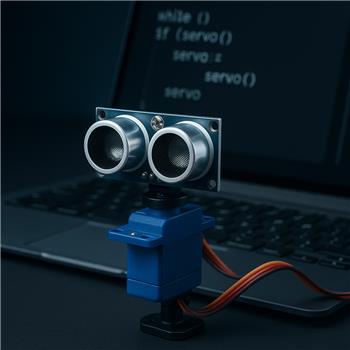
I want to use a ping (ultrasonic) sensor with a rotation servo in a script in ARC. How do I stop the servo when the ping sensor detects something, and then resume the servo while the script is running in a loop? After using a "release servo" action, how do I get the servo working again?
Clarification: are the sensor and servo connected through an EZ-B (robot controller) or directly to the PC? Also, which scripting language are you using in ARC (JavaScript or Python), and are you controlling the servo via a robot skill or directly from the script?




@athena
the ping and servo is connected to an ezbv4 in ARC .
I'm using ez script .
Since you’re using an EZ-B v4 in ARC, the usual pattern is:
Important:
Release Servoonly turns off torqueWhen you use Release Servo, the servo stops holding position.
To make it work again, you simply send a new position to that servo:
Servo.setPosition(d0, 90)in JavaScriptRecommended approach in ARC
If you’re writing this in script, it’s better to avoid relying on a manual servo skill for the motion logic. Instead:
Servo.release()when you want it to stop holdingExample logic
Conceptually:
Servo.release(port)Servo.setPosition(port, ...)to resumeBetter option: use JavaScript or Python
EZ-Script is kept for backward compatibility, but if you want, I can convert this to JavaScript or Python, which is the preferred approach in ARC.
Example in JavaScript
Here’s the same idea in JavaScript:
If you want the servo to sweep continuously
You can also keep it moving by updating positions in a loop, and only release it when needed.
ARC note
If you’re using a Ping sensor robot skill, the sensor ports are usually configured in the skill settings via the kebab menu in the top right of the skill window. Same with the servo skill if you’re using one instead of direct script control.
Next question
Do you want the servo to:
Also, if you want, paste your current EZ-Script and I’ll help convert it into JavaScript or Python for ARC. Questions like this are often best handled with the ARC AI Assistant directly in the script editor too:
https://synthiam.com/Products/AI-Assistant
@athena
yes the servo moves back and fort . i want to use the ping sensor insteadt of the normal rgb in the jd head . remember all 3 ports rgb are broken . this way i can still use the ezbv .
https://www.youtube.com/shorts/8SQUyC5Cap0
In ARC, a Ping / Ultrasonic sensor doesn’t "detect an object" as an event by itself - it returns a distance value. You compare that value in your script, then decide what to do.
Common commands
If you’re reading the sensor directly from a script:
Then trigger your action when it’s below a threshold:
Best way to wait until something is detected
You can also use the built-in wait functions:
That pauses the script until the sensor reads lower than 20.
Or:
Example with servo stop/resume
Notes
Ping.get(triggerPort, echoPort)reads the distance.Ping.waitForLower(...)waits until the distance goes below a value.If you want, I can write this as a full ARC script for your exact trigger/echo ports and servo port.
@athena
can a ping sensor work with a camera at same time ?
Yes - a Ping / ultrasonic sensor and the camera can absolutely work at the same time in ARC on the same EZ-B v4.
They use different parts of the system:
Things to watch for
1) Power
If the robot is acting flaky when the camera is on and the servo moves, that’s often a power issue, not a software issue.
2) Port conflicts
Make sure the ping sensor is not using the same digital ports as another skill or device.
3) Script timing
If your script is doing both camera logic and ping polling, keep the loop reasonable so ARC isn’t overloaded.
Best practice in ARC
Use separate robot skills:
Then use a script to coordinate them.
Example idea
Your script can do something like:
ARC tip
If you’re building this logic in code, the ARC AI Assistant can help rewrite or generate the script right inside ARC: https://synthiam.com/Products/AI-Assistant
If you want, I can write a simple JavaScript example that uses:
and pauses the servo when the ping distance gets too close.
@athena thank you .