




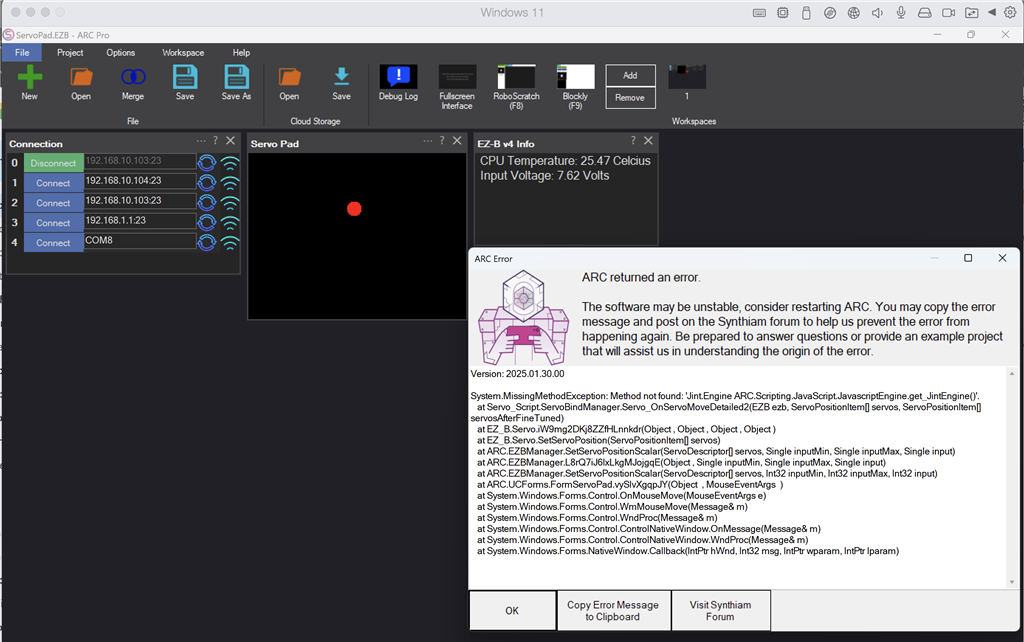
, could you please provide insights into the following exception encountered when running the ARC servo Pad Skill?
Background:
- ARC Version: 2025.01.30.00
- Operating System: Windows 11
- Robot: Humanoid Meccano Meccanoid
- Modifications: Original servos have been replaced with EZ-Robot servos.
- Note: The setup functioned correctly with previous updates of ARC.
Exception Details:
System.MissingMethodException: Method not found: 'Jint.Engine ARC.Scripting.JavaScript.JavascriptEngine.get_JintEngine()'.
   at Servo_Script.ServoBindManager.Servo_OnServoMoveDetailed2(EZB ezb, ServoPositionItem[] servos, ServoPositionItem[] servosAfterFineTuned)
   at EZ_B.Servo.iW9mg2DKj8ZZfHLnnkdr(Object , Object , Object , Object )
   at EZ_B.Servo.SetServoPosition(ServoPositionItem[] servos)
   at ARC.EZBManager.SetServoPositionScalar(ServoDescriptor[] servos, Single inputMin, Single inputMax, Single input)
   at ARC.EZBManager.L8rQ7iJ6lxLkgMJojgqE(Object , Single inputMin, Single inputMax, Single input)
   at ARC.EZBManager.SetServoPositionScalar(ServoDescriptor[] servos, Int32 inputMin, Int32 inputMax, Int32 input)
   at ARC.UCForms.FormServoPad.vySlvXgqpJY(Object  , MouseEventArgs  )
   at System.Windows.Forms.Control.OnMouseMove(MouseEventArgs e)
   at System.Windows.Forms.Control.WmMouseMove(Message& m)
   at System.Windows.Forms.Control.WndProc(Message& m)
   at System.Windows.Forms.Control.ControlNativeWindow.OnMessage(Message& m)
   at System.Windows.Forms.Control.ControlNativeWindow.WndProc(Message& m)
   at System.Windows.Forms.NativeWindow.Callback(IntPtr hWnd, Int32 msg, IntPtr wparam, IntPtr lparam)
I would appreciate any guidance on resolving this issue. Thank you!


Just tried the 2025.02.01 update. The servo Pad / servo script update works great!!
Thank you so much.
Great to hear! awesome problem solving!