
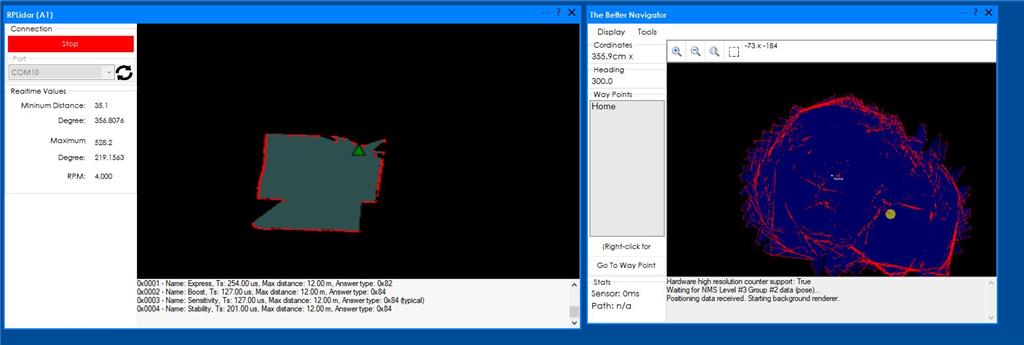
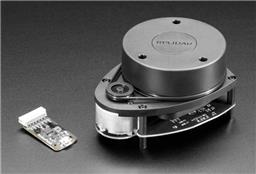
I have connected the A1 lidar and I can see the mapping on RP lidar, but on the Better navigator, I just see lines without the map shape. I had followed the tutorial video, but still can't get the area map in the better navigator. How can I fix it?
 Sabertooth Movement Panel
— Sabertooth movement panel: control two motors via Simplified Serial with variable speed sliders, movement buttons, and serial port options.
Try it →
Sabertooth Movement Panel
— Sabertooth movement panel: control two motors via Simplified Serial with variable speed sliders, movement buttons, and serial port options.
Try it →

I have connected the A1 lidar and I can see the mapping on RP lidar, but on the Better navigator, I just see lines without the map shape. I had followed the tutorial video, but still can't get the area map in the better navigator. How can I fix it?

first check that your lidar is mounted the correct direction. the softare needs to know what direction it is mounted otherwise the map will look like that
ensure you only have one robot skill pushing the pose data to the better navigator. what robot skills do you have added?
i'd need to know your configuration for the robot skills. by looking at the photos, i can only guess the two suggestions above without knowing anything else. configuration screenshots is useful. Also a list of what other robot skills that you're using would be needed as well. If you followed the video tutorial for the better navigator, my guess is that the lidar is mounted in reverse.