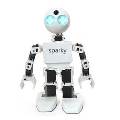

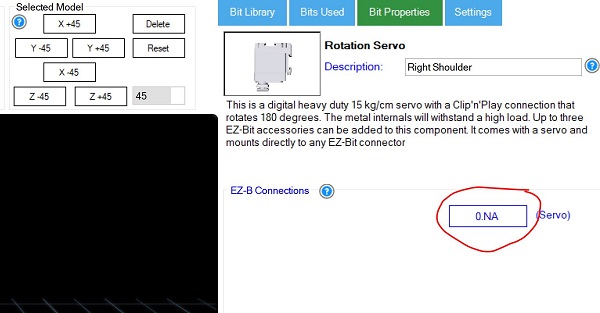
me again, when I select the servo port in "My Robot" under "Robot Design" it is not saved. As soon as you open "My Robot / Robot Design" again, it's gone. What am I doing wrong?
 Servo Script
— Bind scripts to servo moves (V1-V99); triggers on position/speed/accel changes and provides ports, positions and speeds arrays for custom control.
Try it →
Servo Script
— Bind scripts to servo moves (V1-V99); triggers on position/speed/accel changes and provides ports, positions and speeds arrays for custom control.
Try it →
me again, when I select the servo port in "My Robot" under "Robot Design" it is not saved. As soon as you open "My Robot / Robot Design" again, it's gone. What am I doing wrong?


uweP
indeed it doesn save the ports . also the feet are diff . big one and a small one .
Hello Nomad, you could solve this yourself, simply load two new stl files into your project. Create two new "sets" with e.g. https://www.tinkercad.com with the stl files from here https://synthiam.com/Community/3DParts/Feet and load them into your project...
great thanks for the help.
indeed it works .
Nomad, the feet are the same size. One looks smaller because it’s further back. It’s 3D. Things further away look smaller. Change to a side view and move it forward
hi dj
i dont see how i get to move forwart ?
uweP
sorry for using your topic .
Change to a side view (left or right) and move the bit forward
hi dj
got it . if i use the button front,back,left and right i can see the wrong position .
thank you