





Hi everyone, I have a MQTT cloud service, deployed on Amazon Web Service. It has secret credentials like username, password & client Id. My question is: on EZ-robot MQTT client, how to connect to a secure MQTT Broker using username, password & client Id? Also how to configure the qos (quality of service)? How to configure these credentials on EZ-robot MQTT client? I just can set the URL or IP address of my broker, but I can't find where to set the username, password, client Id & qos. Thanks in advance.
Asked
— Edited
1 Participant
Connect To A Secure MQTT Broker
Related Hardware (view all EZB hardware)
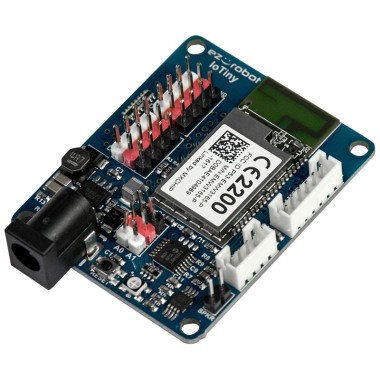
EZ-B Iotiny
by EZ-Robot
EZ-B IoTiny works with Synthiam ARCx to control servos, camera, voice, scripts, and IoT from any browser.
Wi-Fi
Servos
8
Camera
Audio
UART
None (transmit-only serial on digital ports)
I2C
ADC
2
Digital
8
Related Robot Skill (view all robot skills)
EZMQTT Client
by Synthiam
MQTT client for ARC: connect to brokers, publish/subscribe topics, map incoming messages to variables (incl. binary arrays) and run scripts.
Requires ARC
v10
I’ll take a look and see if the library supports it
Thanks for your support DJ Sures, I'm waiting for this solution. I just found on the EZMQTT Client's docs that available configurations are: Broker Hostname/IP, Connected Variable, Subscription Name (topic), Variable Name, Is Binary Array Checkbox & Script.