


i know you can check for connection in EZB scripting language by using isconnected(1). What is it for JavaScript?
I cant find it in the help section.

 Resolved by DJ Sures!
i know you can check for connection in EZB scripting language by using isconnected(1). What is it for JavaScript?
I cant find it in the help section.


Here you go: https://synthiam.com/Support/javascript-api/EZB/isConnected
Thank you for the information. I have bookmarked for future reference.
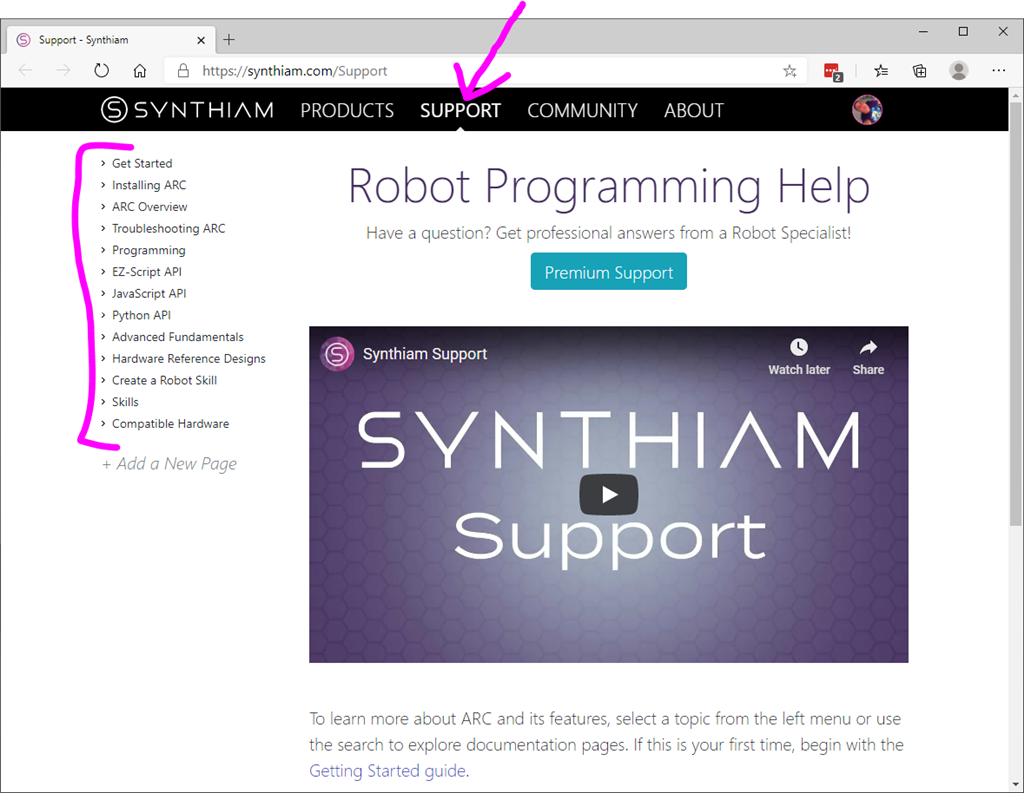
Awesome - If you ever forget it, find the manual by clicking on SUPPORT at the top of the website. Along the left you will see all of the categories for getting started, programming, skills manuals, hardware, etc...
Thanks for adding that JavaScript coding help section. I really want to learn how to code in this language. I have some very cumbersome scripts in EZ Script that I'd like to see if they work better in JavaScript. Then eventually rep[lace all my EZ Scripts with JavaScript. Hopefully soon when I have more time on hand.
Is it possible in ARC to run both JavaScripts and EZ Scripts in within the same project?
Yes. When you edit a script, choose what language you want.
Thanks DJ. Good to know. I'm looking forward to getting into this.