





Dynamixel icon Dynamixel — Open-source ARC plugin to control Robotis Dynamixel servos (XL-320, AX-12, XL430) via EZ-B, Arduino or Robotis. Supports position, speed, accel. Try it →

ARC Pro

Upgrade to ARC Pro

With ARC Pro, your robot is not just a machine; it's your creative partner in the journey of technological exploration.

#25  

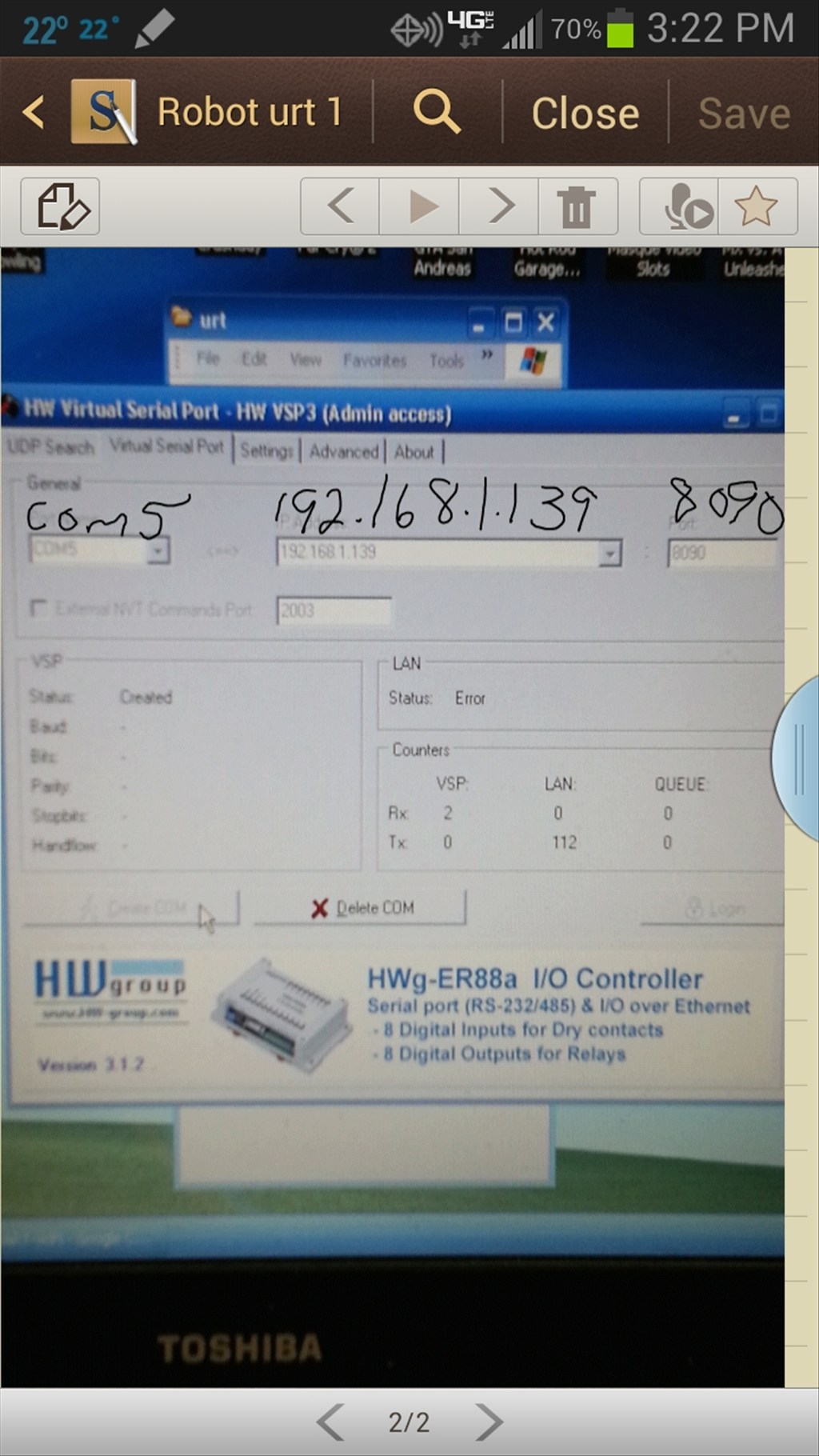
I couldn't login to the free single virtual port GUI so found one that does the same thing but costs $99 a port. I still can't access EZ-B, here's what I get:

User-inserted image

Found a fix, When using independent battery supplies to power the WiFi board and the EZ-B, the batteries need to share a common ground.

User-inserted image

#26   — Edited

Quote:

Ok several days of trying and here is where i am at. My new WIFI came in(USB-TTL module was bad on old one) all drivers loader and with help of this POST I did this setup

SETUP LINK get to setup auto mode and here is what i get

0.0.0.0 stays connected to router
192.168.1.1 cycles every 10 seconds
192.168.1.139 does not connect
i can ping fine when connected to router.

a free virtual serial port thanks @robotmaker
virtual serial port
but won't connect with any settings i put in server address and yes every thing is all set to 9600.
also set port forward 192.168.1.139 to port 8090

Don't know where to go from here,wish i was smarter *stress*
 :DThanks for the manual, I managed to repeat your path and with the server assignment and virtual serial port everything worked as Rich advised