









Robot Building Questions



Drive Real Robots, Anywhere
Remotely operate robots around the world or add live telepresence to your own build — straight from your browser.
Discover Exosphere
"I build robots" Hoodie

Autonomous AI
Autonomous AI robot agent with vision, speech, movement, animations, memory, and self-directed task...

Advanced Speech Reco…
Azure Cognitive Speech recognition for ARC with custom API credentials, scripting, language control,...

Audio File Out EZB
Stream MP3 or WAV files from your PC to the primary EZ-B speaker for robot audio playback, alerts,...

Plot live data with ControlCommand scripts: multi-series charts, many chart types, legend toggle, add/remove series, export graph data to CSV

Enhance 'Elvis Alive' WowWee robot: repair startup, add rotation pedestal with EZ-Robot lotiny controller and HDD servo for song-synced realistic...

How To Open Your ARC Project When Windows 10 Boots Up
Hello all, Back in the day someone show me how to open your ARC project when your pc booted up. Does anyone... 5
5
 2 k
2 k
Can't Save Mobile Interface To Synthiam
I created a User Interface to control my robot via the ARC Mobile app. I tried to save it to the Synthiam site so I can access it but it keeps failing with the error: Server was unable to process the request. .....>This operation is not supported. Is there another way to get the mobile user interface on to the ARC Mobile app on my phone? Or is...
3
2 k
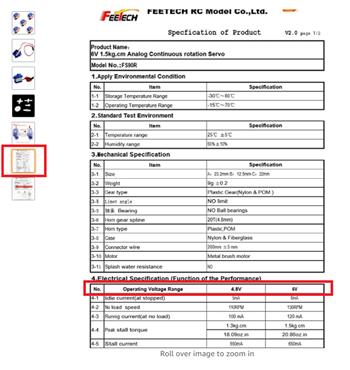
Continuous Rotation Micro Servos?
I want to build the BB-R2 from Mr. Baddley. I want to use the IO-Tiny and a 7.4V lithium battery. I need three continuous rotation micro servos like...
5
2 k
Speech Recognition Skill/Control
Is there any way I can convert speech to text using an off-line skill and get the detected phrase? The standard off-line Speech Recognition skill translates what I say to text, but I can only retrieve the phrase if it matches a defined list. I have to use the on-line Bing Speech Recognition skill to retrieve an undefined phrase.
7
2 k
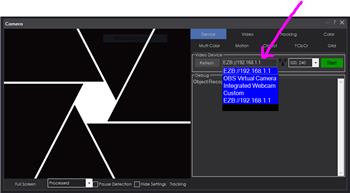
Camera Skill Configuration To Use A USB Camera Vs The Pi Camera
when adding a camera skill to a project,how (can you?) do you configure the skill to setup...
8
2 k
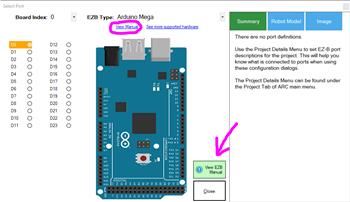
Will The 3 Wire Grove - Ultrasonic Distance Sensor Work On The Arduino Mega
Hello, I am trying to free up many digital ports on my arduino mega...
9
2 k
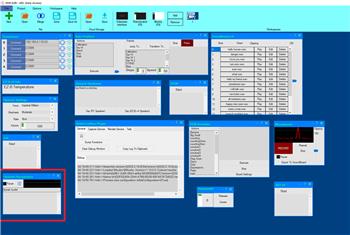
Error In Speech Recognition Window
hi all am using the speech recognition window .all works except the deactivate line ? whatever vallue i use high or low .it does nothing .i also set...
5
2 k
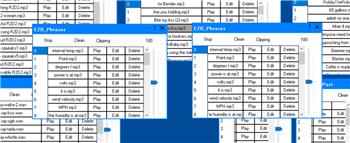
Two Identical Sound Boards
I've discovered that buy some error on my part my project has two Identical sound boards. They have the same name and content. Probably happened when I was copying...
7
2 k
Animated Face With WIO Terminal?
I have the Wio terminal: https://www.hackster.io/SeeedStudio/display-robot-face-using-the-wio-terminal-68f87a works great, but has no audio This is the code I used for the Wio Terminal, how can it be used for a script in Synthiam with audio, emotions? You are the programmer, my friend. I can show a video of it on the Wio Terminal if you want to see...
2
2 k
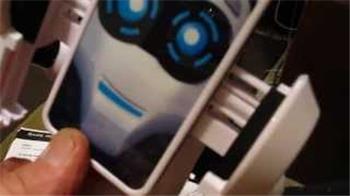
Tablet Face
Many robots are built with installed tablets. Often the tablet is in a head. I was wondering if anyone has seen or could build a face that could be displayed on the screen. I have seen this idea...
70
13 k
Does The T265 Viewer Work With Windows 8.1
Hello, I look at gethub it it say it supports window 8.1 "Supported Platforms Ubuntu 16.04/18.04/20.04 LTS (1) . Kernel versions: 4.[4, 8,10,13,15], 4.16(4) , 4.18, 5.[0, 3, 4, 8]. Windows 10 (Build 15063 or later, 17763+ recommended) Windows 8.1 (2) Windows 7 (3) Mac OS (High Sierra 10.13.2) **Android 7, 8, 9,10(5) ,11 " But when I try...
3
2 k

Skills Sendserial Syntex Help.
Hello, I have been using EZ-Script for sendserial commands because I'm not much of a programmer to make my own skills. But i would like to convert my...
8
2 k