

Continuous Servo icon Continuous Servo Control a 3-wire continuous 360-degree servo in ARC: adjustable forward/reverse speeds, start/stop buttons, board/port selection and test controls Try it →
Tutorial
Published — Updated

The Robot Program Episode 021: Detect Face And Wave - Blockly

Step 10 of 22
Step 9

Push the green Start button to connect to the camera. The camera will provide peripheral information that will be used within the program.
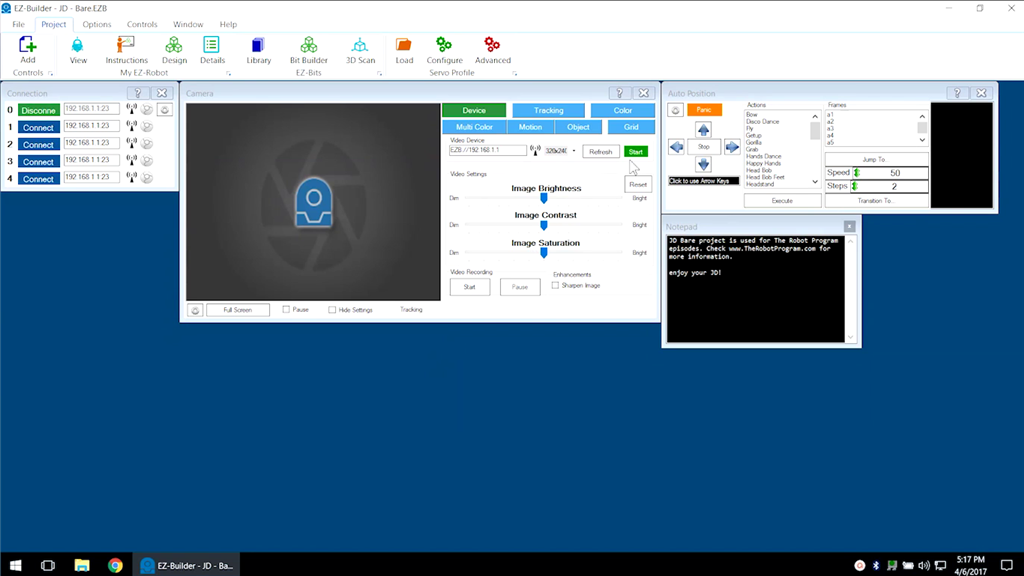

User-inserted image


ARC Pro

Upgrade to ARC Pro

Join the ARC Pro community and gain access to a wealth of resources and support, ensuring your robot's success.