

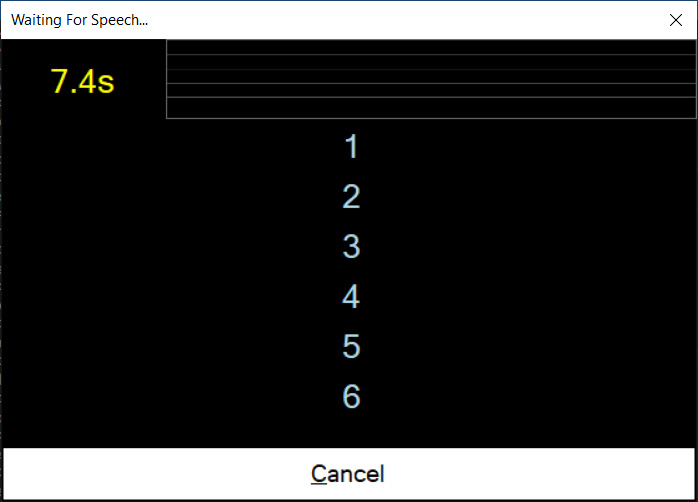
Is it possible to set the wait for speech window size, using Script or other means?

PRO
afcorson
Australia
Asked
 Resolved by DJ Sures!
1 Participant
Wait For Speech Window Size
Related Hardware (view all EZB hardware)

EZ-B V4
by EZ-Robot
EZ-B v4 with Synthiam ARCx controls servos, sensors, camera and audio over Wi-Fi or USB serial, no firmware needed.
Wi-Fi / USB
Servos
24
Camera
Audio
UART
3
I2C
ADC
8
Digital
24

It’s part of ARC native, so no. But do you want it bigger or smaller?
To be able to increase the window size would be good. It usually shows only 5 or 6 command words with the rest off the screen.
Okay - will do! Stay tuned
Can you show a screenshot of this happening? I'm unable to reproduce this behavior of words off-screen and wondering if there's something I'm missing. Thanks!
I did increase the size in this update, let me know how it works for you: https://synthiam.com/Products/ARC/Releases/ARC-2021-01-05-00-Early-Access-20174
Sorry for the delay. Here is a screen dump. There 15 numbers in this prompt. I will look at the update you have done. Thanks,
Holy cow, 15? I didn't account for that. You will run out of screen height eventually because your screen is only so big. But I'll make it scale for the text size in a future release for ya
Usually it would only be 8 to 10 key words. The numbers is this example, referred to 15 questions with the robot giving answers.