


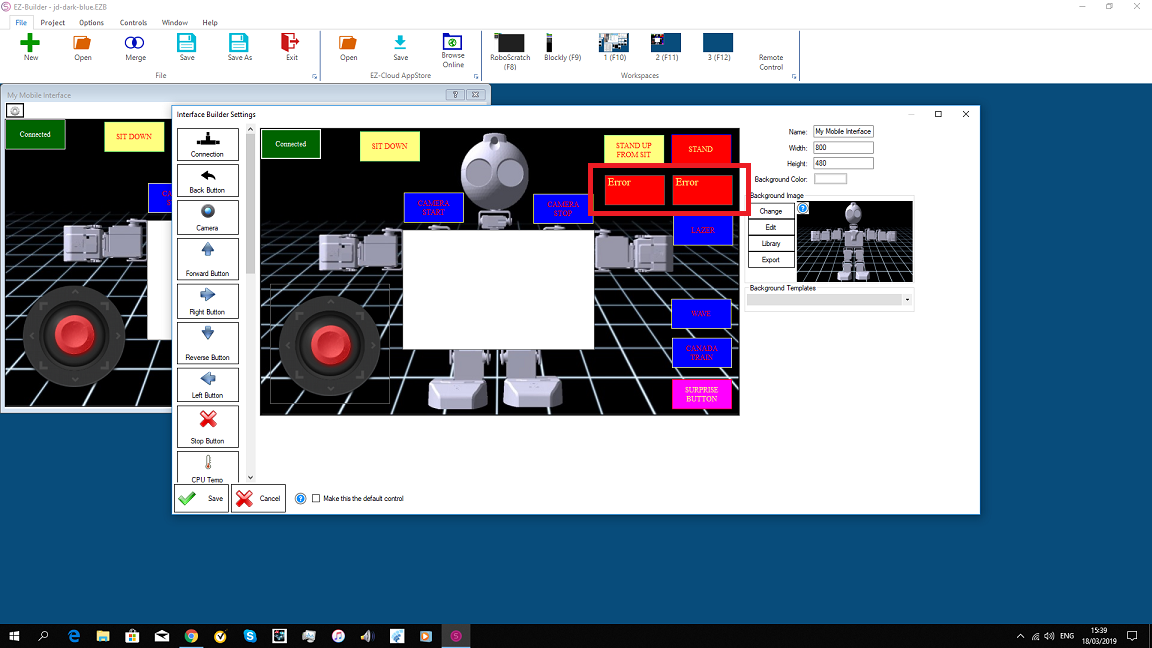
i just downloaded the new version ARC.and it has an error in the mobile app. the windows for get temp and get voltage are showing an error. do when i type in the command ,it works.
 Auto Release
— Auto-release servos after inactivity: set EZB board/ports, choose 1-60s delay, add/remove ports, pause and view status.
Try it →
Auto Release
— Auto-release servos after inactivity: set EZB board/ports, choose 1-60s delay, add/remove ports, pause and view status.
Try it →
i just downloaded the new version ARC.and it has an error in the mobile app. the windows for get temp and get voltage are showing an error. do when i type in the command ,it works.

Specify the EZB in the brackets, such as
and
yep that works.thank you dj