

 Resolved by
So I have been tinkering with speech recognition and enjoying it. Recently after a speech interaction completes I get this pop up screen with a list of recent commands that blocks most of the desktop. It gives me the option to escape from it and if I leave it alone for a few minutes it will vanish on its own but its a problem when I am trying to work on the desktop that it keeps popping up. Is this normal for this to happen?
Thanks,
Tim
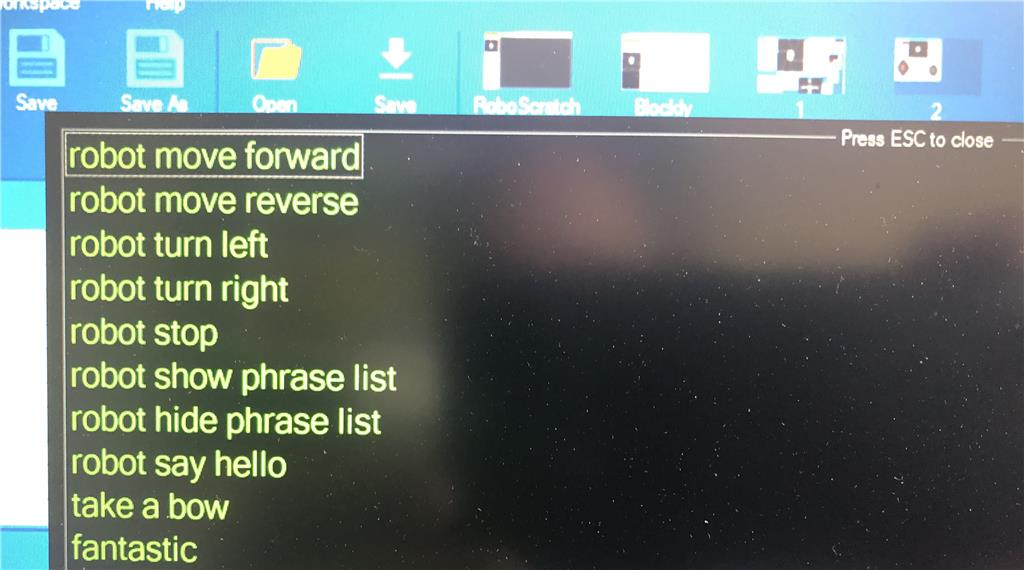



So I just looked at his list closely and noticed that " show phrase list" is in there. Hmmmm Maybe something is triggering it to think I said that?
Best,
Tim
Ok... so I figured it out. I just deleted the phrase from the speech recognition list and the problem went away.
Excellent - i edited your question to include the speech recognition skill - so it's linked now. Anyone else who has a similar question can see that linked to the speech recognition skill page
Great! I was going to delete the post after I solved it but then thought leaving it up may help other newbies who encounter the same thing.
Best,
Tim
Hehe yah - there's no delete function so we can keep all things for the future. I'm kinda crazy about keeping stuff organized
Dear Timothy, I think you should simply delete the command "show phrase list" or just pause speech recognition when your not using it.
Thanks for jumping in to assist. I did just that once I figured out what was happening. ( see above ) I am a newbie and still figuring out this stuff out.
Best, Tim