

Asked
— Edited
 HTTP Server (Custom)
— HTTP server for ARC serving HTML/CSS/PNG/JPG from ARC/HTTP Server Root; supports AJAX tags (ez-move, ez-script, ez-camera) to control the robot.
Try it →
HTTP Server (Custom)
— HTTP server for ARC serving HTML/CSS/PNG/JPG from ARC/HTTP Server Root; supports AJAX tags (ez-move, ez-script, ez-camera) to control the robot.
Try it →

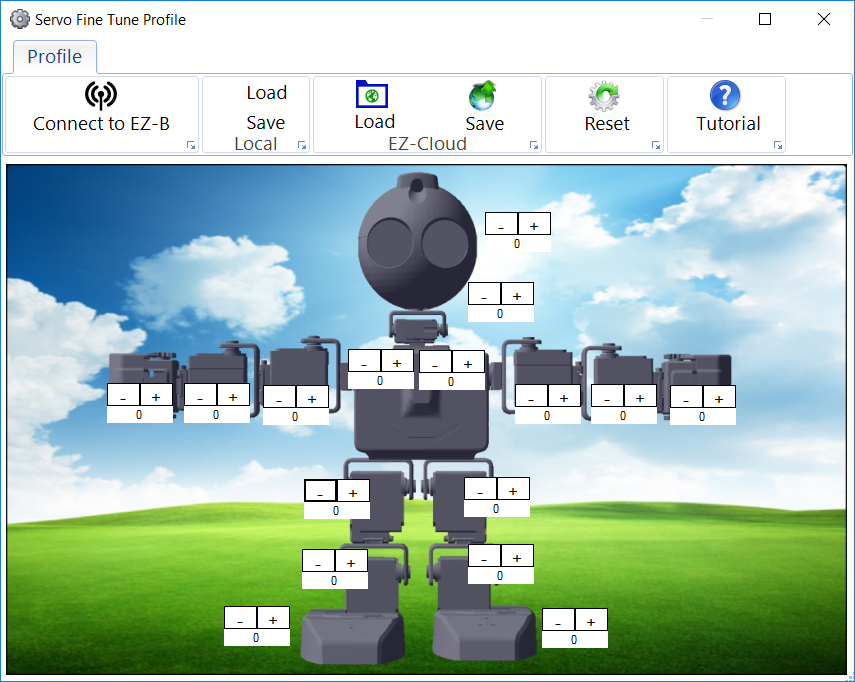
save it to the cloud and it will sync to your device when you load servo profiles. It will also sync when you install a project from the cloud.
It's the LOAD and SAVE buttons when you create a profile labelled EZ-Cloud on your screen in the servo profile window. In order to have already created servo profile (as mentioned), you have previously viewed the load and save buttons. This screenshot will be familiar...
Lastly, you can create profiles on the mobile device as well.