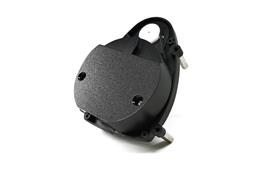



Wondering what people do if they want louder volume on their robot? I had some students record their voices, but when they added movements, the sound of the servos overpowered their grade 2 voice...
Asked
— Edited
 Resolved by DJ Sures!
1 Participant

Hi!
You can turn the volume up on the robot - but clipping may occur like in any amplifier/stereo/etc. Volume control is on the same screen of Mic Recording on mobile. Volume control is also on the same Mic control in Windows. Volume is a slider - you can slide the slider to control the volume using the mouse or finger on touch devices.
First time i've heard quiet grade 2 children - have them speak a little louder into the tablet/phone/computer microphone when recording their voice. Some children may attempt to talk toward the robot, when it's the device that does the recording.
Ok, I will try that tomorrow... it's amazing how quiet they get when nervous...
I bet! So that's how I can quiet my nephew down, make him nervous with the robot recorder!
Also - I'll have Professor e sketch up a the robot program episode on using the microphone. It'll be a fun one!
Also - you have selected Project Showcase as a tag for this post. There doesn't seem to be a project that you are showcasing. This post appears to be a question requesting assistance. In the future, select tags relevant to the post so they can be sorted appropriately. Thanks!
Think of tags like subjects. Add tags that are relevant subjects to the post.
*EDIT: i have removed Project Showcase tag from this post so it does not show up in the project showcase list: https://synthiam.com/Community/Robots