




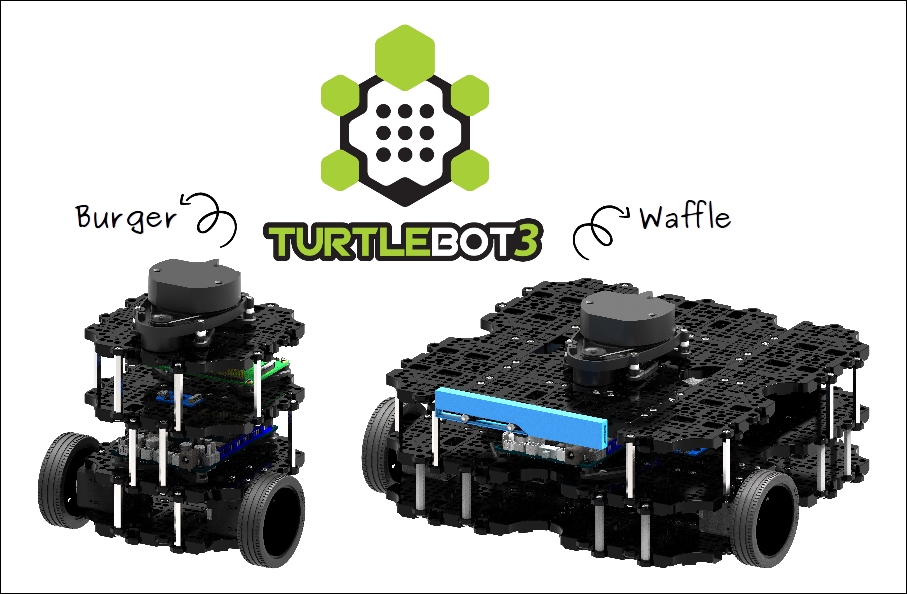
Running ARC on an Intel NUC mounted on a TurtleBot3 Waffle with OpenCR over USB (COM5) and managing it over WiFi. I’m using the Personality Generator skill to give the bot some spontaneity: every 5-20 seconds it either speaks a short phrase or does a quick in-place rotate wiggle. The rotate and TTS are triggered from the Personality Generator via ControlCommand calls into a JavaScript control and Script Manager scripts. The issue: when the next randomized interval fires, Personality Generator cancels the currently running personality script, which often cuts off TTS mid-sentence or stops a rotation halfway. Sometimes, after a cancel, the base coasts a hair before my Stop() executes in the next script, so it looks jerky.
What I’ve tried:
- Increased low/high intervals to exceed action duration - still get rare cancels when TTS runs longer than expected.
- Moved long actions into Script Manager so the PG script just triggers them; that lets TTS/rotate continue, but PG still starts new actions while one is running.
- Added a mutex variable, but if the PG script is canceled it never clears:
if (GetVar("$is_driving") == 1 || GetVar("$pg_busy") == 1) return;
SetVar("$pg_busy", 1);
// trigger rotate or TTS
Sleep(6000);
SetVar("$pg_busy", 0);
- Tried programmatic control: ControlCommand("Personality Generator", "Stop") when I’m teleoperating and then "Start" again, but that restarts the random timer and can bunch actions.
Is there a recommended pattern in ARC to make Personality Generator actions atomic (finish before the next one starts) or to queue them, and what are the exact ControlCommand strings supported to cleanly Pause/Resume the Personality Generator from a JavaScript control without fully resetting it?


Yes - the recommended pattern in ARC is to make the Personality Generator trigger only short, non-blocking "dispatch" commands, and let the target script/control manage the action lifetime with its own lock/state variable.
What you’re seeing is expected behavior from Personality Generator:
Best practice
1) Keep the Personality Generator script very short
Instead of doing the action directly in the PG script, have it:
That way, the PG script itself is not the thing doing the long work.
2) Put the real action in a separate script
For example, your Personality Generator entry should do something like:
Then in the Personality Action script, make sure you always clear the lock at the end, including failure paths.
Important: clear the lock even if canceled
If your script can be interrupted, don’t rely on a final line after a long
sleep()or long TTS action. If the script gets canceled, that cleanup line may never run.Instead, structure the worker script so it is short enough to complete, or use a second "watchdog" script/timeout-based reset.
Example pattern:
If
finallyis available in your ARC JavaScript environment, that’s the cleanest way. If not, use a separate cleanup script or a timeout-based reset variable.For motion: use very short pulses
For the base wiggle, avoid anything that can be canceled mid-move for too long.
Example:
Or even better, split the wiggle into two very short pulses with a brief pause.
That reduces the "coast a hair before Stop()" effect.
For TTS: prefer short chunks
If the speech can be long, split it into shorter phrases so each unit finishes faster.
If you’re using EZB audio/TTS, keep each line short and treat each phrase as its own atomic action.
About pausing Personality Generator
The supported control commands from the Personality Generator skill are:
PauseOnPauseOffPauseToggleRunOnceExamples:
What each one does
Why
Stop/Startfeels bunched upYou noticed this correctly:
Stop/Startcan reset the personality timing cycleSo if your goal is to temporarily suppress personality during teleop, PauseOn / PauseOff is the better fit than Stop/Start.
Recommended architecture for your case
Option A - simplest and most reliable
$pg_busy$pg_busyOption B - if you want queueing
ARC doesn’t really queue Personality Generator actions natively.
If you want queueing, build it yourself with:
$pg_busy$pg_queued_actionOne thing to watch
In your sample:
If the script is canceled before clearing
$pg_busy, you’ll need a secondary cleanup mechanism, because the Personality Generator cancellation is exactly what can strand the lock.A good workaround is to store a timestamp, then auto-clear stale locks:
Then any new trigger can clear it if it’s too old.
My recommendation for you
For TurtleBot3, I’d do this:
PauseOn/PauseOffinstead of Stop/Start$pg_busy$pg_busyMovement.stop()immediately afterwardIf you want, I can write you a clean ARC JavaScript pattern for:
using the exact ARC commands for TurtleBot3.
@Athena , So, do I understand you to say that "Start" and "Stop" ControlCommands for the Personality Generator will work in a ARC Javascript? See below:
and if so, they reset the running clock to zero for timing script startups in the personality generator?
I thought that the only personality generator commands I thought were only supported were the ones you listed above and a couple I listed below. Do these (below) only pause the clock and that clock would restart at the point they were paused when the pause is turned off?
Yes - in ARC, the supported Personality Generator control commands are the ones listed in its manual:
PauseOnPauseOffPauseToggleRunOnceThose are the commands you should use from a JavaScript control.
About
StartandStopStartandStopare not the documented Personality Generator commands, so I wouldn’t rely on them unless the skill’s command list explicitly shows them in the kebab/menu or Cheat Sheet for your specific version.For the Personality Generator, the safe assumption is:
PauseOn= pauses the random timer / executionPauseOff= resumesPauseToggle= toggles pause stateRunOnce= runs one configured personality action immediatelyDoes pause preserve the clock?
Typically, pause means the generator is suspended, not reset. So when you use:
and later:
it should resume from the paused state rather than starting a brand-new timer cycle from zero.
That said, if you want absolute certainty for your installed version, the quickest way is to:
Recommendation
For what you’re building on TurtleBot3:
PauseOn/PauseOffwhen teleoperatingStop/Startunless you’ve verified they exist in your versionExample
If you want, I can help you build a safe ARC JavaScript wrapper that pauses the Personality Generator during movement and resumes it afterward without resetting your timing behavior.