
I have the JD humanoid robot and I charged the battery and it still does not give any indication of being turned on when I flip the switch. I do not know if I am doing something wrong or if it is a manufacturer defect if anyone can help that would be great! Thank you!

Theguitarguy
USA
Asked
— Edited
 Resolved by Steve G!
3 Participants
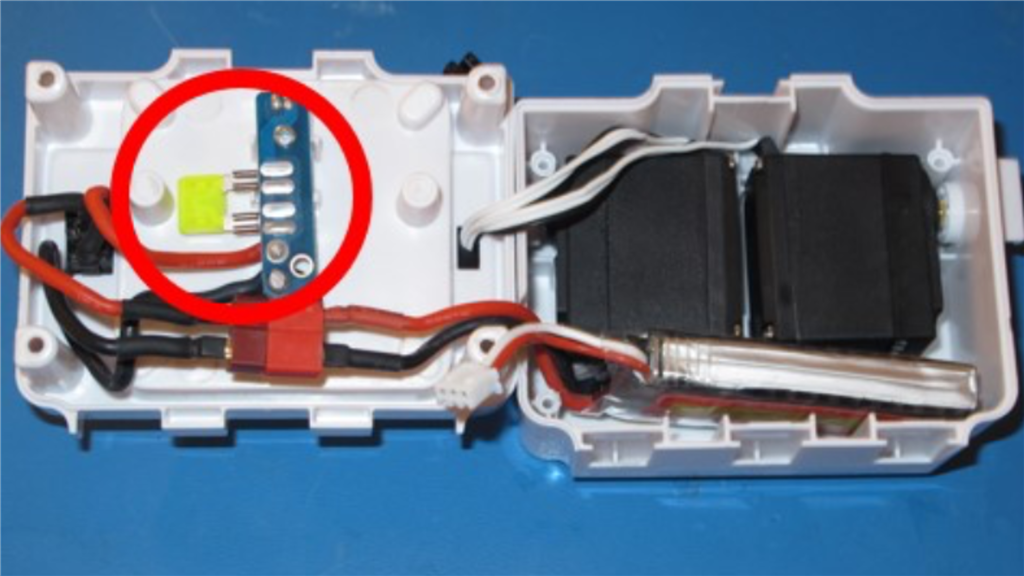

Have you checked the fuse? Are you sure the battery is charged? I mean did you check the battery voltage with a multi meter?
Hi! Has he turned on before?
No I just got him and I put the ezb in and nothing happened after I turned him on.
@Theguitarguy.
Have you done the checks mentioned in post #2? If you're unsure how to check/replace the fuse in the power shell, there is a guide that shows you how to do so linked below,
Fuse Replacement
After you have done these couple of checks, as well as checking if the battery is connected properly, report back here with what you have tried, and we'll check for other possible solutions.
Thank you guys for helping! He works great now!
Excellent! Enjoy
